
Hands-on with DeepSeek-V4.1-Flash-1017: still a long way from wish-driven programming
Hi everyone, I’m luckySnail.
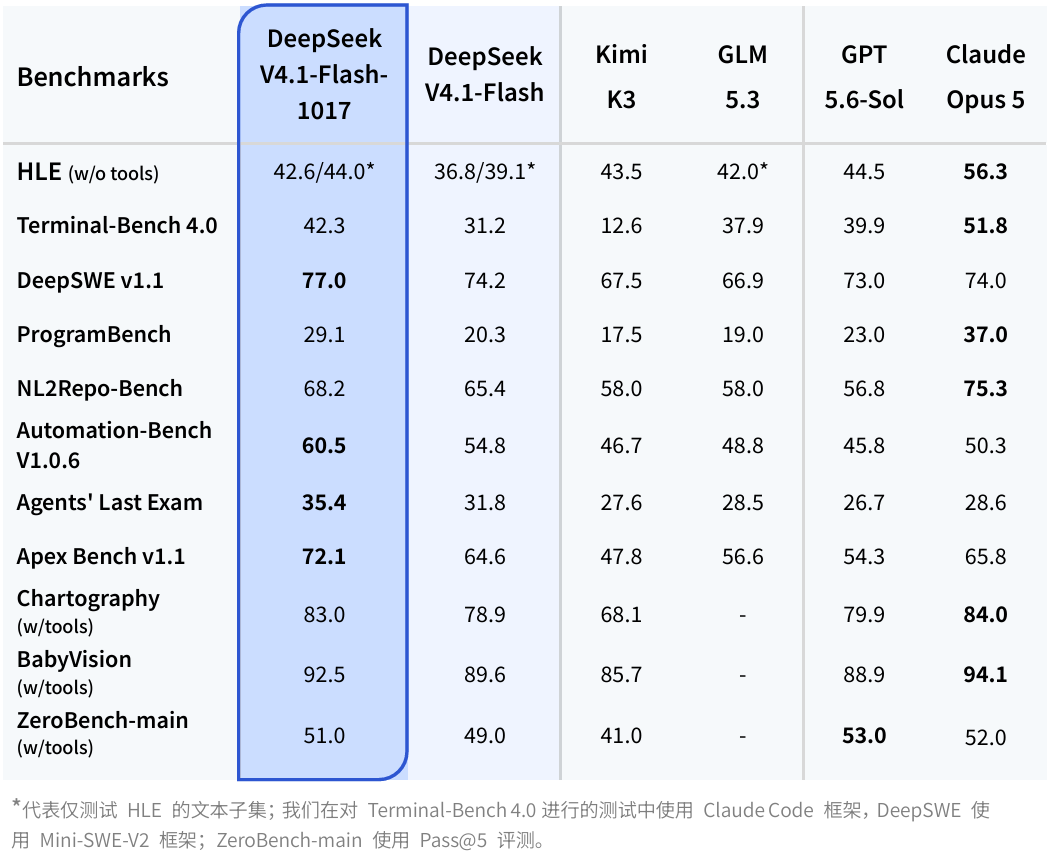
On October 17, DeepSeek released V4.1-Flash-1017. More than the benchmark scores, a few promises in the official announcement caught my attention: faster task completion, lower task cost, and “wish-driven programming.”
To see how it actually performs, I ran five real tasks on the DeepSeek Harness desktop app (0.2.1-rc.2): turning a PDF resume into a website, making a PPT, producing an animated explainer video about agents, developing a DSH plugin, and writing a Person Agent tutorial that covers everything from research and development to the finished article.
Here’s the verdict up front: its instruction following has genuinely improved, and it can turn most things you ask into a finished product. But the advertised thrill of “spend less, get better results faster” never materialized for me. With complex tasks in particular, the execution chain is still long, I had to jump in and rescue it constantly, and it took even longer.
Beyond the final deliverables, what I really want to talk about is what happened between me and it over those dozen or so hours.
Can we take the official “Pareto improvement” at face value?
According to the official release notes, this update shortens task runtime and output length, and adds targeted optimizations for DeepSeek Harness (the official recommendation is to upgrade to 0.2.1-rc.1 or above), CodeBuddy, WorkBuddy, and other frameworks. In the official model card, the DeepSWE v1.1 score also rose from 74.2 in the previous version to 77.0.
The team used a very academic term this time: a Pareto improvement in performance and cost. In plain terms, doing the job better at the same or even lower cost.
Still, official numbers deserve some skepticism. The official cost chart notes that the test environment was the DeepSWE benchmark under the mini-swe-v2 framework. The per-task cost in a benchmark environment clearly can’t be taken directly as what it costs us to build a complete website, render a video, or write a plugin in daily work.
So let me put it to the test.
A quick look at the new services: Search and Fetch
This update also opened up web search (Search) and web fetch (Fetch) APIs. For agent tasks that need to research before acting, this fills in a key missing piece.
Both APIs are officially priced at 5 yuan per thousand calls. Per the official notes, calling them server-side in scenarios like Harness is currently free for now, but starting November 1, 2026, 00:00 (Beijing time) they’ll be billed per call.
That also means that going forward, when using DeepSeek, you can’t just watch model tokens — you also need to keep an eye on how many external search and fetch calls it makes in the background.
The tests
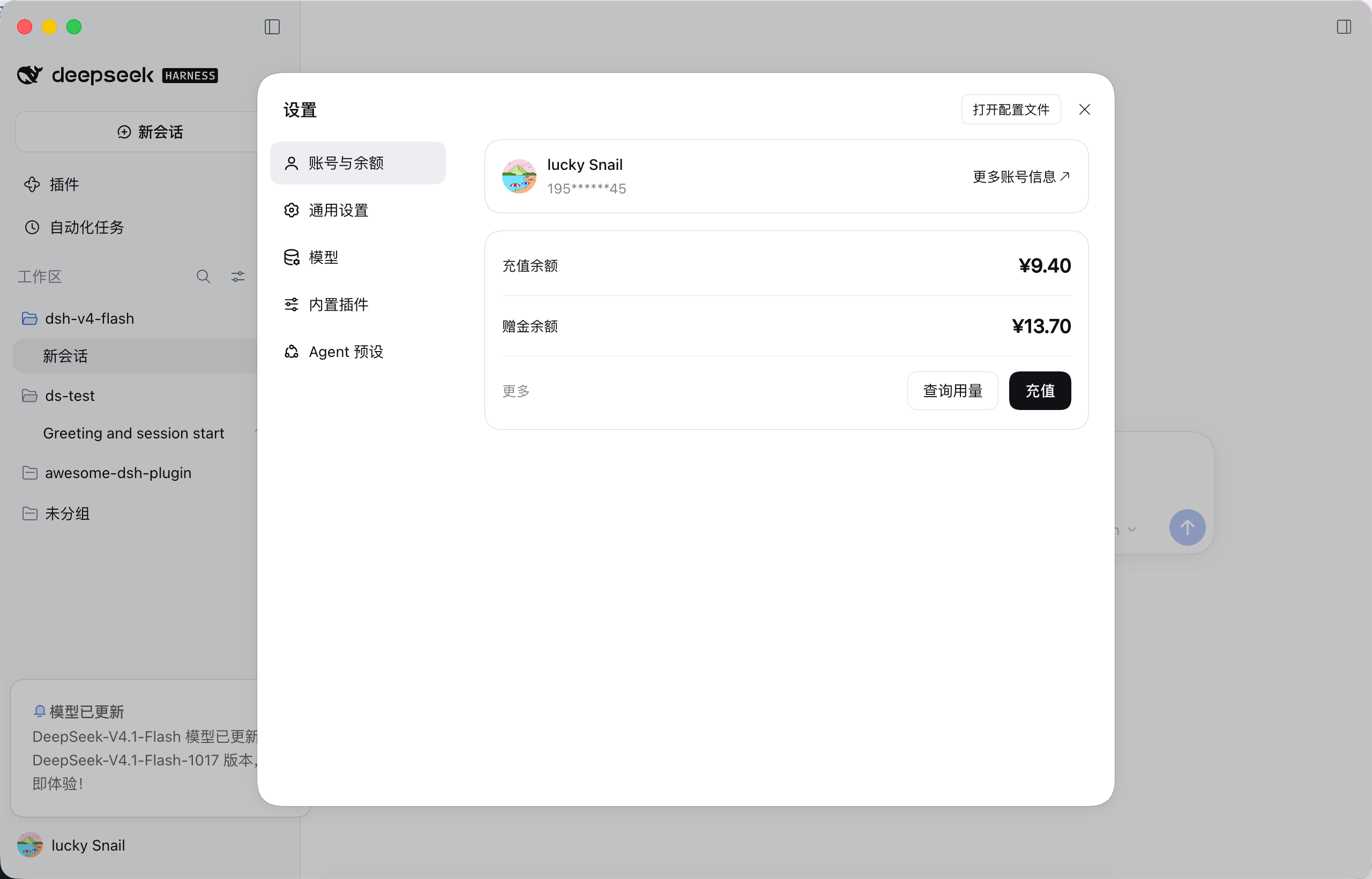
This is my balance before testing. Let’s see whether that’s enough for these five tasks.
1. An agent-friendly online resume
 The first task was clear: take an existing PDF resume and turn it into a web page; the core data had to be extracted into Markdown so an agent could later tailor it dynamically for different roles; the stack was specified as Void, which Cloudflare had just released; and finally, deploy it live.
I have to say, it understood the requirements very well. The final deliverable included a Markdown data source, a web frontend, an agent workbench, customized versions, validation scripts, and a public API — and it successfully pushed it to Cloudflare. It built the “separate data from presentation” architecture really well, but the process was painfully long and winding.
Looking through the logs, the first round took 39 minutes. It went quiet for ages while I waited, then got stuck on Cloudflare login and deployment: after authorization, writing to the macOS keychain failed (it kept retrying), and then it ran into runtime environment and network issues. On top of that, before confirming the basic layout with me, it went ahead and built extra features like an editing interface and dark mode — though that’s partly because my prompt wasn’t strict enough. I hit the same problem with Codex using an identical prompt, but at least that one just got on with what it could do and finished.
I think this is a realistic, practical scenario, but the result wasn’t great, and it took a lot of time and constant prodding from me.
2. Making a PPT
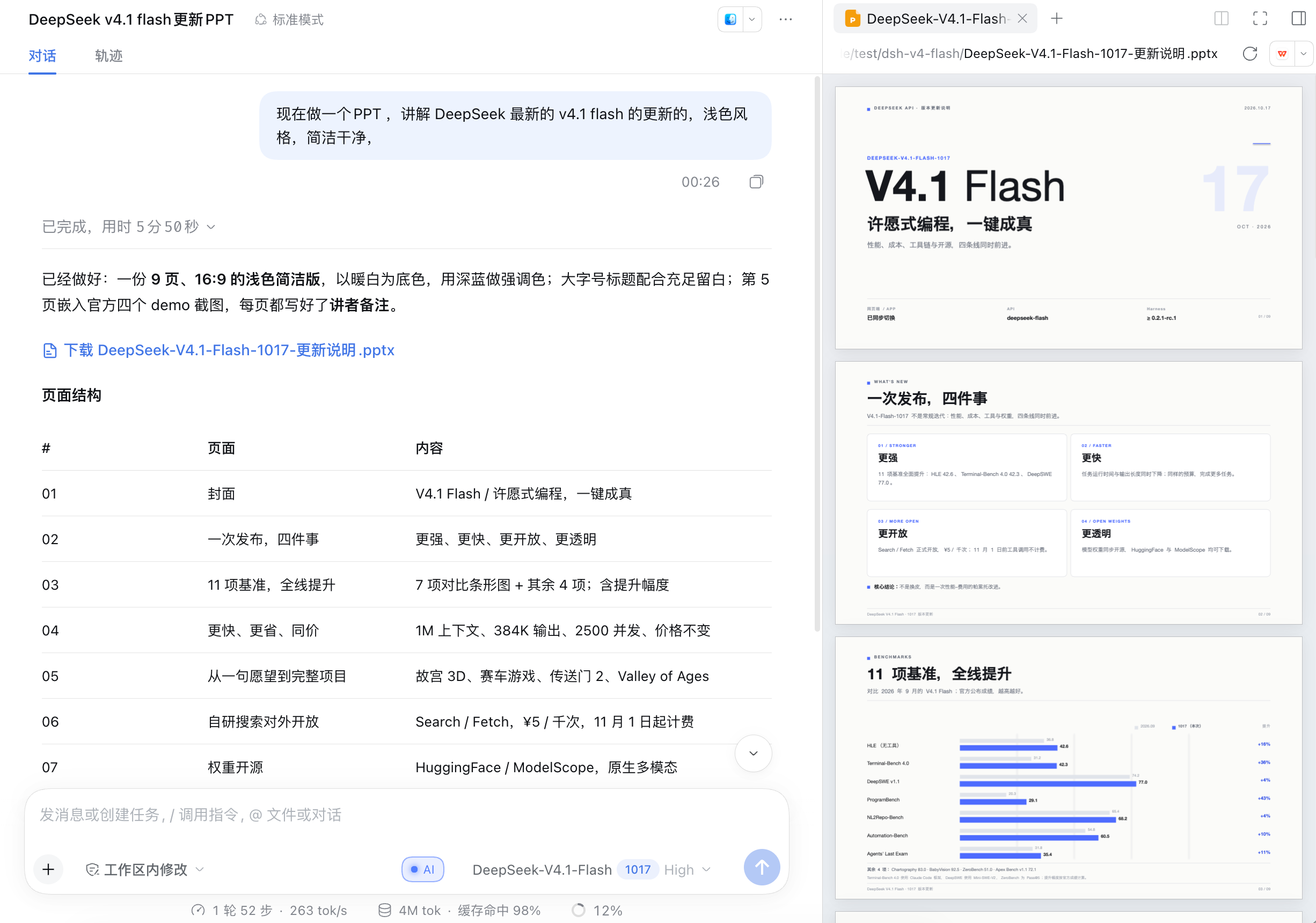
The second task was to make a PPT introducing the DeepSeek V4.1 Flash update, with a light background and a clean, simple style. It finished in just 5 minutes, and the result was actually pretty good — except that, like all AI, it loves cramming in tiny text nobody needs. But the content covered the model update, benchmark comparisons, official examples, the search API, upgrade recommendations, and more, which shows it isn’t slow at everything. For standard tasks with clear goals, ready-made material, and a fixed output format, it’s still quite nimble. Sure, this PPT is still a long way from being ready to present at a formal event, but as a first draft it’s more than decent.
3. Producing an explainer video
Video is something Opus 5.5 is currently very good at. My requirement was: use JavaScript to make an animated video that lets viewers understand “how an agent gets built.” It produced a first version in 11 minutes. To sum it up: it was ugly, so I won’t show it.
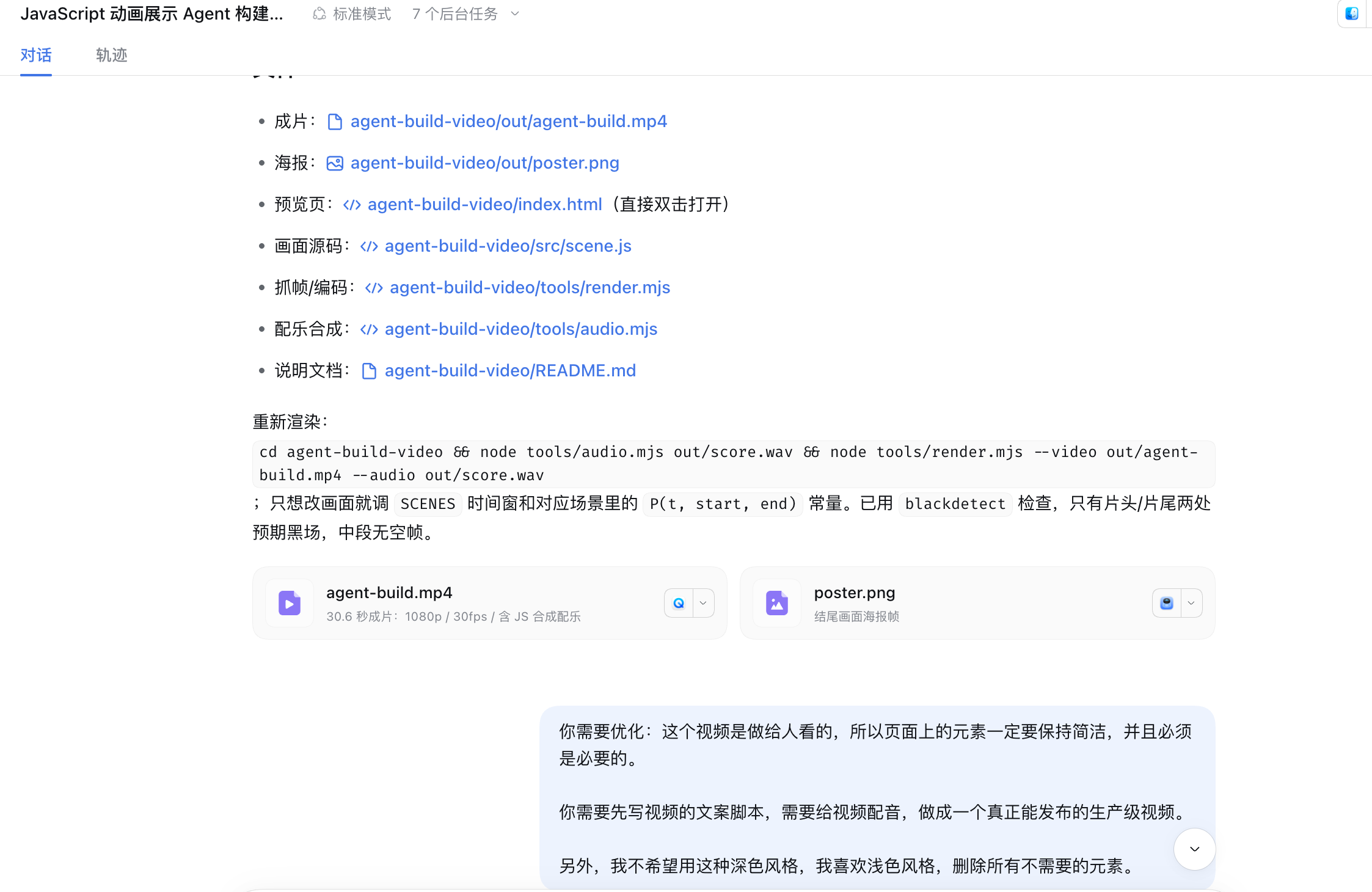
So I asked it to improve: simplify the visuals and keep only the core elements; write the script first, then do the voiceover; switch all dark backgrounds to light; and use a nicer male voice for the narration.
When executing these specific changes, it was very obedient — visual style, script, voiceover, and rendering pipeline were all handled as instructed. As long as you break the instructions down finely enough, it can keep up.
But when the new video rendered, I found a more fatal problem: it had gone off-topic. My requirement was for a video that lets a viewer finish watching and know how an agent gets built. What it delivered was all about “what an agent is made of” (breaking down concepts like models, tools, and memory), when what I wanted was a step-by-step guide to actually building one. Once I pointed that out, it threw out the script and rewrote it as a hands-on flow: write the spec, choose a model, connect tools, add memory, wire up the loop, test, and ship. Then it re-did the voiceover and re-rendered. After an hour of back-and-forth adjustments, here’s what it produced:
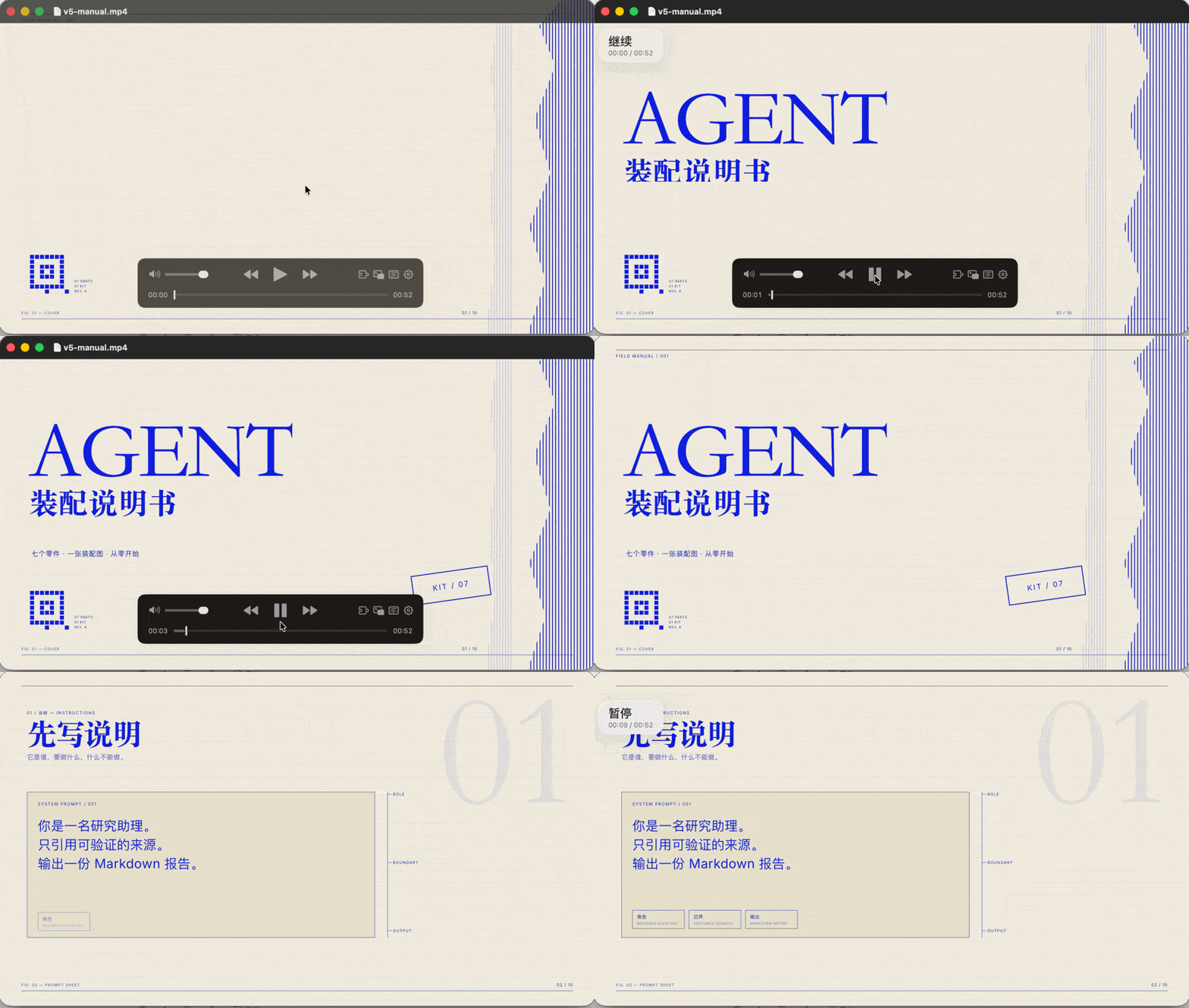
This is the final version, and it’s still not good. For video, just stick with Opus 5.5. This task showed me that when it genuinely tackles harder tasks, it really does blow past the time budget and can go down the wrong path — and all told, it burned more tokens and took more time.
4. Developing a DSH plugin

This task came from a real pain point of mine: every time I start a new task, I have to manually adjust its thinking level. That level has a big impact on both the result and how long the task takes.
I wondered: could I use Cloudflare Clef to first judge the difficulty of the current prompt, then automatically switch DeepSeek’s reasoning level? Simple questions get less brainpower; complex tasks get deep thinking.
Having learned my lesson from earlier, I laid down the rules from the start: research feasibility first, show me the plan, and only write code after I approve it. This time it behaved, and dutifully stopped to wait for my sign-off. Judging by the delivered code, its engineering ability really holds up: it understood DSH’s plugin mechanism, got the external Clef API working, and completed the frontend-backend integration to implement automatic thinking-level adjustment.
But while using it myself, I found that the timeout budget was too short, causing judgment to fail without any warning — which shows it still has some way to go on self-verification.
5. Testing its writing ability
The last task was a comprehensive one: search the web for Person Agent material, round up related GitHub projects, hand-build my own Person Agent on Pi Durable and deploy it to Cloudflare, then package the source code and write a beginner-friendly, step-by-step tutorial for ordinary people.
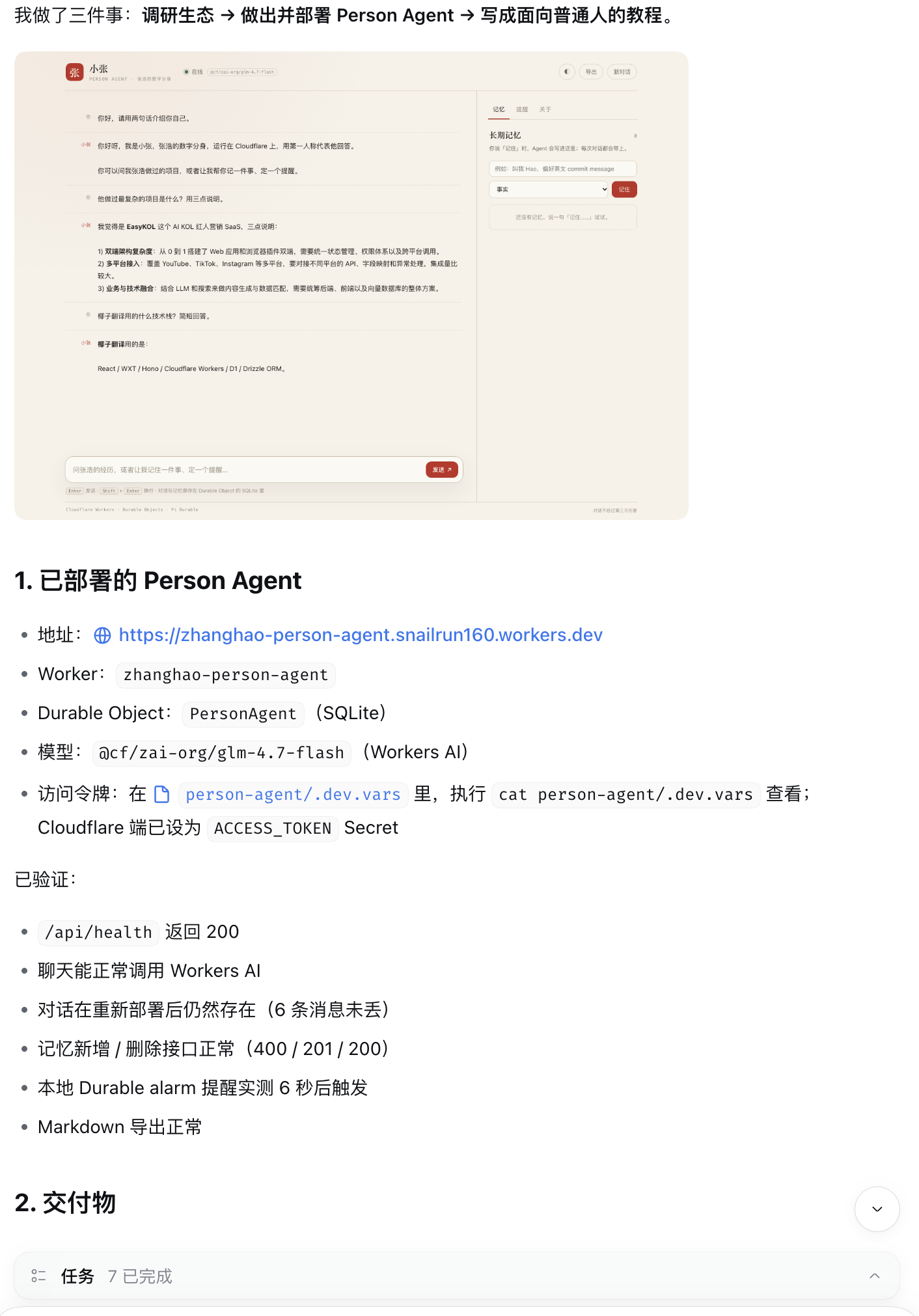
This task ran for 18 minutes and successfully produced the project source code plus the tutorial in three formats: Markdown, HTML, and PDF.
The article ran from concept explanations and architecture diagrams through environment setup, all the way to editing configs, deploying, and day-to-day troubleshooting, with plenty of everyday analogies sprinkled in to lower the barrier to entry. But I’m sure many people wouldn’t make it through, because it’s just too boring. It really is great at gathering material and building an article outline, but what it writes isn’t ready to be published as a final draft without review.
How it felt to use

I didn’t pull a detailed bill for this test, but after running these five tasks, my honest impression is clear: to get these results, the time, tokens, and energy I sank in exceeded what the official marketing had led me to expect.
Judging whether an agent is expensive or good to use by API pricing and benchmark scores alone is meaningless. You have to put it in real scenarios and see whether it solves the problem and saves you hassle and time. Clearly, DeepSeek still can’t do that after this update.
To sum up, three pain points stood out most in this experience:
- You have no idea what it’s thinking about — it’s just slow
- Its understanding of requirements needs work
- Video production is completely unusable
I didn’t have much time for thorough testing either; this is just my general impression. I really do like DeepSeek and want it to be able to do the work, but every time I sink 1–2 days into it, the conclusion is the same: “not yet.”
Conclusion
If the question is simply “can the new DeepSeek version do the work,” my answer is a definite yes: it can, and it can take on engineering tasks of real complexity.
Whether it was the data-separated resume site, the PPT, the animated video, or the plugin with UI state, it delivered genuinely usable output; and it followed explicit requirements like light styling, a specific tech stack, and UI interaction details quite faithfully.
But if the question is: did it let me spend less money and get better results faster? Did it deliver “make a wish and forget about it”?
At least in this round of intensive testing, no.
Right now it’s more like an assistant with a great attitude, quick hands, and a willingness to revise again and again. You still have to steer the overall direction, review half-finished work, sort out permission roadblocks, and pull it back when it goes down a rabbit hole. Put simply, it’s just not that smart.
After all, for people actually using AI to get work done, the only real measure of value is whether something gets done from start to finish, how much it cost in total, how much time it took, and how much mental energy it burned. This update showed me solid instruction-following ability, but true “save money, save hassle” and “wish-driven programming” will have to wait.