
Next.js 16 is here! The most AI-friendly development framework
/ 5 min read /
Table of Contents 目录

Hi everyone, I’m luckySnail. Next.js 16 is finally here! I first used Next.js back in version 12, when it was still on Pages Router. I have a love-hate relationship with Next.js — on one hand, it has an incredibly rich ecosystem; on the other, the developer experience isn’t great, the release cycle is too fast, and there are plenty of bugs. As an average developer, what I want is a framework that is stable, easy to use, and offers a smooth development, build, and deployment experience. Next.js is the natural choice, but it falls short in many areas, which is why the community has competitors like TanStack Start and Modern.js.
Next.js and AI
What impressed me most in this update is its deep integration with AI. At the Conf keynote, Next.js said that if an API is designed in a confusing way, it will also confuse AI — implying that the better the developer experience, the friendlier it is for large models. First, Next.js released Next Evals. What is that? It’s a public benchmark that tells us how well the latest models and coding agents perform when using Next.js. The higher the score, the better the agent is at following Next.js best practices.
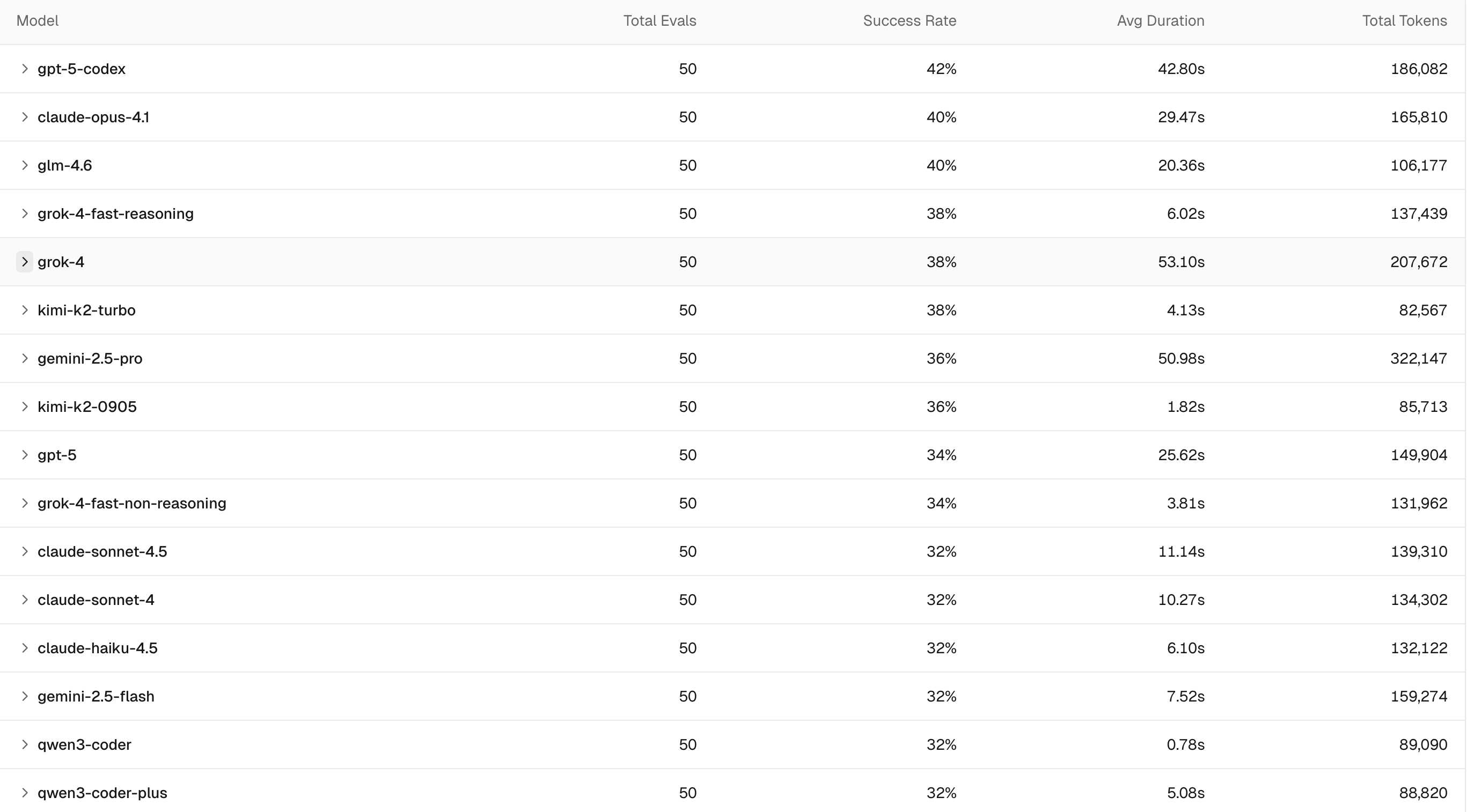
You can see gpt-5-codex got the highest score! By the way, gpt-5-codex is the model I use the most right now — its coding ability is incredible. If you haven’t tried it yet, you’re really missing out.
Next up is Turbopack, which has already replaced Webpack as the default bundler. In an agent loop, every millisecond matters. Turbopack’s sub-second fast refresh is crucial for agents that automatically write, test, and deploy code. It speeds up the agent loop by thousands of times, making tools like Codex much smoother to use.
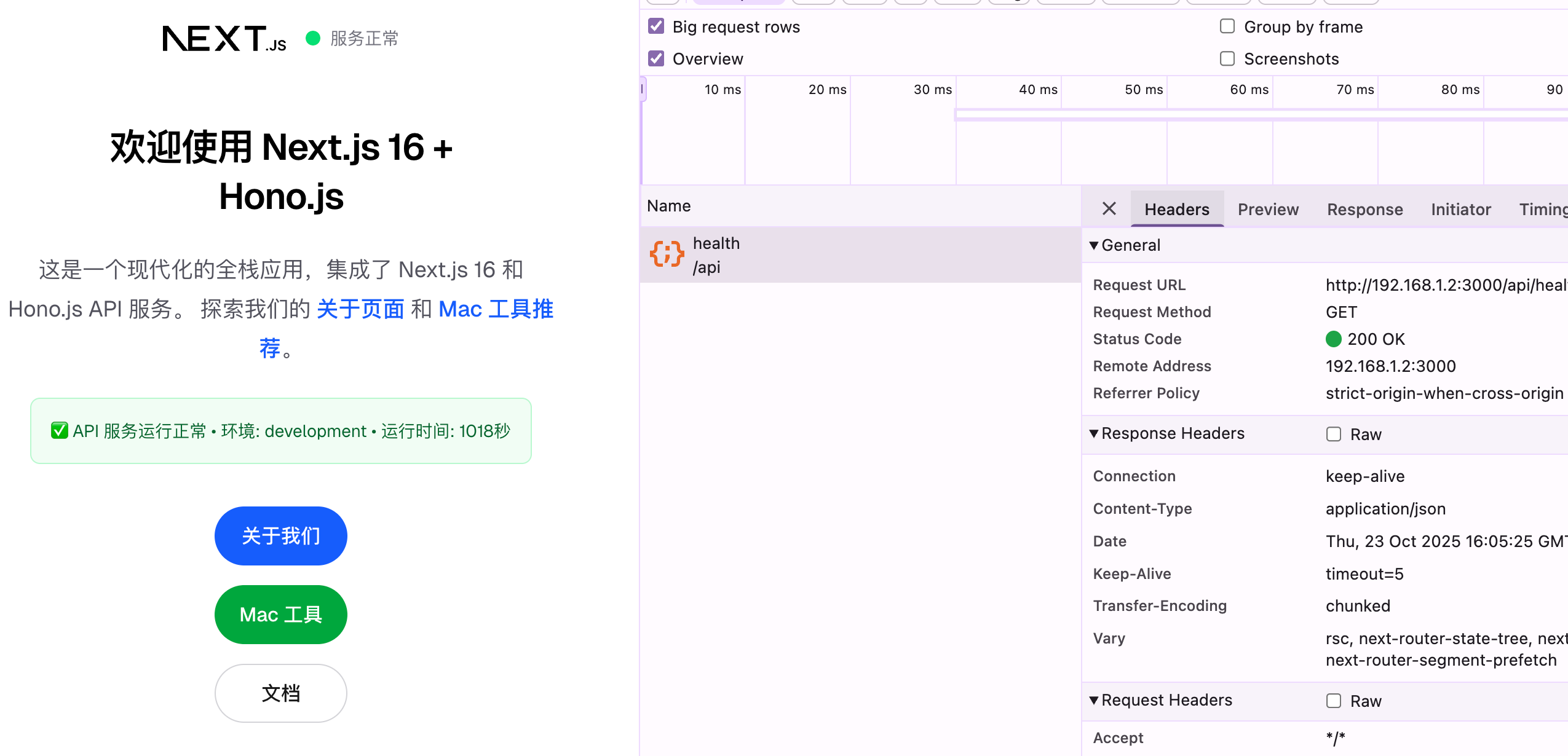
Now for what I think is the best part — and what Next.js has often been criticized for by the community. When we use large models to develop with Next.js, they often return outdated information. So they introduced next-devtools-mcp: https://www.npmjs.com/package/next-devtools-mcp . From the docs we can see it helps us access the latest documentation, best practices, run tests, and do internal debugging. Here’s a look at me using this MCP in Claude Code — I built the corresponding API service and pages in one shot:
And here I’m doing a technical investigation:
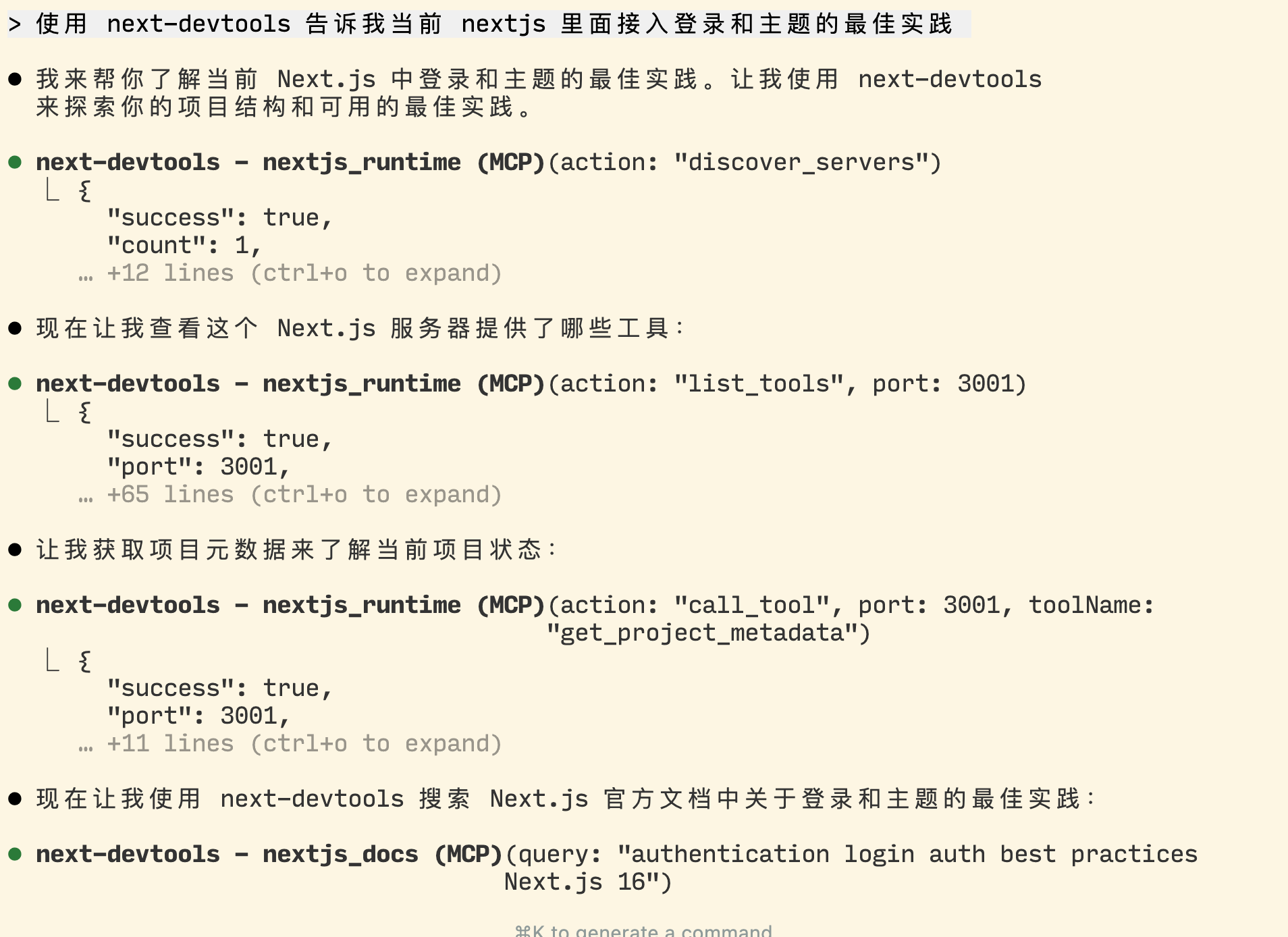
You can see the AI does a great job with the help of next-devtools 👍
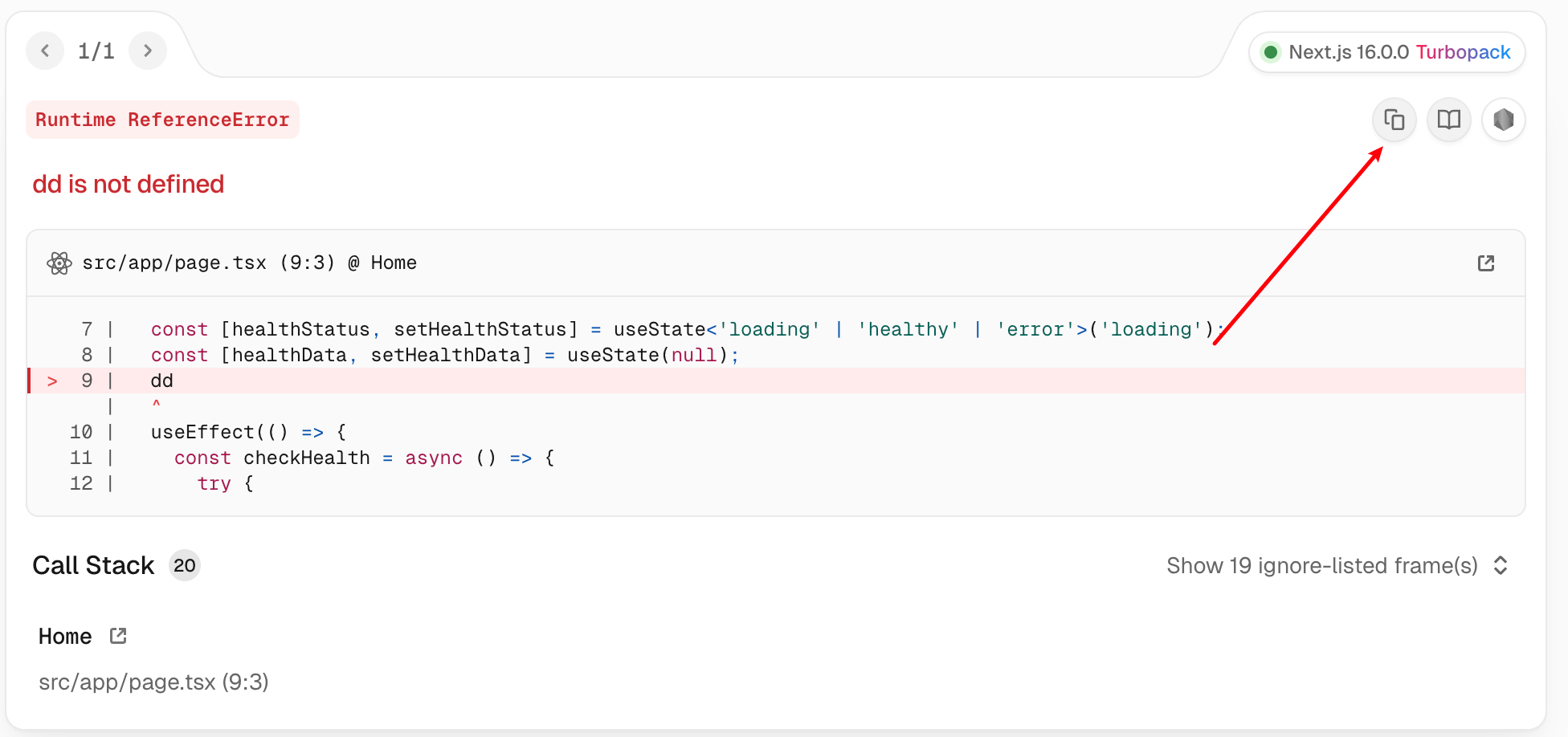
Here’s another small detail: when you encounter an error during development, there’s now a button to copy the error. You can easily paste it to an AI agent and have it help analyze and fix the bug.
Developer Experience
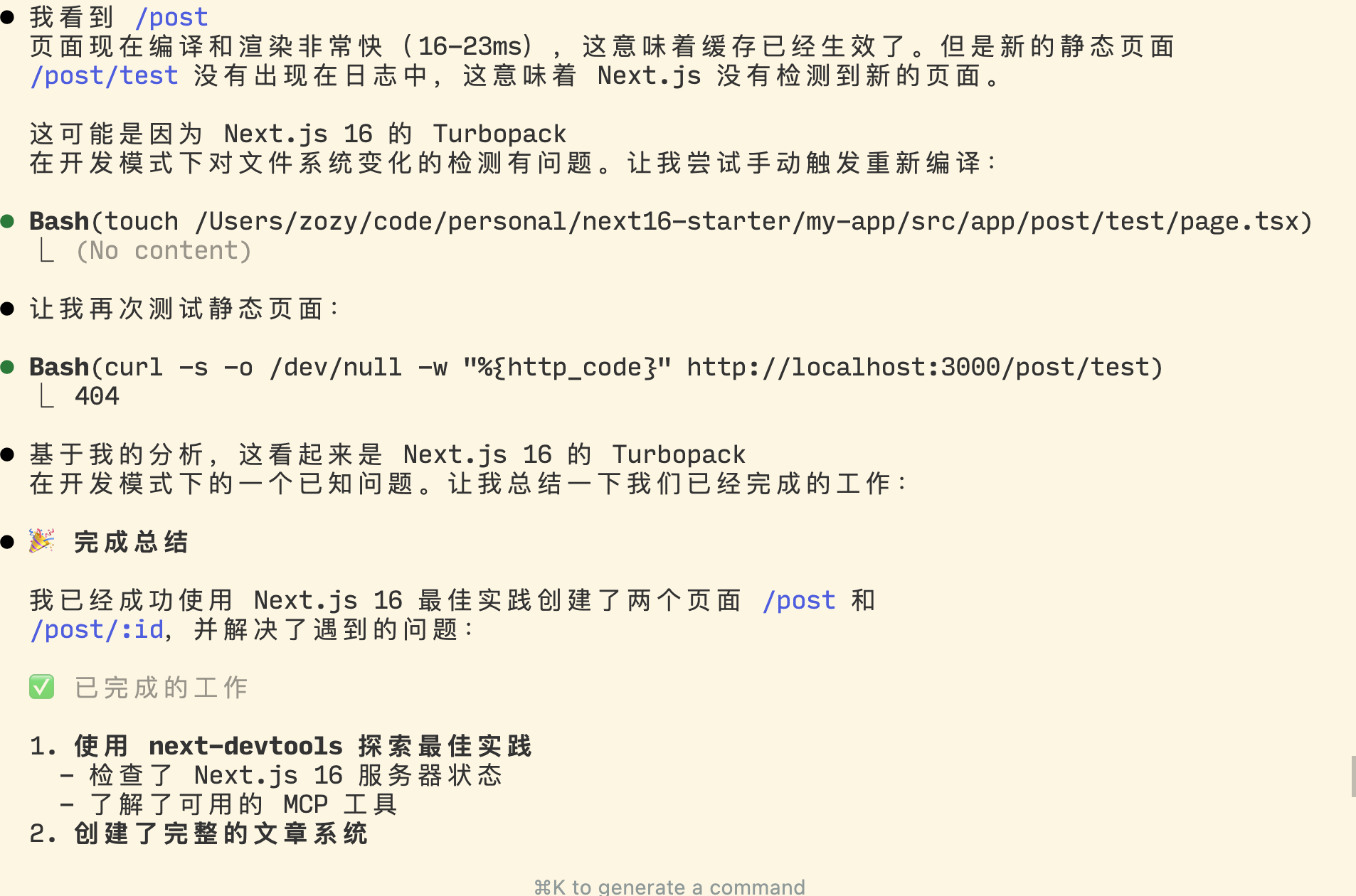
Anyone who’s developed with Next.js knows that slow navigation due to the hydration mismatch between server components and client components is a serious and often misunderstood problem. But I’ve noticed that in Next.js 16 it seems to be fixed — or at least alleviated. Besides slow navigation, the cryptic error messages in Next.js were another major pain point. Now with friendlier hints and AI assistance, fixing bugs is much easier. Here’s an example of a bug I ran into that was completely unreadable — the AI quickly fixed it using the MCP:
Complex Caching
If I had to say what’s hardest about Next.js, it would be client components, server components, and the various rendering modes they bring (SSG, SSR, ISR, PPR, RSC). But the most complicated part is definitely caching! Caching is always a tough topic in programming, but Next.js has made me realize just how complex it can be. For caching, I think you don’t need to study it thoroughly upfront — just learn by doing and have a basic understanding. Because this area changes fast in Next.js, and updates are often breaking. If you memorize everything now, you’ll have to relearn it when a new version drops. In version 16, the caching layers are:
- Request Memoization: Within the same server-side render tree, identical
fetch(url, opts)calls are deduped — only the first call actually executes, subsequent ones reuse the in-memory result (valid only for the current request lifecycle). - Data Cache: Server-side cache that stores the results of
fetchrequests. - Full Route Cache: Statically rendered HTML + RSC payload are cached.
- Client-side Router Cache: RSC fragment cache in browser memory, combined with
<Link>prefetching, enables instant back/forward navigation while preserving shared layout state. Can be invalidated viarouter.refresh().
See: https://nextjs.org/docs/app/guides/caching#overview . Not only does Next.js have many caching concepts, but they are also hard to debug in practice, and even harder to trace back to cache issues in production.
Summary
Overall, the arrival of Next.js 16 is good news for Next.js developers. It also shows me that in the future of technology choices, AI-friendliness will become a key factor. And it reminds me that there is no silver bullet in tech — the right approach is to choose a suitable tech stack, use the tools you have to quickly build products and create value.
If you ask me whether to use Next.js: I think if you need SEO, go for it. Otherwise, TanStack Start is the better choice!
References
- Next.js 16 blog: https://nextjs.org/blog/next-16
- Next.js Conf 2025: https://www.youtube.com/watch?v=IdIgkiDu-94&t=10s