
Integrate DeepSeek-V3.1-Terminus into Claude Code and Codex in One Minute
/ 1 min read /
#ai
Table of Contents 目录
Just recently, DeepSeek released the ultimate version of V3. I’ve been getting rate-limited using Claude Code and Codex lately, so follow along as I quickly integrate the latest DeepSeek into cc and Codex!
Integrating with Claude Code
1️⃣ Global Installation
npm install -g @anthropic-ai/claude-code2️⃣ Configure Environment Variables
First, go to the DeepSeek official API dashboard to generate an API key.
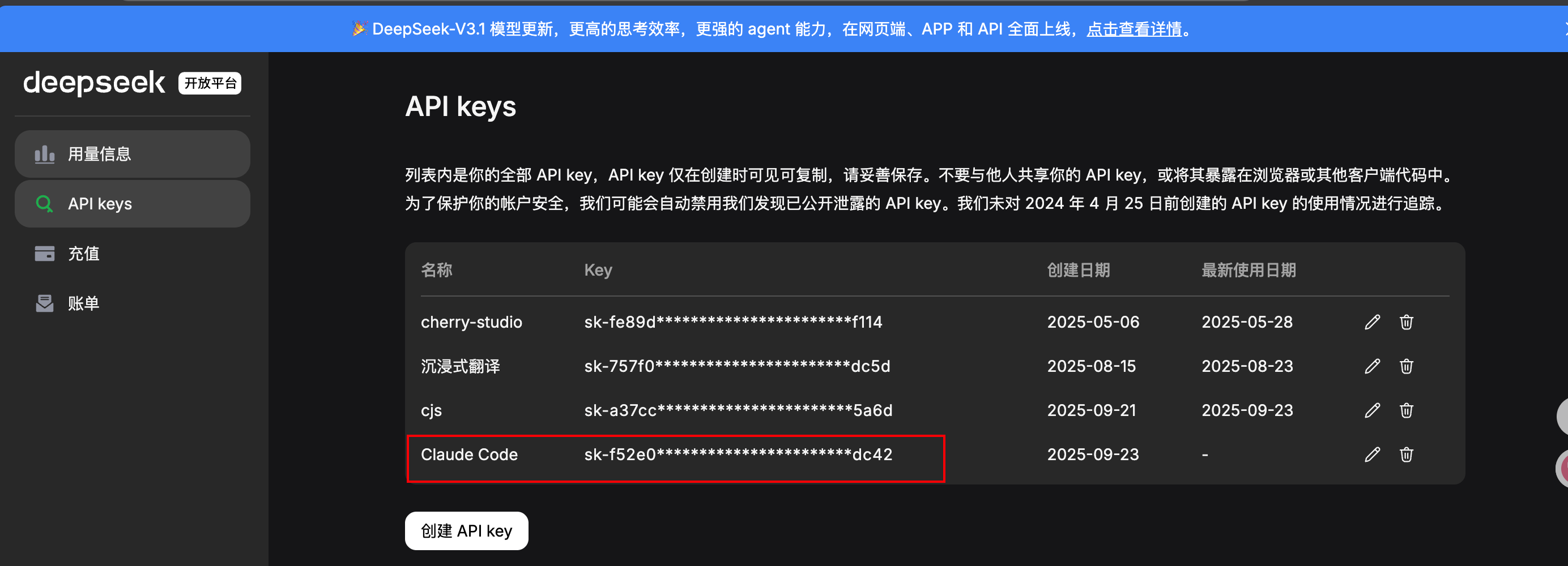
Then configure in the terminal:
export ANTHROPIC_BASE_URL=https://api.deepseek.com/anthropicexport ANTHROPIC_AUTH_TOKEN=你的DEEPSEEK_API_KEYexport ANTHROPIC_MODEL=deepseek-chatexport ANTHROPIC_SMALL_FAST_MODEL=deepseek-chat3️⃣ Test Usage
Run claude to start, then we see:
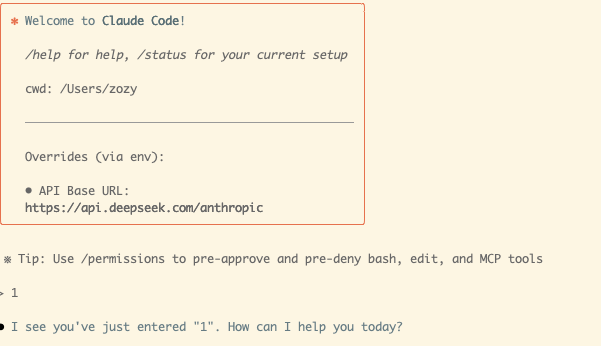
This means success! 🎉
Codex
Codex is OpenAI’s terminal coding agent CLI, similar to Claude Code.
1️⃣ Installation
npm install -g @openai/codex2️⃣ Configuration
# 定义一个 DeepSeek 提供方(OpenAI 兼容)[model_providers.deepseek]name = "DeepSeek"base_url = "https://api.deepseek.com/v1"wire_api = "chat"env_key = "DEEPSEEK_API_KEY"
[profiles.deepseek-chat]model_provider = "deepseek"model = "deepseek-chat"
3️⃣ Test Usage
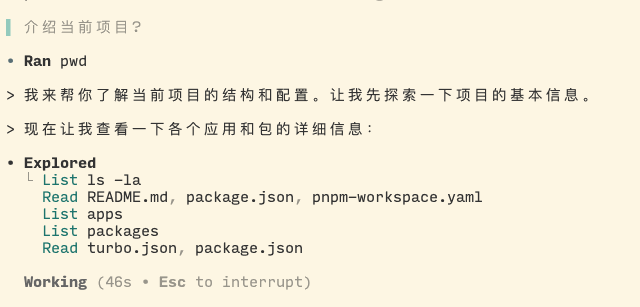
export DEEPSEEK_API_KEY="sk-xxx"codex --profile deepseek-chatSeeing the following means success!
References
- Claude Code official documentation: https://claude.com/product/claude-code
- Codex official documentation: https://developers.openai.com/codex/cli/