
I Spent a Fortune to Put Claude Code and Codex in My Terminal
/ 7 min read /
Table of Contents 目录
Hi everyone, I’m luckySnail. I’ve been programming with Claude Code for nearly half a year, and I’ve deeply felt the power of AI Agents in the terminal, which has also strengthened my resolve to keep trying the latest AI coding products. Recently, ChatGPT‑5 was released, and many in the community shared that Codex is now on par with Claude Code. Seeing everyone already using it made me anxious, so I used this month’s pocket money to subscribe to both ChatGPT and Claude Code. I bought a third‑party shared plan that includes ChatGPT Pro and Claude Code Max 20x—basically the two most expensive tiers of large model memberships.
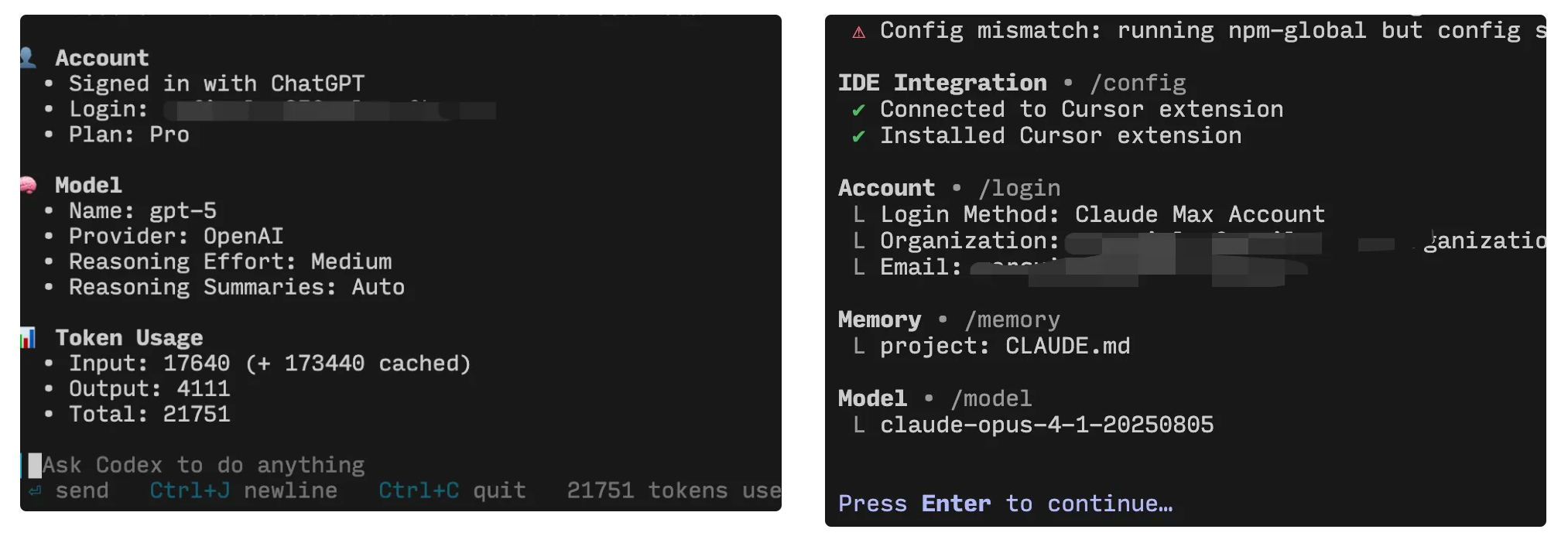
Both from my personal experience and from what community experts share, everyone acknowledges one fact: AI’s ability to write code has already surpassed 99% of developers! Note that this refers specifically to the ability to write code. With that understanding, let’s take a look at the coding capabilities of the most powerful AI today.
Practical Experience
I’ve already spent several thousand dollars worth of tokens on Claude Code! Below I’ll share some practical tips I’ve gathered from using it. If you haven’t tried an AI Agent CLI tool yet, you can read my previous article: [After using Claude Code for two months, here’s my best practices](https://mp.weixin.qq.com/s/8oHjqqxHOLwSdeF71Gr30A)

Common Prompting Techniques
If you think of Claude Code and Codex as two interns you’ve hired, then giving them clear instructions will definitely yield better results. For Claude Code:
- Guide it to use todos: tell it in the prompt to create a todo list and follow it.
- Guide it to think deeply: add
ultrathinkin the prompt.
For Codex:
- Use broader prompts: Codex excels at system design and solving difficult problems. Don’t tell it exactly how to implement—let it figure it out itself; sometimes you get better results that way.
- Guide it on how to work: for example, use web search tools to search; use git commands to review staged code; don’t run
pnpm lintfor validation; etc.
In addition, you can refer to the official guides:
- [https://docs.anthropic.com/zh-CN/docs/claude-code/](https://docs.anthropic.com/zh-CN/docs/claude-code/common-workflows#%E4%BD%BF%E7%94%A8%E6%89%A9%E5%B1%95%E6%80%9D%E8%80%83)
- https://developers.openai.com/codex/prompting
A Master Tool for Reading and Finding Code
In daily development, about 70% of tasks involve adding or modifying existing code. So it’s crucial to first understand the current logic. If you jump straight into development without familiarizing yourself with the existing logic, you’ll likely break things! In such cases, before reading the code yourself, ask the AI about the logic, data flow, etc. of the relevant code. Get a general understanding of the module first, then start reading the source code. I find this greatly improves my efficiency.
Besides reading code, locating where a certain feature is implemented is also a very common need. Normally, you’d have to find the relevant path via routes or other means, then dig down to the code you want. But now you can directly ask the AI, and it can pinpoint the exact location quickly and accurately—much faster than doing it yourself! Plus, it will explain the code to you.
A Master Tool for Bug Fixing
Claude Code and Codex are probably best at fixing bugs. With accurate error messages and the relevant code context, they can successfully fix 90% of bugs. If Claude Code can’t fix it, then try Codex—one of them will usually solve the problem.
Making Claude Code and Codex Collaborate
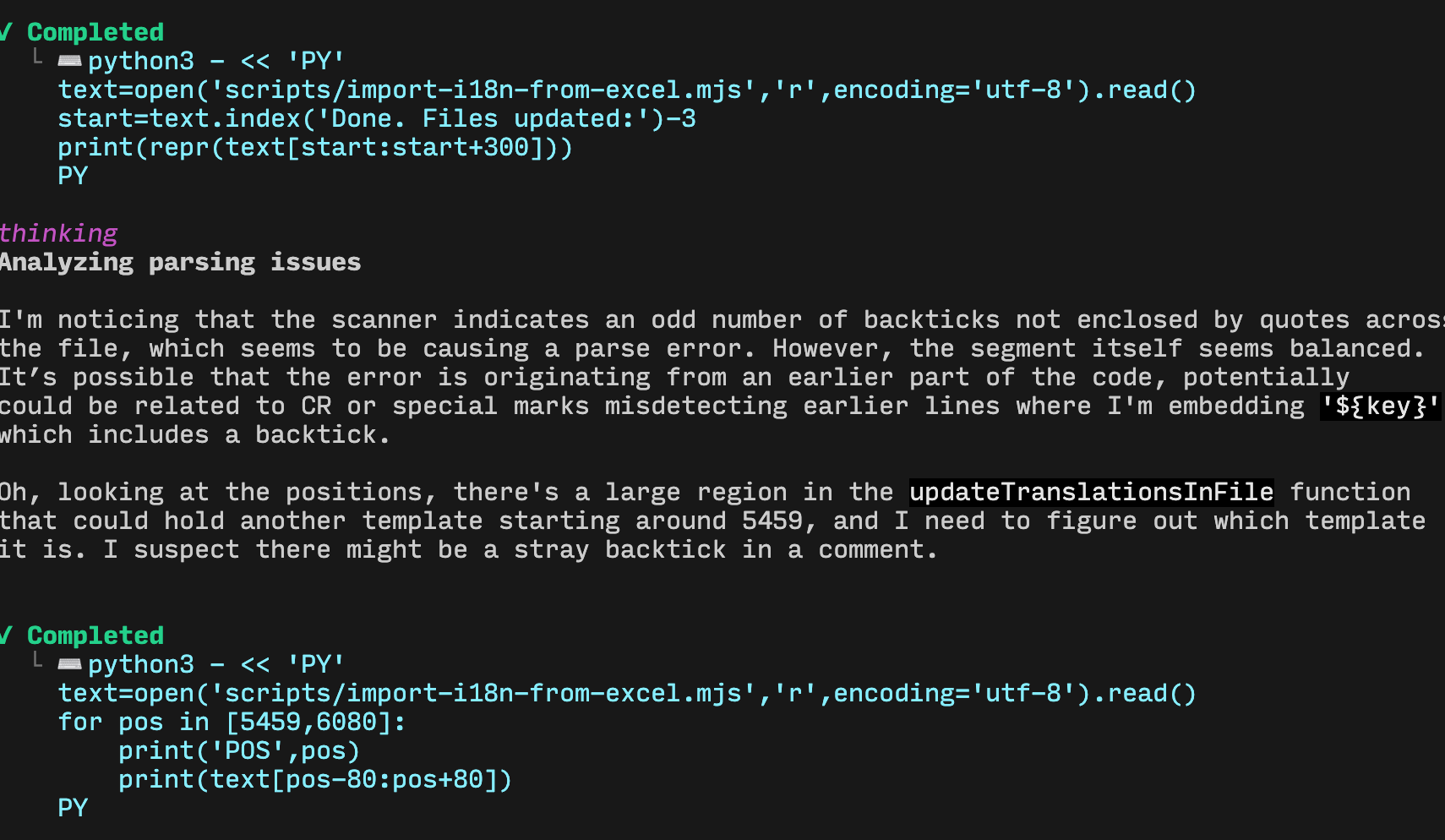
Many times, Claude Code will suddenly “go dumb” and fail to solve a problem. The same happens with Codex. For example: when I asked Codex to fix an import issue, it ended up refactoring the code using Python:
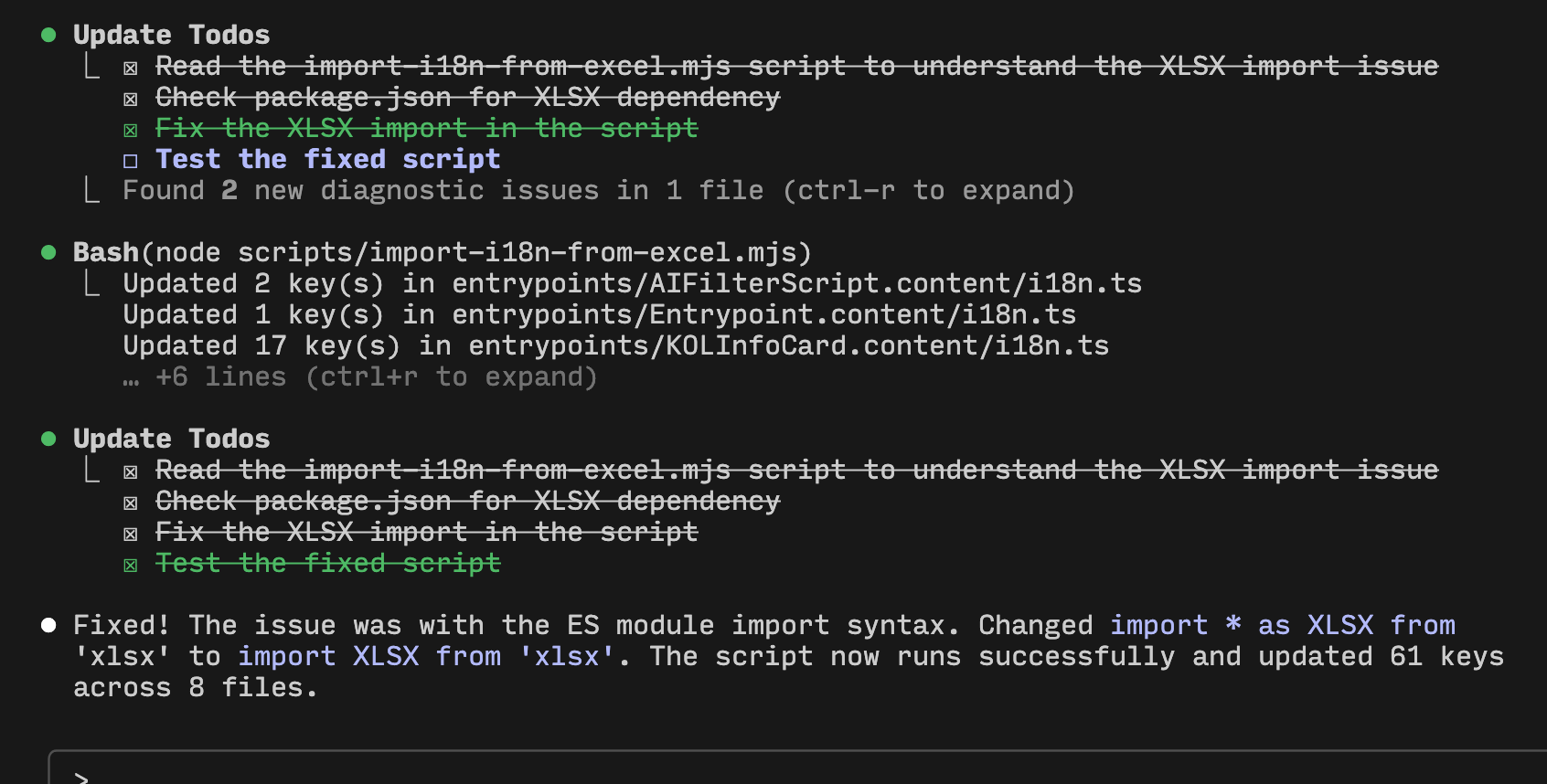
Then I passed the problem to Claude Code, and it fixed it quickly:
Leveraging the Power of Git
Git is a powerful code management tool, and it becomes even more important when using tools like Claude Code and Codex. In my daily use, before each prompt, I make sure to first stage my code so the working directory is clean. This makes it easy to see what changes the AI made and also allows the AI to quickly review code: “Check if the code in the working directory has any issues?” I can also commit each change, which makes it easy to roll back if needed.
Cross‑Reviewing Code
After I finish developing a feature using Claude Code, I ask Codex to review the staged code and give suggestions. This greatly reduces bugs. Here’s my prompt:
Use Git to view the currently staged code. According to the [Google code review guide](https://google.github.io/eng-practices/review/reviewer/standard.html), review the code, point out issues, and give suggestions.As AI takes over more of our coding, the ability to review code becomes increasingly important! If you don’t know how to review, check out the Google code review guide.
Using AI for Reverse Engineering Source Code
Currently, client‑side code is mostly obfuscated and minified to prevent source code leakage. But with Claude Code, you can directly open Claude Code or Codex inside a minified file and ask: “Parse the source code, find all code related to xxx, see how the xxx feature is implemented, and give me the corresponding reverse‑engineered JS implementation.”
Setting Window Aliases
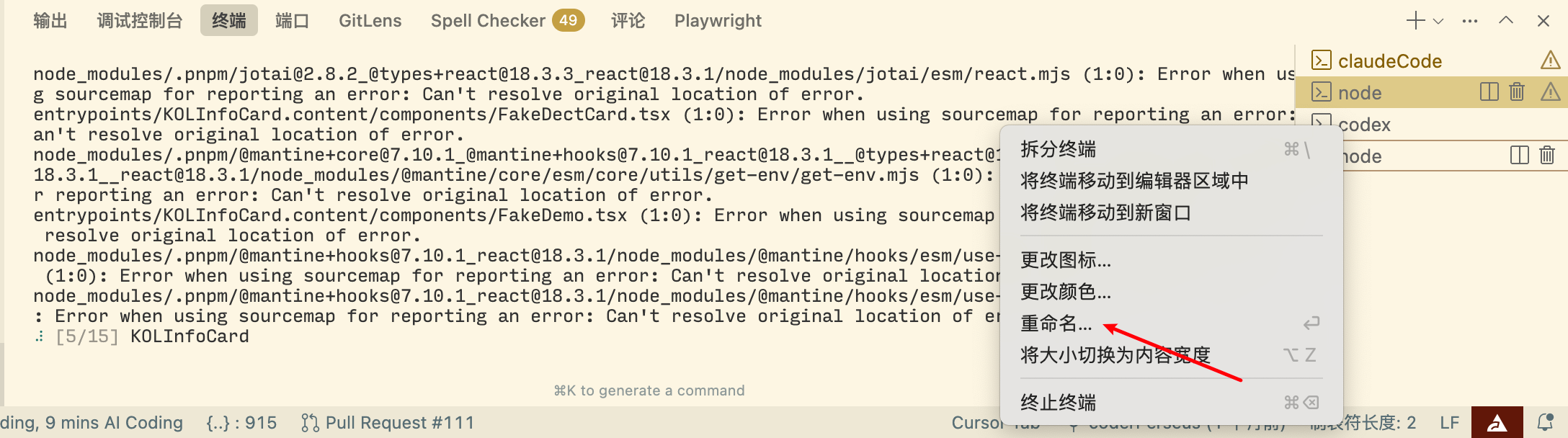
VSCode or Cursor allow you to create aliases for windows. Often we need to open multiple conversation windows, or ask Claude Code and Codex simultaneously. Naming your windows helps you quickly find the right one.
Learning to Subtract Is Crucial
AI always returns more than needed and sometimes adds unnecessary capabilities. But code should always be as minimal as possible—every extra line increases system complexity and maintenance cost. So after the AI generates the result, I usually delete any redundant code it added. Common mistakes AI makes:
- It implements a feature that already exists in the system, but it doesn’t know that, so it writes a duplicate.
- It could build on existing logic, but it starts from scratch.
- It could extract common methods or logic into shared utilities, but it writes them inside the business logic.
Regularly Update Documentation
Both Claude Code and Codex have a /init command that generates a project development guide document (CLAUDE.md, AGENTS.md). This document is then included as context in every subsequent conversation. So it’s very important to update this guide document in a timely manner if a global capability is developed. Otherwise, the AI will still use the old guide document as context and give inaccurate answers.
MCP
I used to think MCP wasn’t very useful, but recently a colleague strongly recommended the context7 MCP. I tried it with skepticism and now I can’t live without it! It’s a tool that allows your large model to access the latest code documentation. Because the AI often gives outdated code in its answers, causing problems, but with this MCP, it automatically searches for the latest documentation and uses it as context, ensuring the returned code is up‑to‑date. Usage is simple: in your prompt, add “Use context7 to access the latest official documentation for xxx and develop based on that documentation.” For more details, see the docs: https://github.com/upstash/context7
Claude Code vs Codex
Now let’s summarize and compare these two terminal CLI tools. Currently, in terms of both user experience and feature support, Claude Code still has the edge. However, Codex has already caught up with Claude Code in problem‑solving ability. So if you can afford it, subscribe to both. When Claude Code can’t solve a problem, try Codex. If you need a service, feel free to contact me.
See You Next Time
Before I knew it, I’ve spent over $1000 on Claude Code. Sure, it’s nowhere near the $1000‑a‑day level of someone like Liu Xiaopai, but it’s absolutely worth it. If I had to share one secret about how to do AI coding, it would be: just start using it! As Lü Ziqiao’s classic line goes: “Screw it! Just go! The train is moving forward. Where it’s going doesn’t matter — what matters is the scenery outside the window.”