
I've found the best way for programmers to learn English
/ 3 min read /
Table of Contents 目录

Hi everyone, I’m luckySnail. Since you clicked in, I’ll assume you’re also an AI tool user. I wonder if you, like me, ever find yourself just idly waiting for AI to generate content. Sometimes it takes half a day only to fail with an error — that feeling of having your time wasted by AI is just terrible!
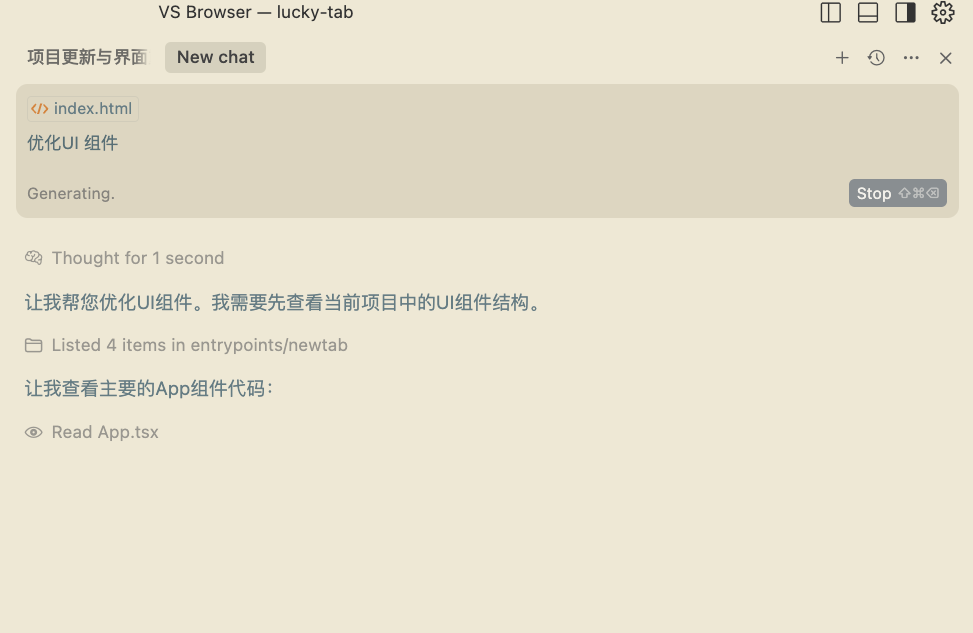
After some thinking and tinkering, I’ve decided I won’t just wait around for the AI anymore. Instead, I use that short window to learn English (if you’re already fluent in English, feel free to scroll down, hit like, and leave — because the rest is a waste of your time). As for why learn English, I won’t go into that here. Let me just explain why I choose to spend that waiting time learning English.
Why English?
-
Stop AI from wasting my time: Honestly, waiting for AI output — especially when the result is unknown — can be a bit annoying. Rather than staring at the screen anxiously, why not use that time? Learning a few words or checking one grammar rule gives you small progress that effectively eases the anxiety of waiting, turning potential frustration into positive learning momentum.
-
Micro‑learning: AI wait times are usually short and unpredictable — sometimes a few seconds, sometimes dozens of seconds. This fits perfectly with the concept of micro‑learning: using fragmented time to quickly absorb small chunks of knowledge. Memorizing one word, understanding one phrase, reading one example sentence — all of these can be done in tens of seconds, can be interrupted at any moment, and have almost no “activation cost.”
-
Avoid breaking coding flow: Compared to switching to another complex programming task (which incurs a high context‑switch cost) or scrolling through social media (which completely distracts you), learning English is a completely different cognitive activity. It lets you take a short break from code, giving your brain a different channel, but it’s not as easy to get “sucked in” as entertainment. This way, when the AI finishes, you can refocus more easily and get back to your coding train of thought.
-
High payoff: As programmers, much of the English we learn (technical vocabulary, documentation phrasing, etc.) directly feeds back into our daily work. While waiting for AI to generate code or explanations, looking up a related English documentation snippet or learning one technical term makes the learning more relevant and satisfying.
How to Do It?
I’m using Cursor as my code editor.
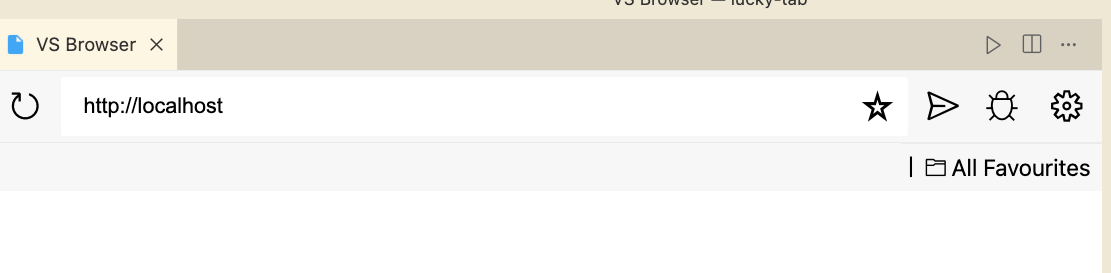
First, install the VS Browser extension. Then press Ctrl (Cmd on Mac) + P and type:
>VS Browser: Start Browser
You’ll see:
Next, choose an English learning platform you like. I use: https://qwerty.kaiyi.cool/
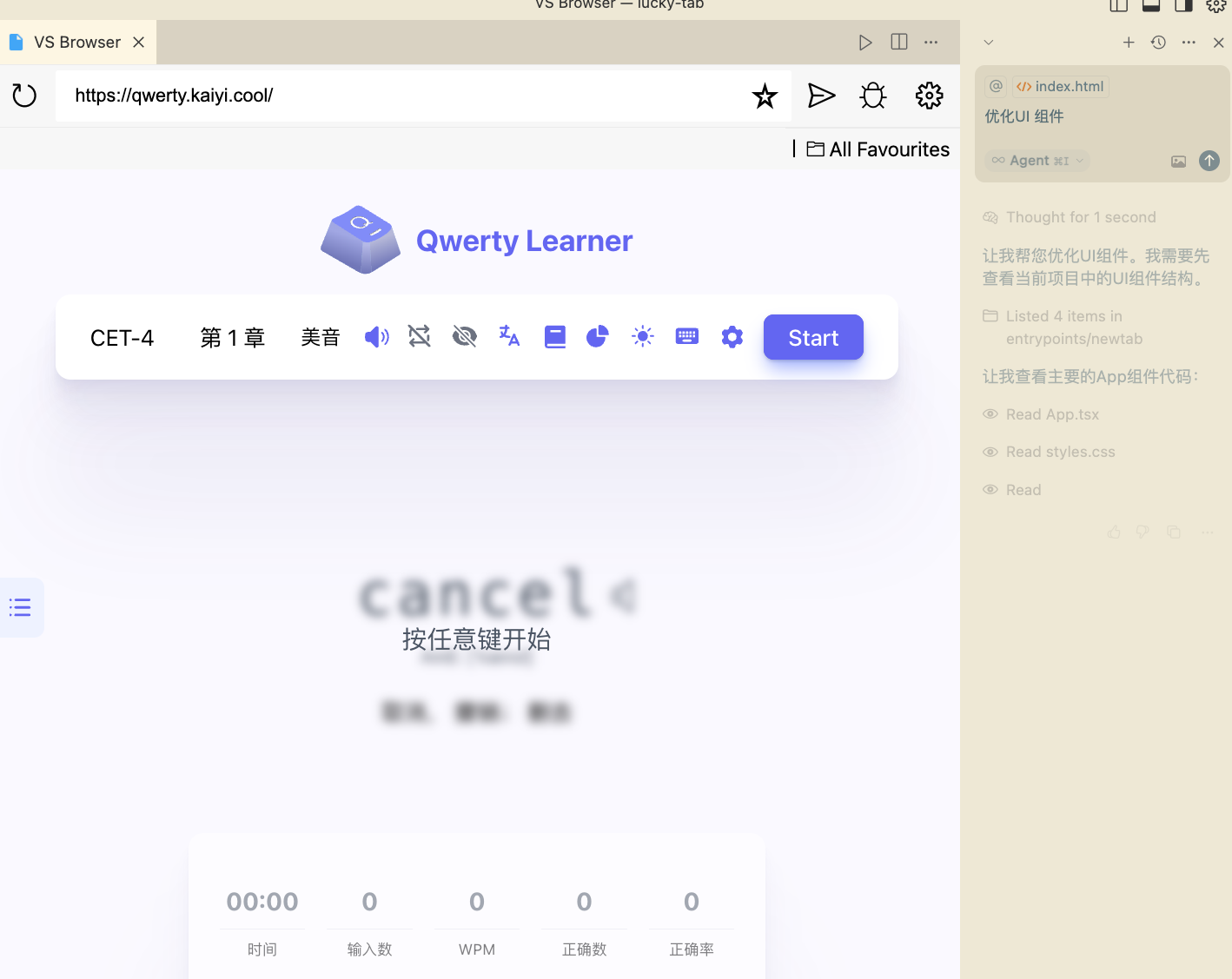
Now you can learn English while waiting for output.
Current Pain Points
It works, but the experience isn’t great yet. My personal feelings:
- When the AI finishes generating, it would be better to have an audible notification — a strong reminder that the output is ready.
- The English learning website doesn’t look great inside Cursor; some sites don’t scale well on small screens.
I wonder — what do you do while AI is generating?