
How to Subscribe to Cursor Pro — Super Affordable and Super Useful!
/ 2 min read /
Table of Contents 目录
What is Cursor?
Cursor is an AI-powered code editor designed to boost developer productivity. According to the website, Cursor helps developers write code faster through AI-driven code generation, editing, debugging, and more. It provides a collaborative programming environment with real-time pair programming support. Cursor integrates Git for version control and supports multiple languages and frameworks. Its goal is to streamline the coding workflow by automating repetitive tasks and providing intelligent assistance, ultimately making software development more efficient. For more details, visit https://www.cursor.com/.
How to Use Cursor?
- Download & Install
- Go to the Cursor website and click Download in the top-right corner.
- Once downloaded, install the application.
Subscribe to Pro
Cursor provides some free credits, but if you’re a heavy user, you’ll definitely want to subscribe. There are two ways to get a subscription — I recommend the first way: it’s fast and saves you money.
Option 1
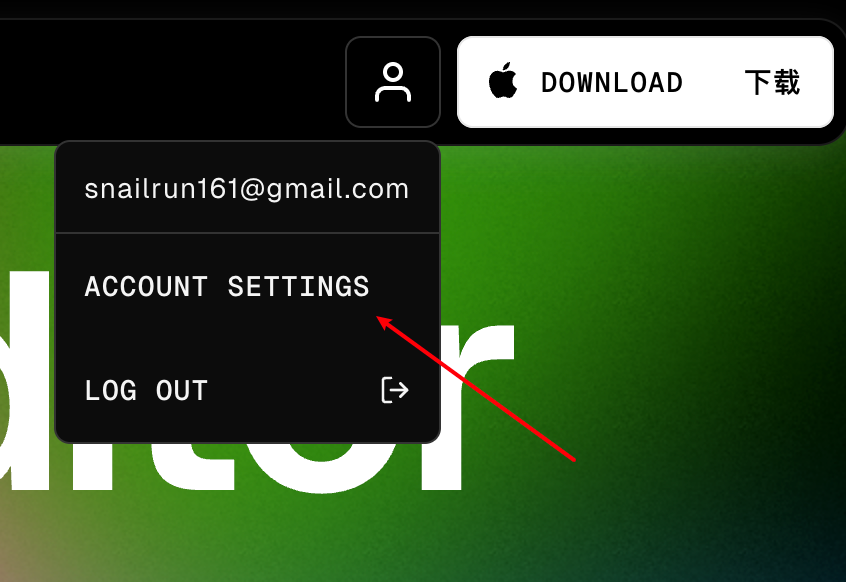
Go to the Cursor website, click Account Settings in the top-right corner:
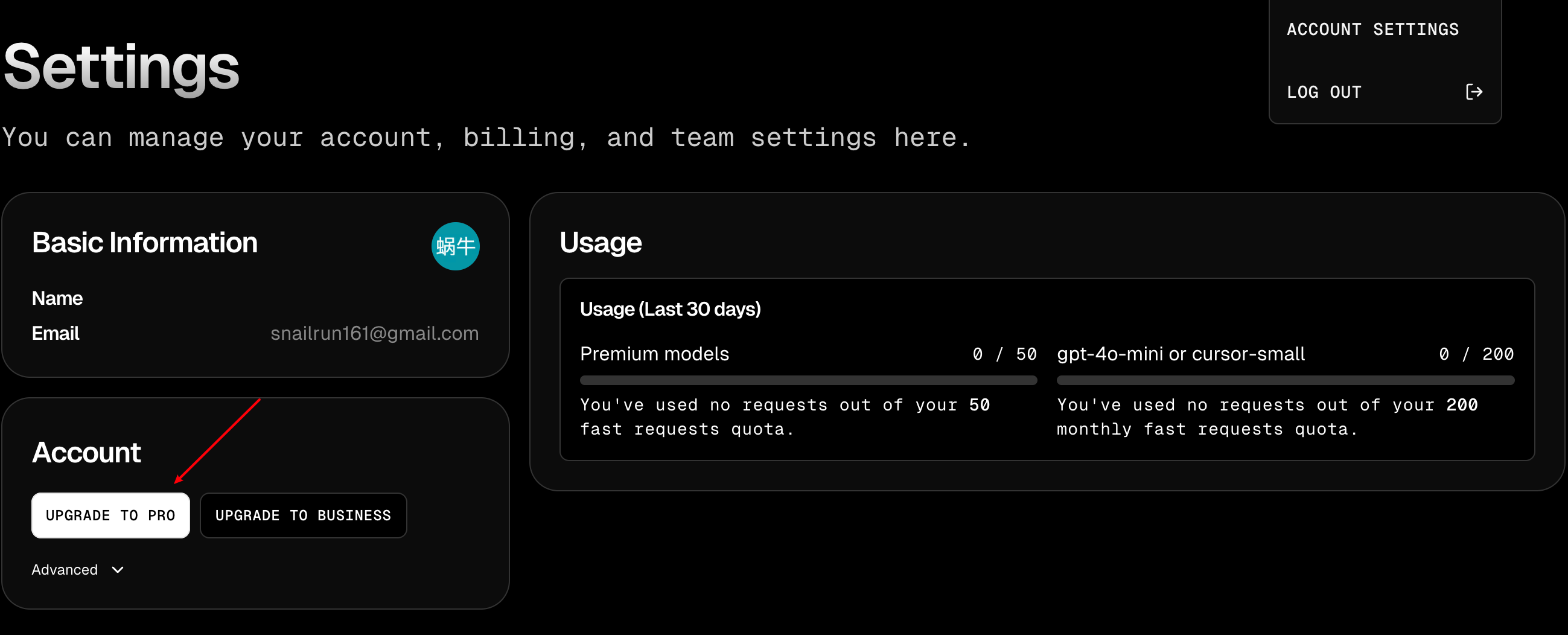
Then click Upgrade to Pro:
Copy the order page URL:
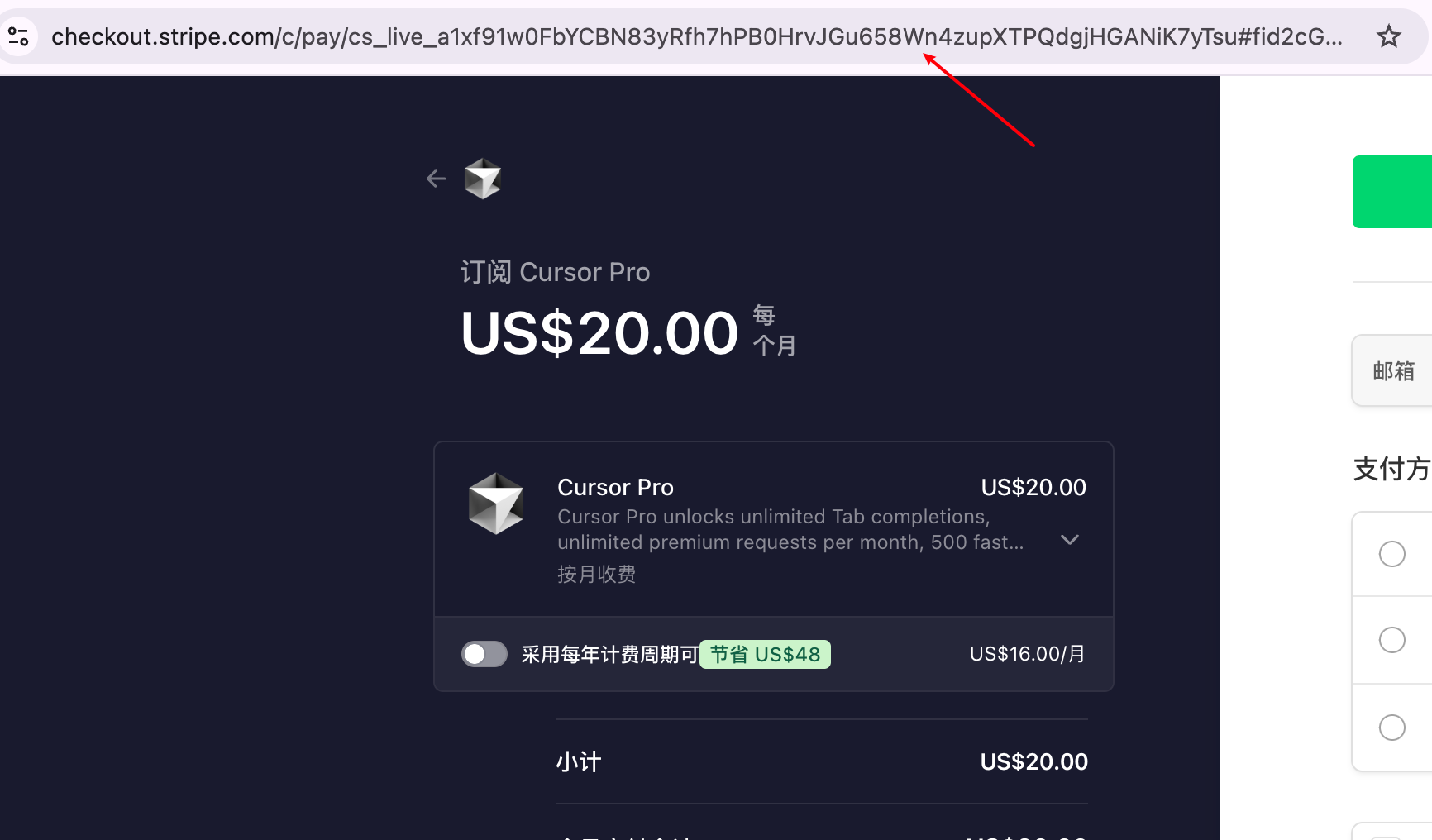
Then go to Xianyu (Chinese second-hand marketplace) and place an order. I’ll ask you for the order URL and activate it for you. Currently it’s the lowest price online — 162 RMB.

Of course, if you find Xianyu troublesome and trust me, you can add me on WeChat directly:

Option 2
If you plan to use Cursor long-term, I recommend getting a WildCard — it’s also very simple. Go to the WildCard website, and feel free to use my invite code: FNS4AYLG. You’ll get a $1 discount.
Let me explain what WildCard is:
It’s a platform that helps you get a US credit card. After you purchase their membership, they’ll issue a US-region credit card, so you can easily subscribe to various overseas products. Here’s a list of platforms they support:
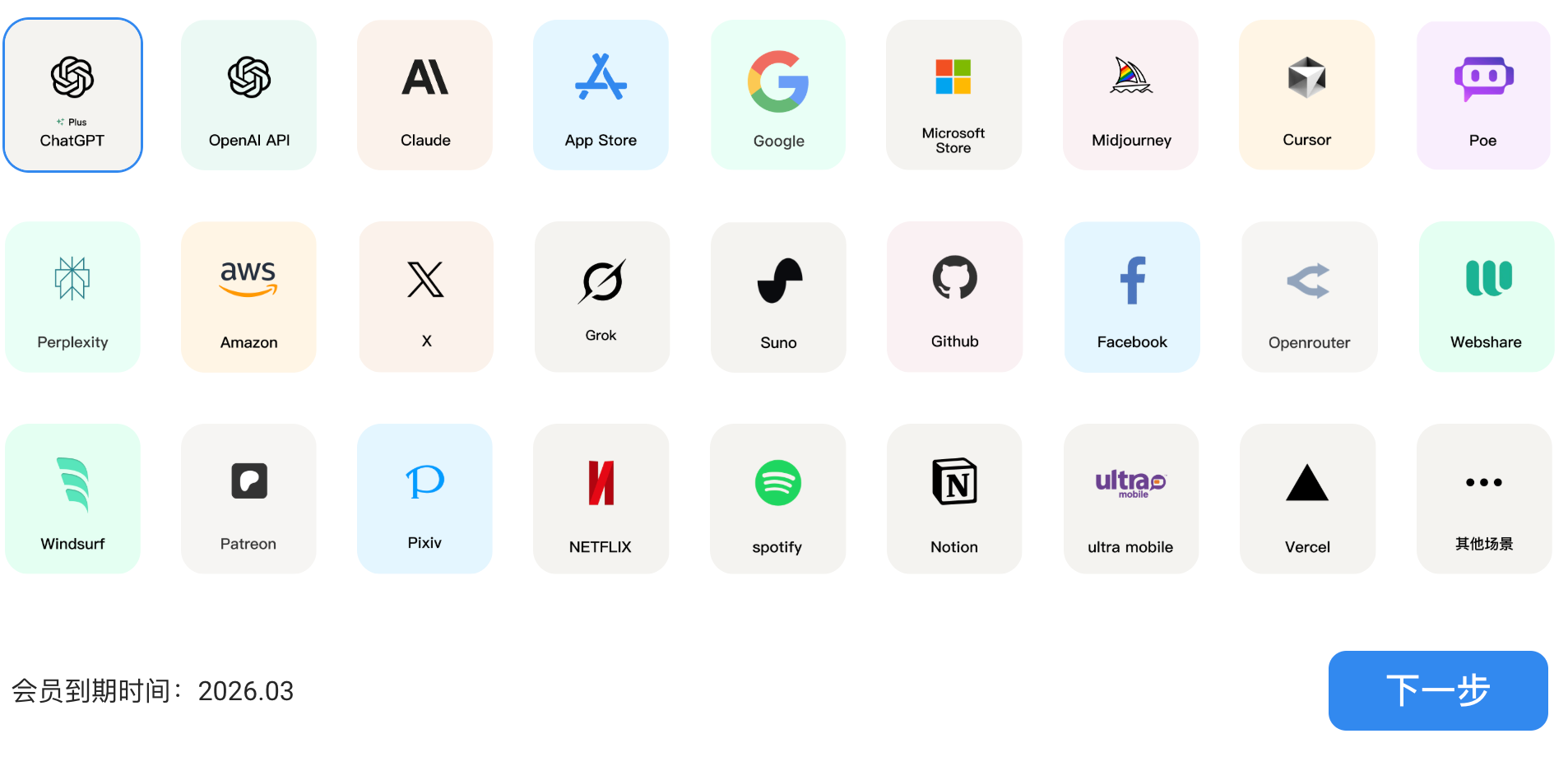
First, log in. After logging in, purchase the subscription service below:

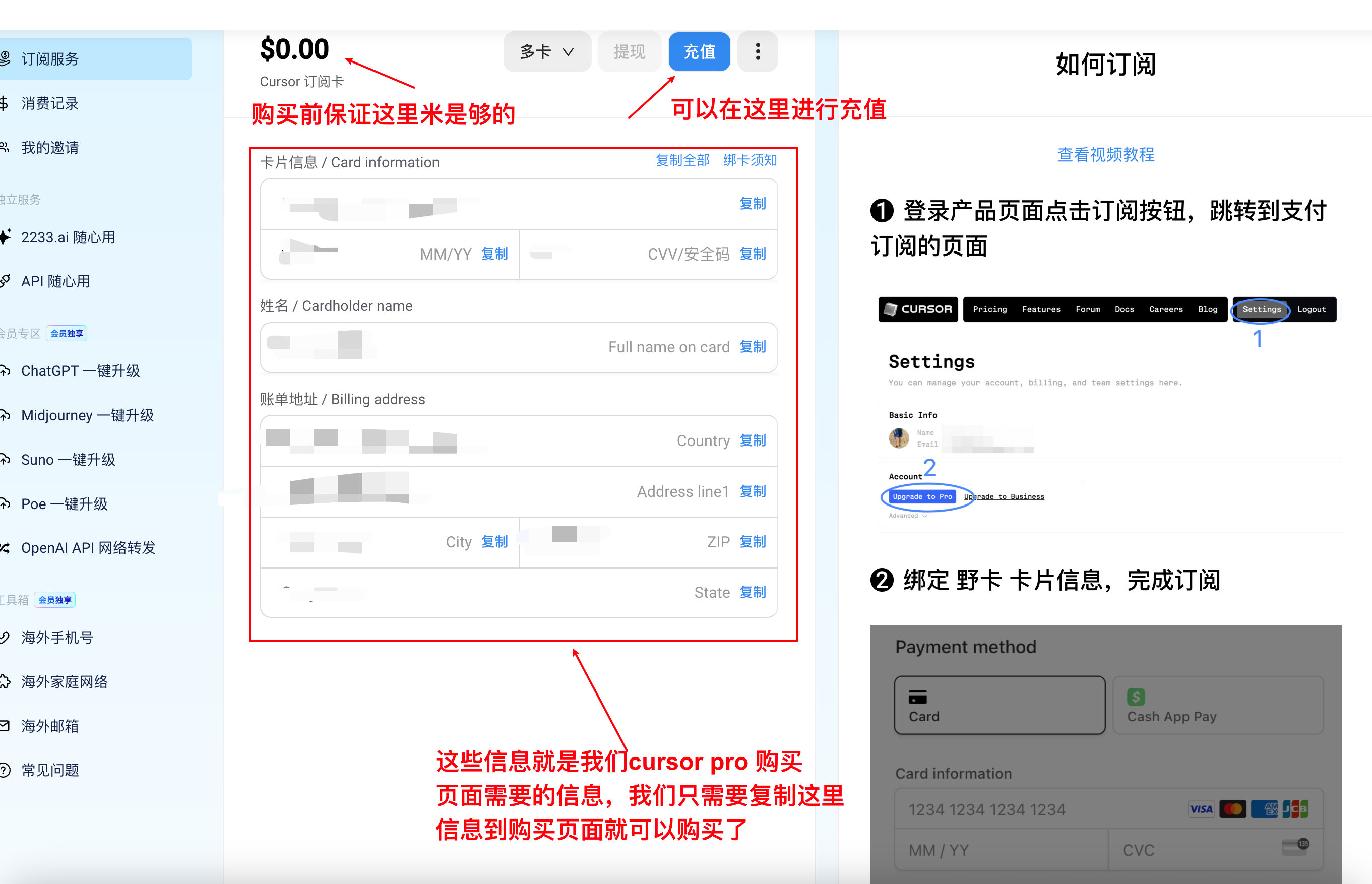
Click Activate Now and go through the steps until you top up your account.
Once that’s done, you’ll have your own US-region credit card!
Below, I’ll show you how to buy Cursor Pro as an example:

To sum up:
- If you’re not sure about long-term Cursor use, go with Option 1.
- If you plan to subscribe to AI services regularly, go with Option 2.