
Building a Simple Node.js Service with ByteDance's TRAE
/ 7 min read /
Table of Contents 目录

Hey everyone, I’m luckySnail. While browsing streams, I noticed everyone was recommending this tool. ByteDance just released an AI editor – TRAE (The Real AI Engineer). Is it really a true AI engine? I had to give it a try immediately. I just happened to want to build a small tool, so I hope it won’t disappoint me. Let me quietly mention that it’s already disappointed Windows users, because it currently only supports Mac. You can check out Yayu’s article to learn about TRAE: https://juejin.cn/post/7461825527059611686
First Impressions
Let’s create a new folder. You’ll know why I named it this in a moment.
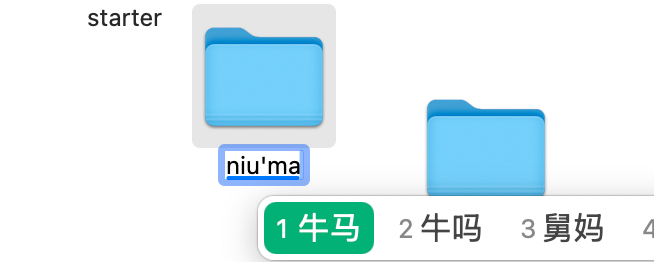
Now we’re going to build a tool to help me monitor whether my company’s projects are running properly. If something goes wrong, it needs to notify me immediately so I can get up and fix the bug!
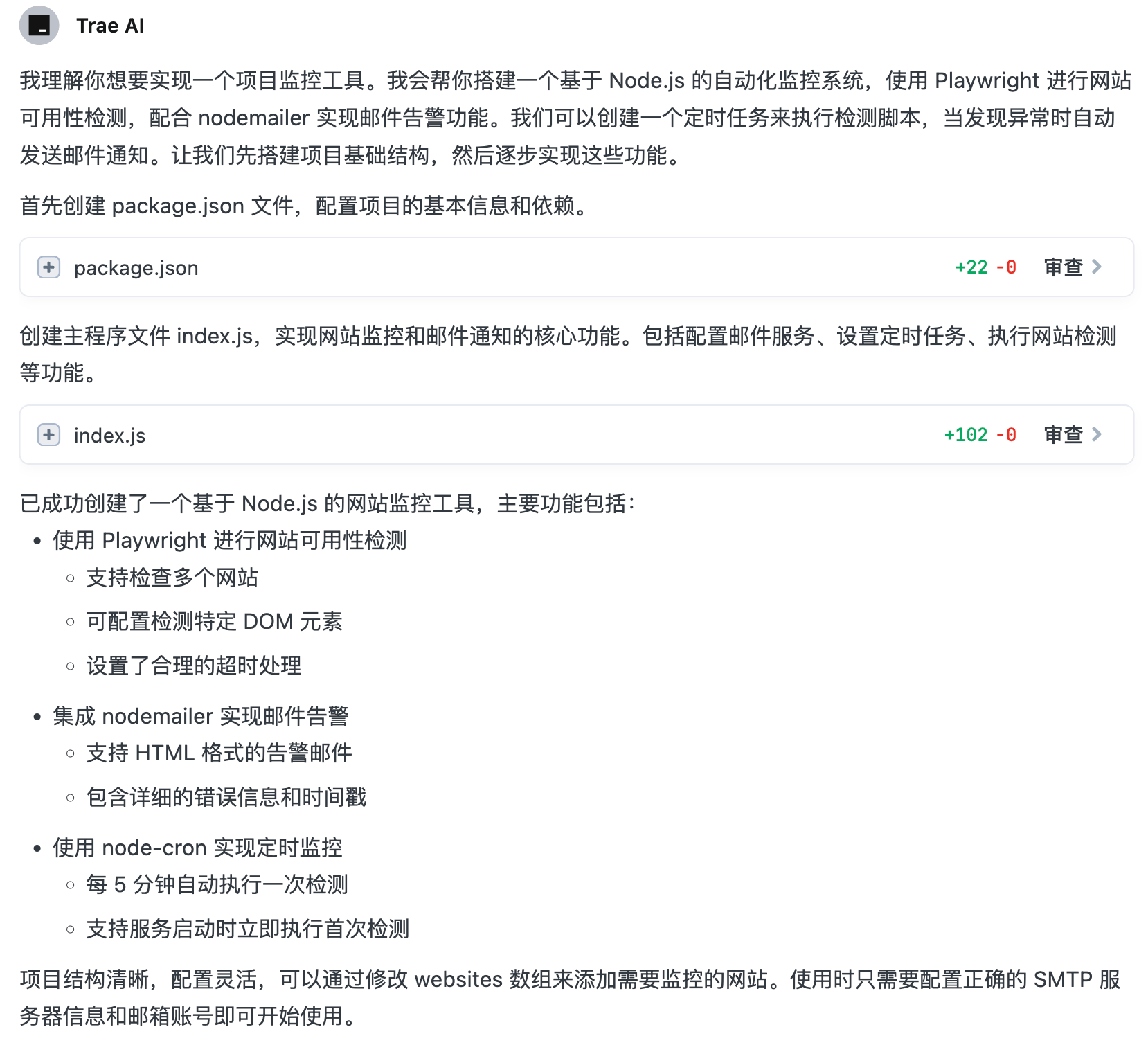
After quickly sorting out the requirements, I used its Builder capability to initialize the project. I asked: “I want to build a small tool to help me monitor whether my company’s projects are running properly. If something goes wrong, it needs to notify me immediately and I need to fix the bug. The notification method is email. Use frontend technology to implement it. How should I implement it? My current research shows I can use Playwright for thorough website availability checks, nodemailer for email notifications. Since nodemailer requires a Node environment, you need to set up a Node service for me.” I gave it the implementation approach in advance to prevent it from suggesting unreasonable solutions.
It quickly understood our requirements and set up a basic service:
After starting the project, I found issues with the email service, so I pasted the error message and asked it why and how to fix it. But this happened:
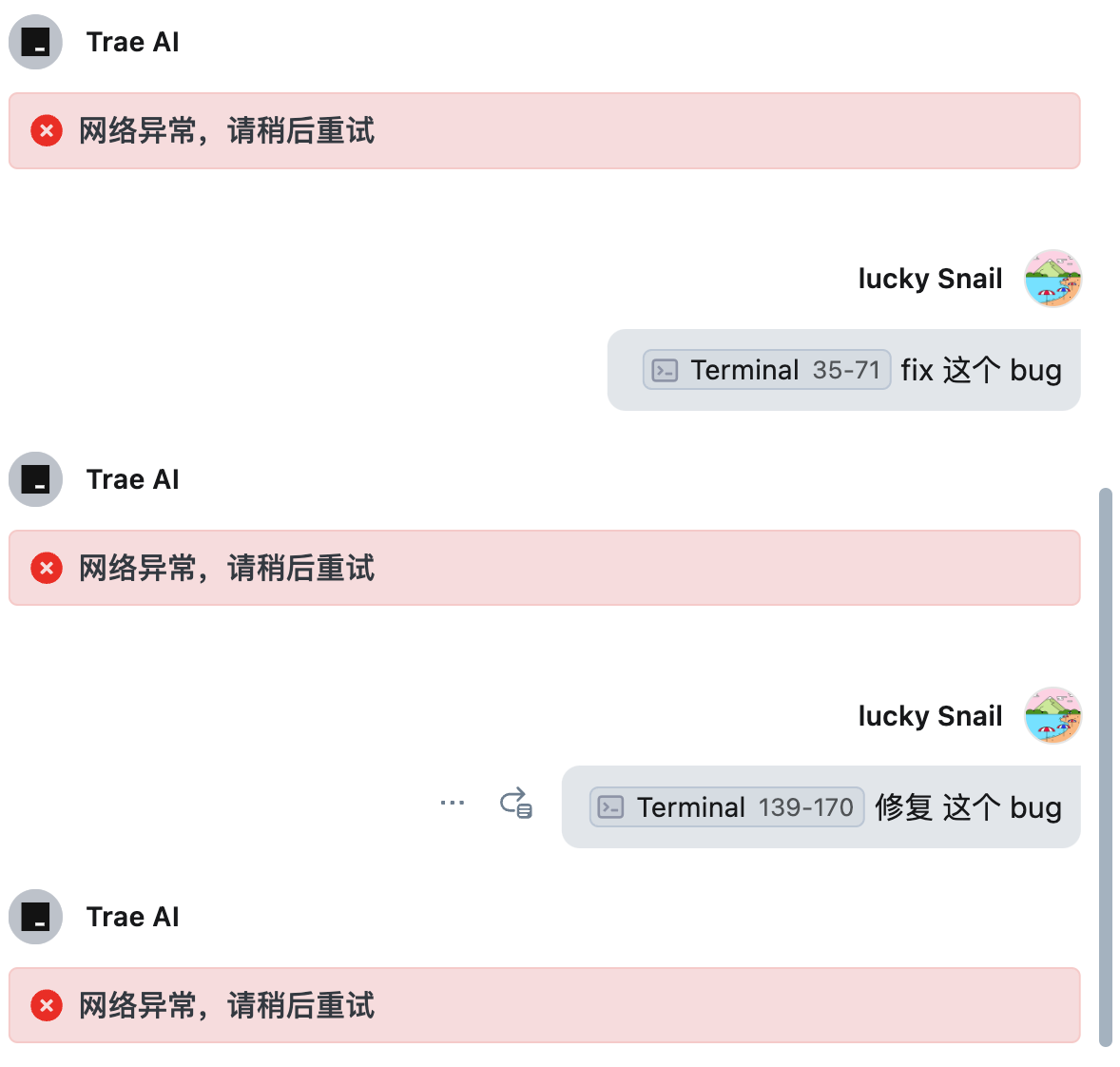
So I had to switch to Chat mode, and found it worked fine there. I gave it the issue and the relevant code (using the reference feature). It quickly identified the problem and provided a fix.
I simulated a scenario where a website was failing. When the check detected a problem, the email-sending logic was triggered:
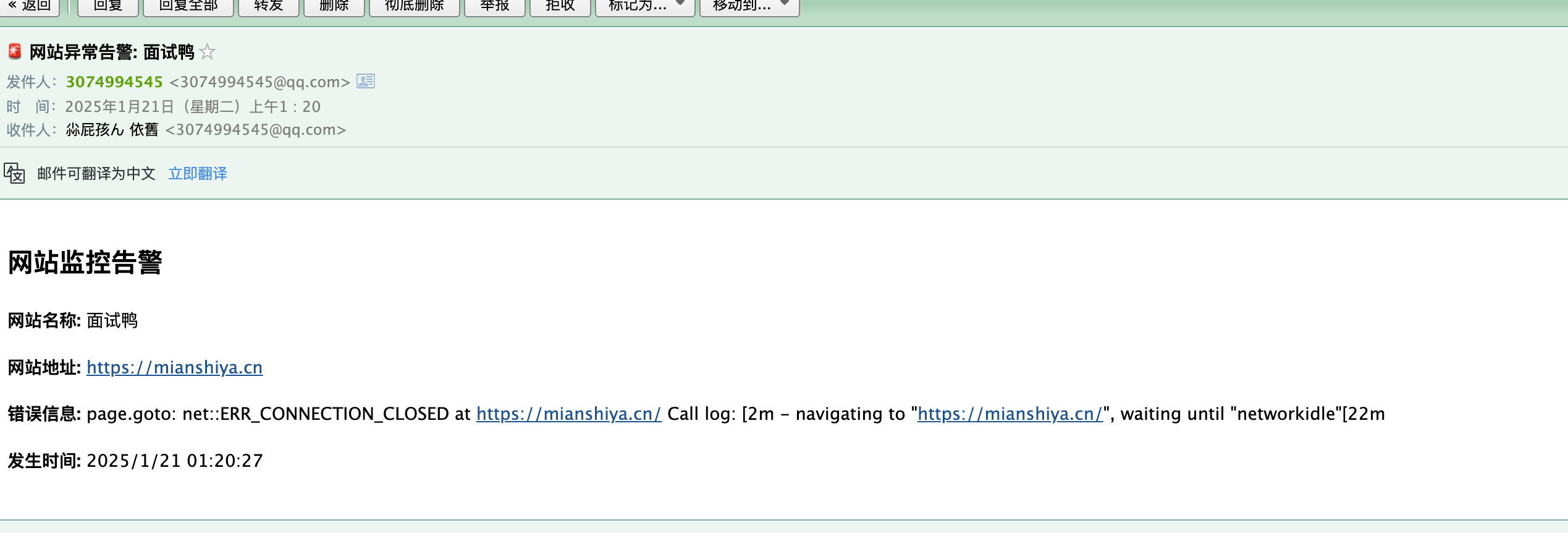
At this point, the basic flow was working. I could continue asking the AI if the code could be further optimized:
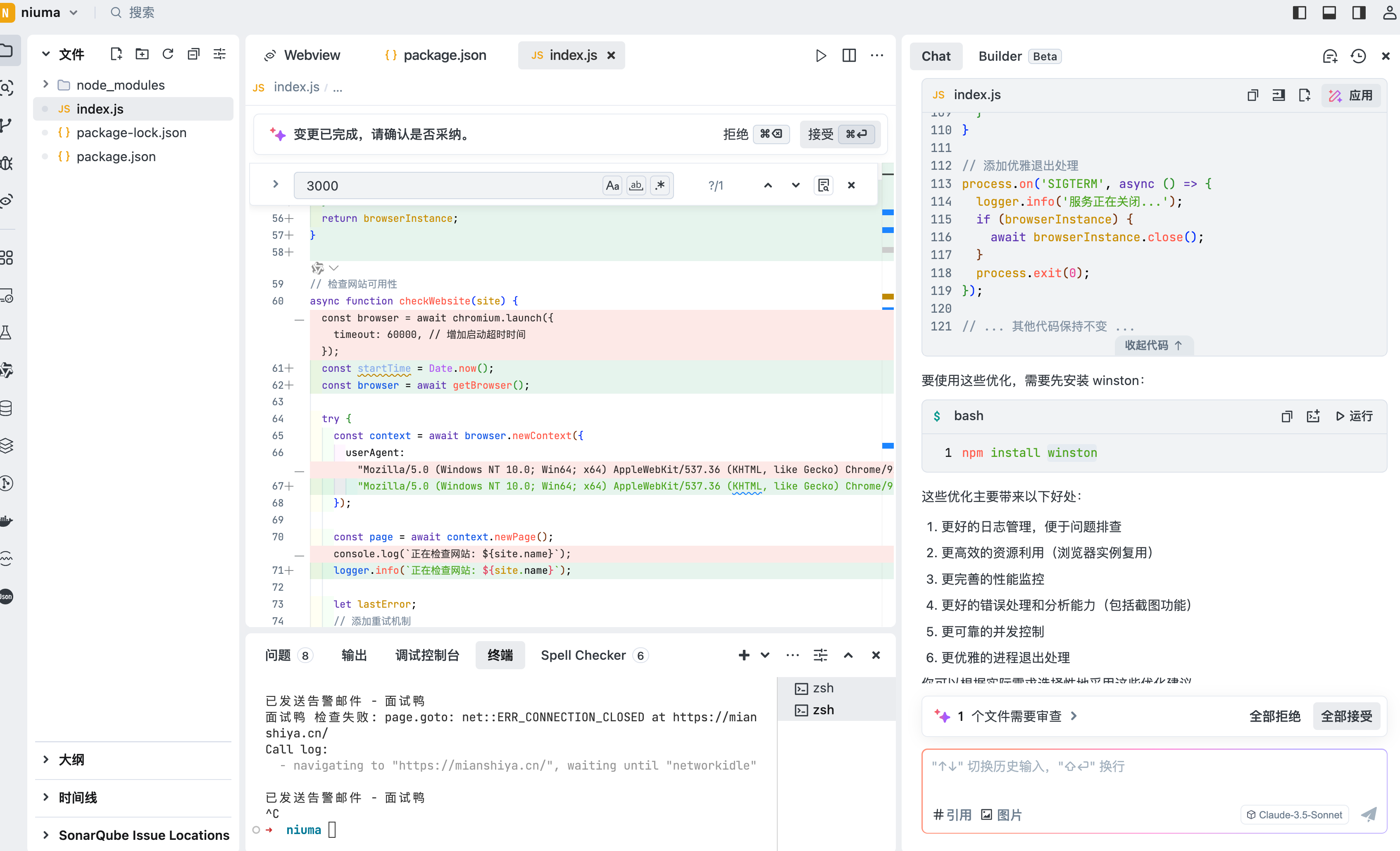
It gave some good suggestions. I clicked “Accept All”, then installed the dependencies, restarted, and checked the result:
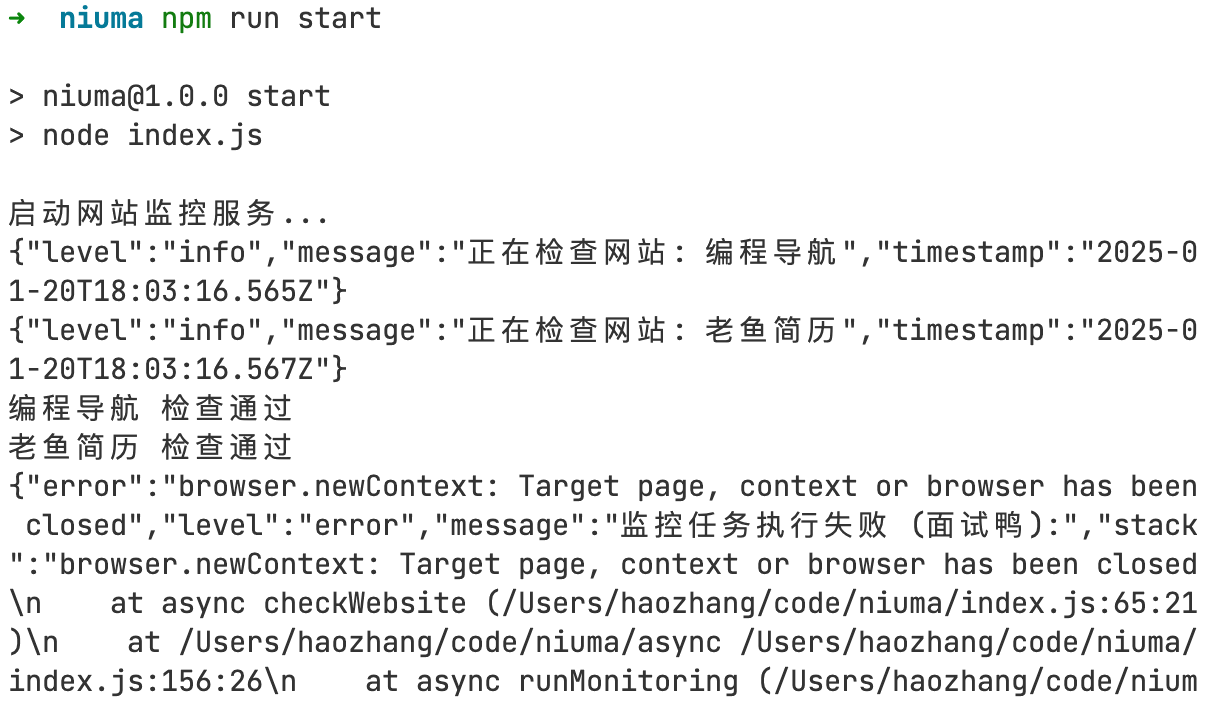
This time it printed more detailed logs, but I noticed the last error seemed off. I asked the AI whether this log was normal. It caught the issue and fixed it. After restarting, the logic was correct:
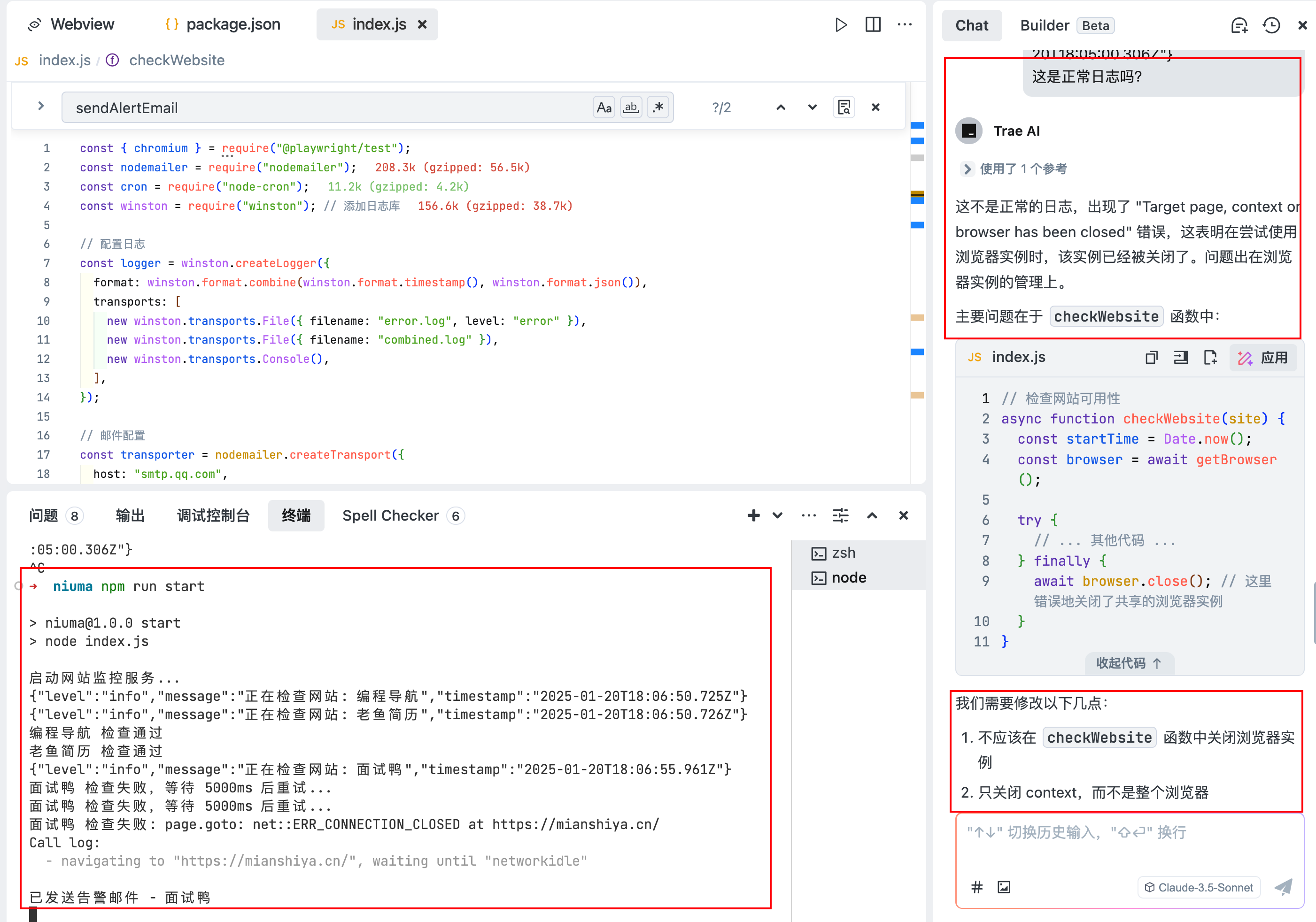
The mailbox also received the alert!
So the basic grunt work was done — it could monitor whether websites were running smoothly in real-time and notify someone promptly when something went wrong. But in a real scenario, we need more than just checking if the page loads. There are many other things to monitor.
Now let’s see how good the AI’s code is!
const { chromium } = require("@playwright/test");const nodemailer = require("nodemailer");const cron = require("node-cron");const winston = require("winston"); // Add logging library
// Configure loggingconst logger = winston.createLogger({  format: winston.format.combine(winston.format.timestamp(), winston.format.json()),  transports: [    new winston.transports.File({ filename: "error.log", level: "error" }),    new winston.transports.File({ filename: "combined.log" }),    new winston.transports.Console(),  ],});
// Email configurationconst transporter = nodemailer.createTransport({  host: "smtp.qq.com",  port: 465, // Changed to port 465  secure: true, // Set to true  auth: {    user: "3074994545@qq.com", // Complete QQ email address    pass: "xxxx", // QQ email authorization code  },});
// List of websites to monitorconst websites = [  {    name: "老鱼简历",    url: "https://laoyujianli.com",    checkElements: [".laoyu-page-container", ".new-index-page", ".template-item"],  },  {    name: "编程导航",    url: "https://codefather.cn",    checkElements: [".ant-layout", ".user-name"],  },  {    name: "面试鸭",    url: "https://mianshiya.cn", // Remove extra space    checkElements: ["#indexPage", ".ant-list-item", "#ccc"],    retryCount: 3, // Add retry count    retryDelay: 5000, // Retry delay (milliseconds)  },];
// Browser instance managementlet browserInstance = null;async function getBrowser() {  if (!browserInstance) {    browserInstance = await chromium.launch({      timeout: 60000,    });  }  return browserInstance;}
// Check website availabilityasync function checkWebsite(site) {  const startTime = Date.now();  const browser = await getBrowser();  const context = await browser.newContext({    userAgent:      "Mozilla/5.0 (Windows NT 10.0; Win64; x64) AppleWebKit/537.36 (KHTML, like Gecko) Chrome/91.0.4472.124 Safari/537.36",  });
  try {    const page = await context.newPage();    logger.info(`Checking website: ${site.name}`);
    let lastError;    // Add retry mechanism    for (let i = 0; i < (site.retryCount || 1); i++) {      try {        // Set page load timeout        await page.goto(site.url, {          timeout: 30000,          waitUntil: "networkidle", // Wait until network is idle        });
        // Check if key elements exist        for (const selector of site.checkElements) {          try {            await page.waitForSelector(selector, { timeout: 5000 });          } catch (elementError) {            console.log(`Element ${selector} not found, continuing to check other elements`);          }        }
        console.log(`${site.name} check passed`);        return { success: true };      } catch (error) {        lastError = error;        if (i < (site.retryCount || 1) - 1) {          console.log(`${site.name} check failed, retrying after ${site.retryDelay || 5000}ms...`);          await new Promise((resolve) => setTimeout(resolve, site.retryDelay || 5000));        }      }    }
    console.error(`${site.name} check failed:`, lastError.message);    return {      success: false,      error: lastError.message,    };  } finally {    await context.close(); // Only close context, not the browser  }}
// Add cleanup on process exitprocess.on("SIGTERM", async () => {  logger.info("Service shutting down...");  if (browserInstance) {    await browserInstance.close();    browserInstance = null;  }  process.exit(0);});
process.on("SIGINT", async () => {  logger.info("Service shutting down...");  if (browserInstance) {    await browserInstance.close();    browserInstance = null;  }  process.exit(0);});
// Send alert emailasync function sendAlertEmail(site, error) {  const mailOptions = {    from: "3074994545@qq.com", // Use full sender email    to: "3074994545@qq.com", // Use full recipient email    subject: `🚨 Website Alert: ${site.name}`,    html: `      <h2>Website Monitoring Alert</h2>      <p><strong>Website Name:</strong> ${site.name}</p>      <p><strong>Website URL:</strong> ${site.url}</p>      <p><strong>Error Message:</strong> ${error}</p>      <p><strong>Time:</strong> ${new Date().toLocaleString()}</p>    `,  };
  try {    await transporter.sendMail(mailOptions);    console.log(`Alert email sent - ${site.name}`);  } catch (error) {    console.error("Failed to send email:", error);    // If it's an auth error, output more details    if (error.code === "EAUTH") {      console.error("Email authentication failed. Please check the following:");      console.error("1. Make sure QQ email SMTP service is enabled");      console.error("2. Make sure you are using the correct authorization code, not your email password");      console.error("3. Visit https://service.mail.qq.com/cgi-bin/help?subtype=1&&id=28&&no=1001256 for help");    }  }}
// Execute monitoring taskasync function runMonitoring() {  // Add concurrency limit  const concurrentLimit = 2;  const chunks = [];  for (let i = 0; i < websites.length; i += concurrentLimit) {    chunks.push(websites.slice(i, i + concurrentLimit));  }
  for (const chunk of chunks) {    await Promise.all(      chunk.map(async (site) => {        try {          const result = await checkWebsite(site);          if (!result.success) {            await sendAlertEmail(site, result.error);          }        } catch (error) {          logger.error(`Monitoring task failed (${site.name}):`, {            error: error.message,            stack: error.stack,          });        }      })    );  }}
// Add graceful shutdown handlerprocess.on("SIGTERM", async () => {  logger.info("Service shutting down...");  if (browserInstance) {    await browserInstance.close();  }  process.exit(0);});
// Schedule monitoring every 5 minutescron.schedule("*/5 * * * *", () => {  console.log("Starting website monitoring...");  runMonitoring();});
// Run monitoring immediatelyconsole.log("Starting website monitoring service...");runMonitoring();
What do you think? I think it’s pretty good:
- The code logic is clear, each function follows the single-responsibility principle. It also reminded me during development to extract the websites configuration into a separate file.
- It was able to refactor and optimize based on the code, using the popular winston logging library for recording.
- It includes retries and try-catch fallback logic.
Summary
- TRAE’s UI and interaction are on par with Cursor.
- In Builder mode, when you throw a requirement at it, it quickly breaks it down, generates the project, installs dependencies, starts the project, and even provides a web preview. This is more friendly for people without programming experience.
- Sometimes it talks nonsense — it claims something is fixed when it clearly isn’t.
- The connection is unstable, often throwing network errors, which really hurts the development experience.
- Free access to Claude 3.5 and ChatGPT is great.
- The capabilities in the top-right corner of code blocks are very useful, like applying changes — it intelligently replaces relevant parts and shows a diff so you know exactly what changed.
- It feels like the model is deeply connected to the code context, giving suggestions relevant to my current project.
- Hot take: Due to model limitations, no matter how much you optimize the interaction and workflow, people without programming experience will find it very hard to build a real product using an AI editor.
You need to use it deeply to discover more use cases!
Source code: https://github.com/chaseFunny/niuma