
The frontend is gradually getting Rusted
/ 5 min read /
Table of Contents 目录
Jeff Atwood said in 2007: “any application that can be written in JavaScript, will eventually be written in JavaScript.” This is also known as Atwood’s Law. Looking back in 2024, as he predicted, JavaScript is everywhere. But as the frontend role becomes increasingly important, JavaScript’s single-threaded nature exposes performance issues: slow webpack builds, editor freezes after adding ESLint + Prettier, etc. Developers have long suffered from JavaScript’s poor performance. So Rust came to the rescue. Nowadays, almost all frontend infrastructure has been “Rustified.” Today, let’s take a look at the “Rustified” ESLint + Prettier — Biome
First Look at Biome
Before getting to know Biome, let’s talk about why we should care — the problems with ESLint and Prettier:
- The ESLint + Prettier combination requires maintaining multiple configuration files
- Performance issues of traditional tools, especially in large projects
- Configuration conflicts between tools
- Complex environment dependencies
Now let’s look at the Rustified code formatter and linter Biome:
- Extreme performance: Written in Rust, up to 35x faster than traditional tools
- Simple configuration: Works with zero config, no complex setup needed
- All-in-one solution: Integrates formatting and linting in a single tool
- High compatibility: 97% compatibility with Prettier
- Multi-language support: Supports JavaScript, TypeScript, JSX, JSON, CSS, and GraphQL
It’s a total game-changer. Now that we know the “why”, let’s see what Biome actually is. Also, there’s a fun Easter egg — we’ll get to that later.
Curious and excited, I searched for Biome’s official site: https://biomejs.dev/. The site describes it as “a toolchain for web projects, formatting and linting in a snap.” I have to say, Biome knows how to tease. I had to learn it!
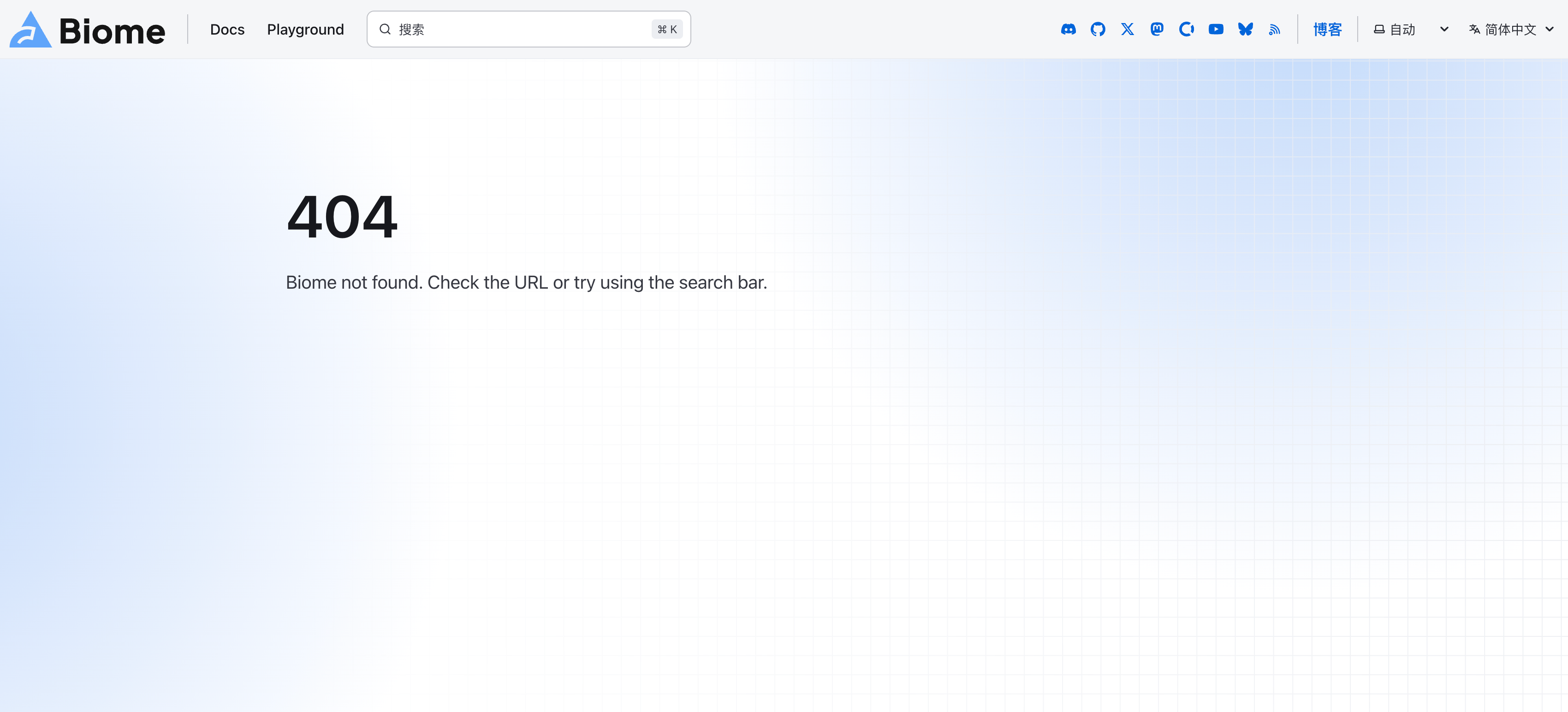
It provides a playground: https://biomejs.dev/playground/. But one gripe: there’s a Chinese language toggle, but it leads to a 404:
I gave it a quick try and it felt decent, but the playground is just a sandbox — the real test is in a real project.
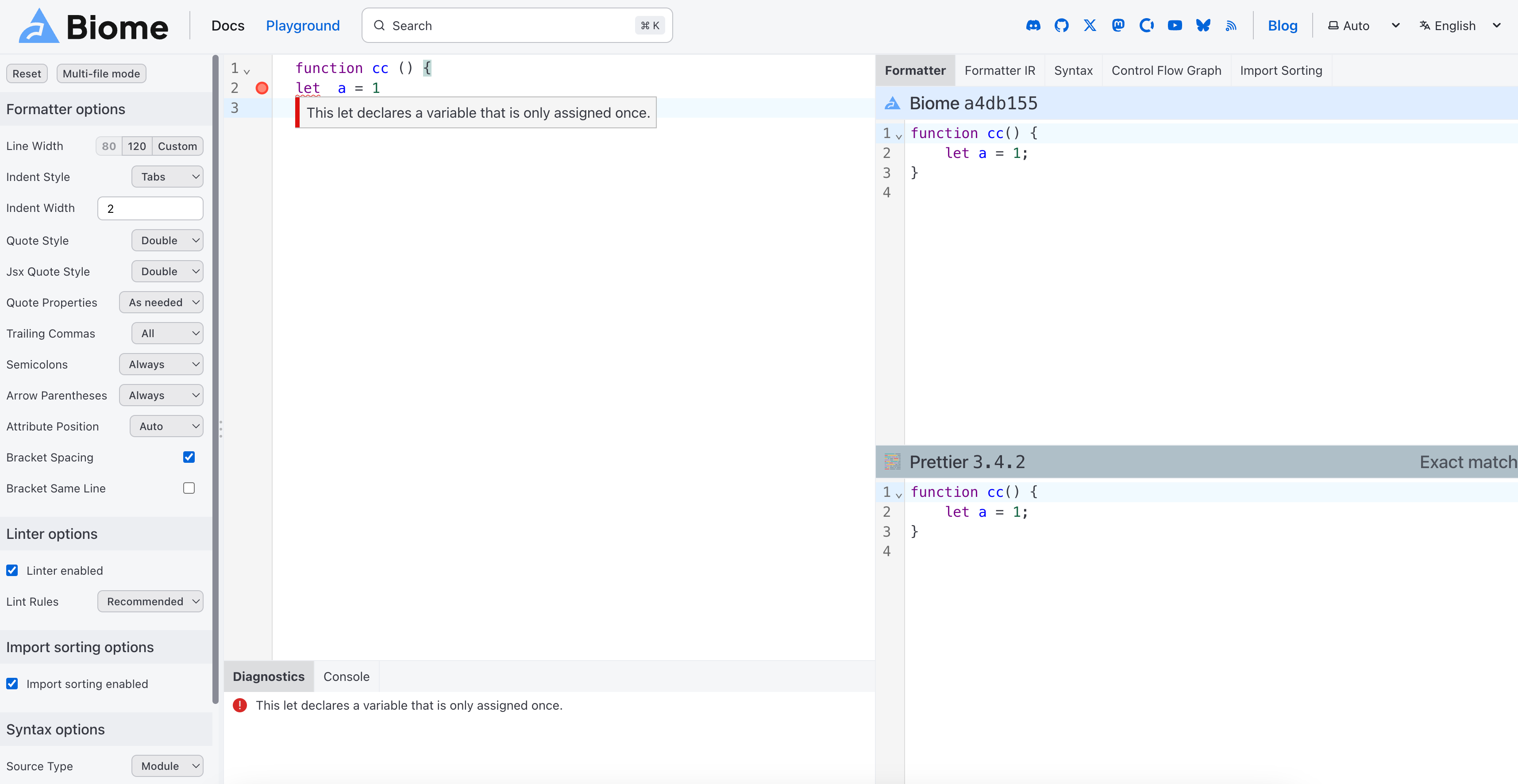
Before diving in, let’s see what else the official site says:
- Formats code like Prettier, but saves time
- Fixes issues — Biome provides more detailed and context-aware diagnostics
- One command replaces ESLint + Prettier
- Ships with community best practices out of the box
So many benefits — let’s try it out!
Trying Out Biome
There are two main scenarios for using Biome:
- Starting a new project, integrating Biome, and ditching ESLint + Prettier
- Replacing the existing formatting and linting tools with Biome in an existing project
Let’s go through each scenario. First, how to integrate Biome into a new project.
Integrating Biome into a New Project
We’ll create a new React project using Vite’s scaffolding. After creation, we remove all eslint and prettier related dependencies from package.json, so the project has no Prettier and ESLint.
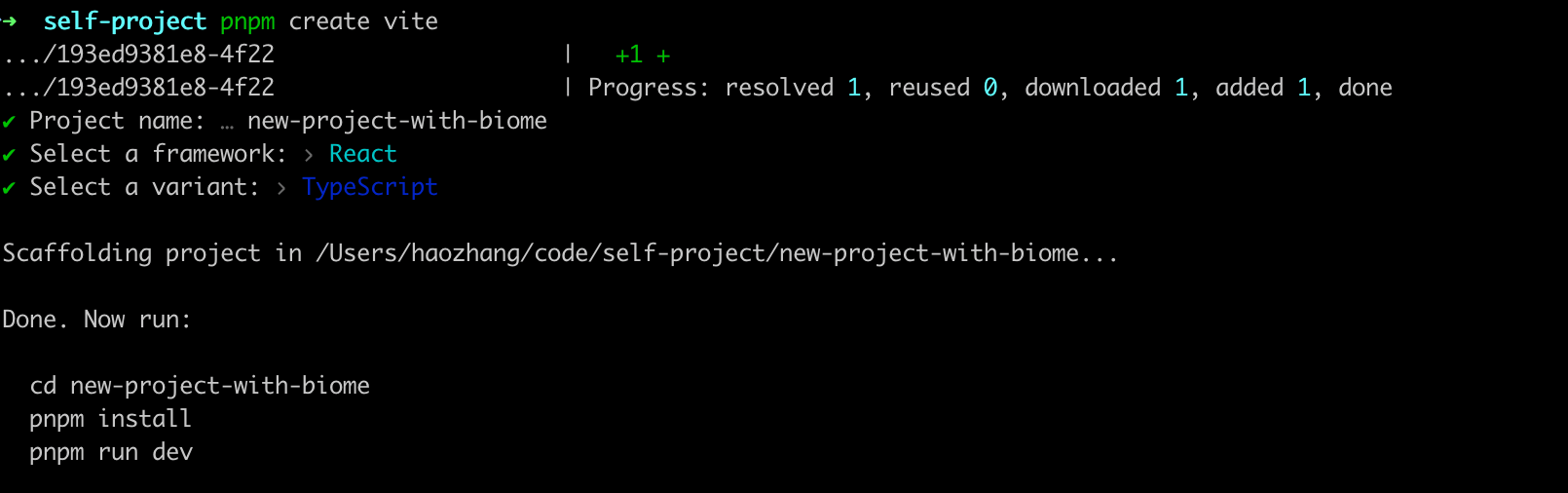
We also disable the eslint and prettier extensions in the editor. Now when we modify code, it won’t auto-format or show lint errors. Perfect — time to bring in our star:
pnpm i -D --save-exact @biomejs/biomeThen run pnpm biome init to initialize the Biome configuration file.
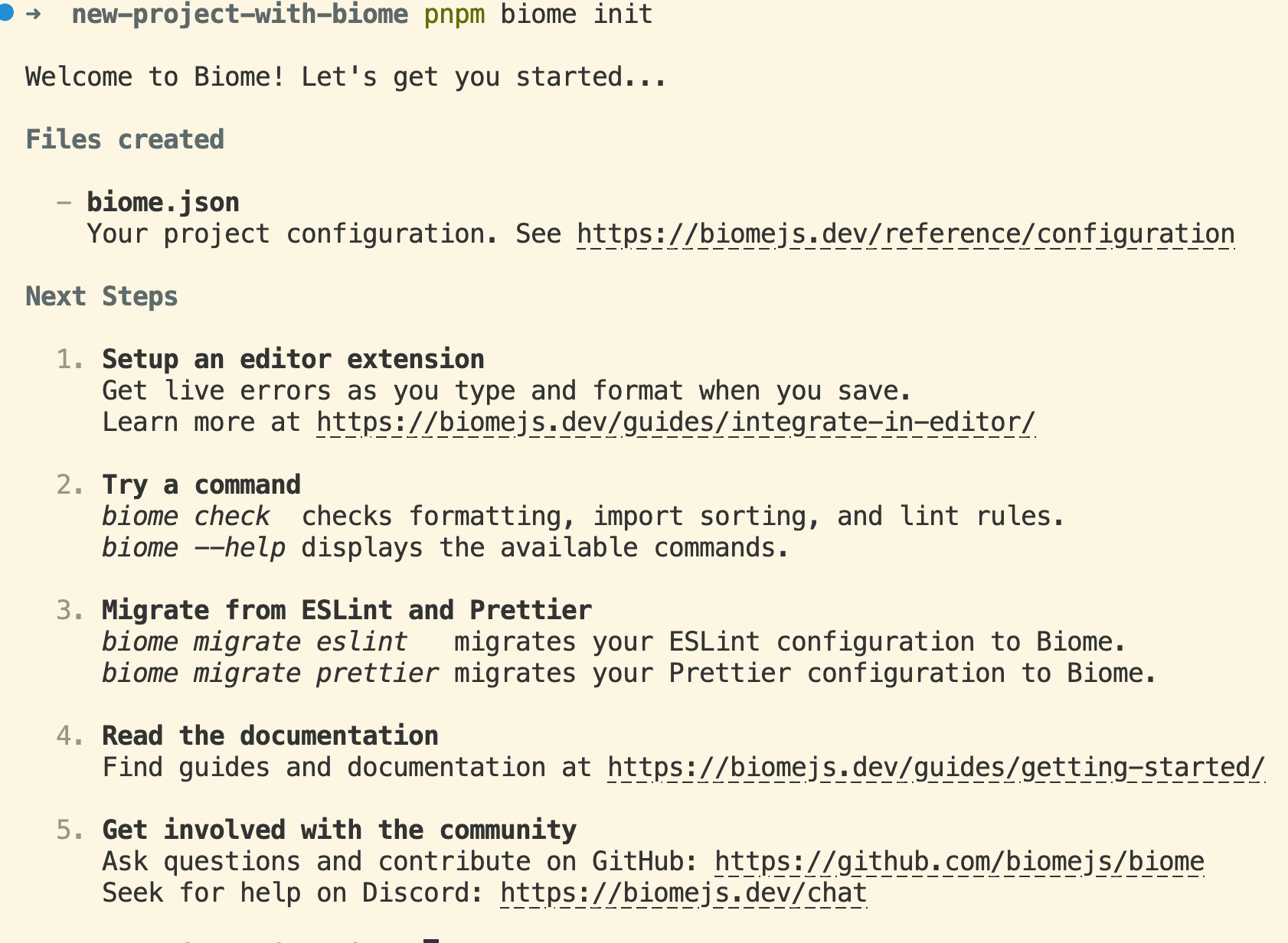
It says:
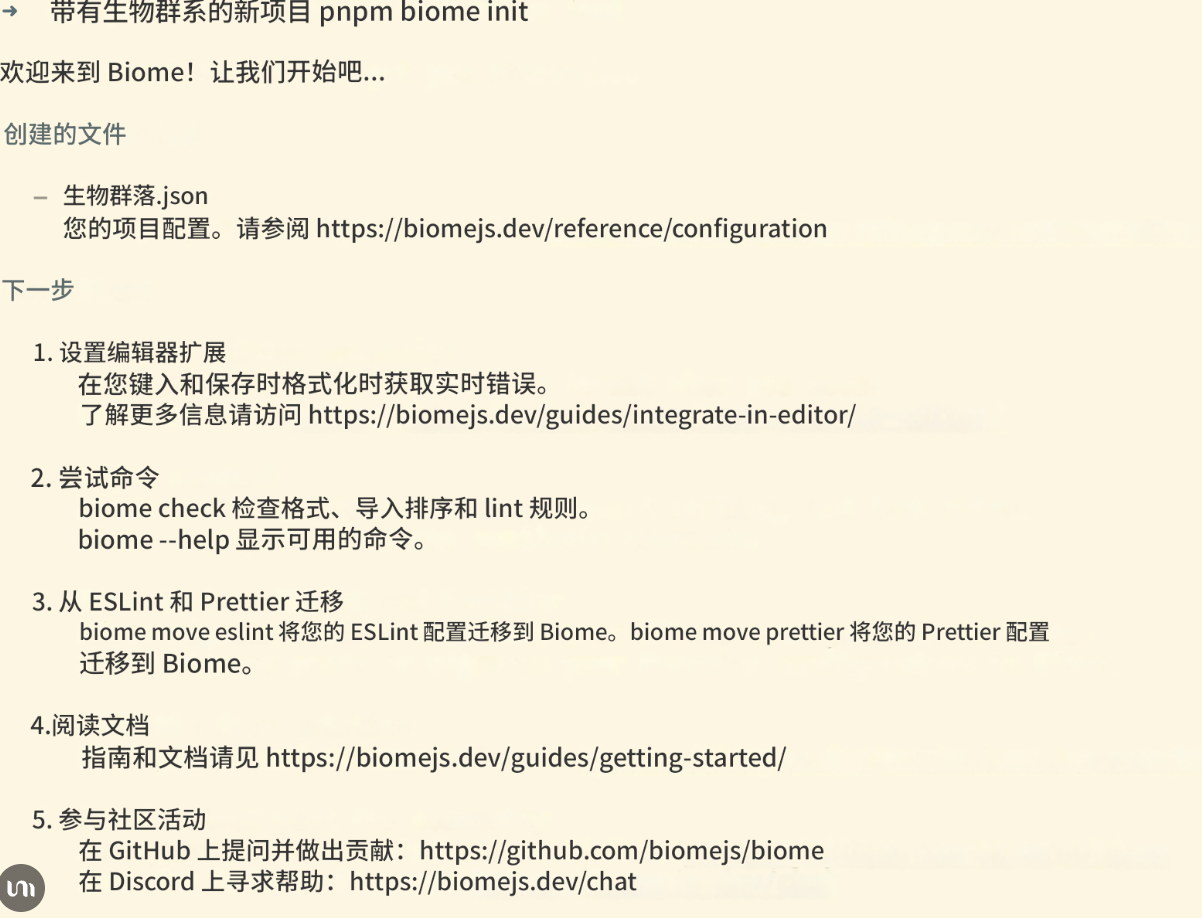
We follow its instructions. Let’s deliberately write some non-compliant code and run: npx @biomejs/biome check --apply ./src to see if Biome catches it.
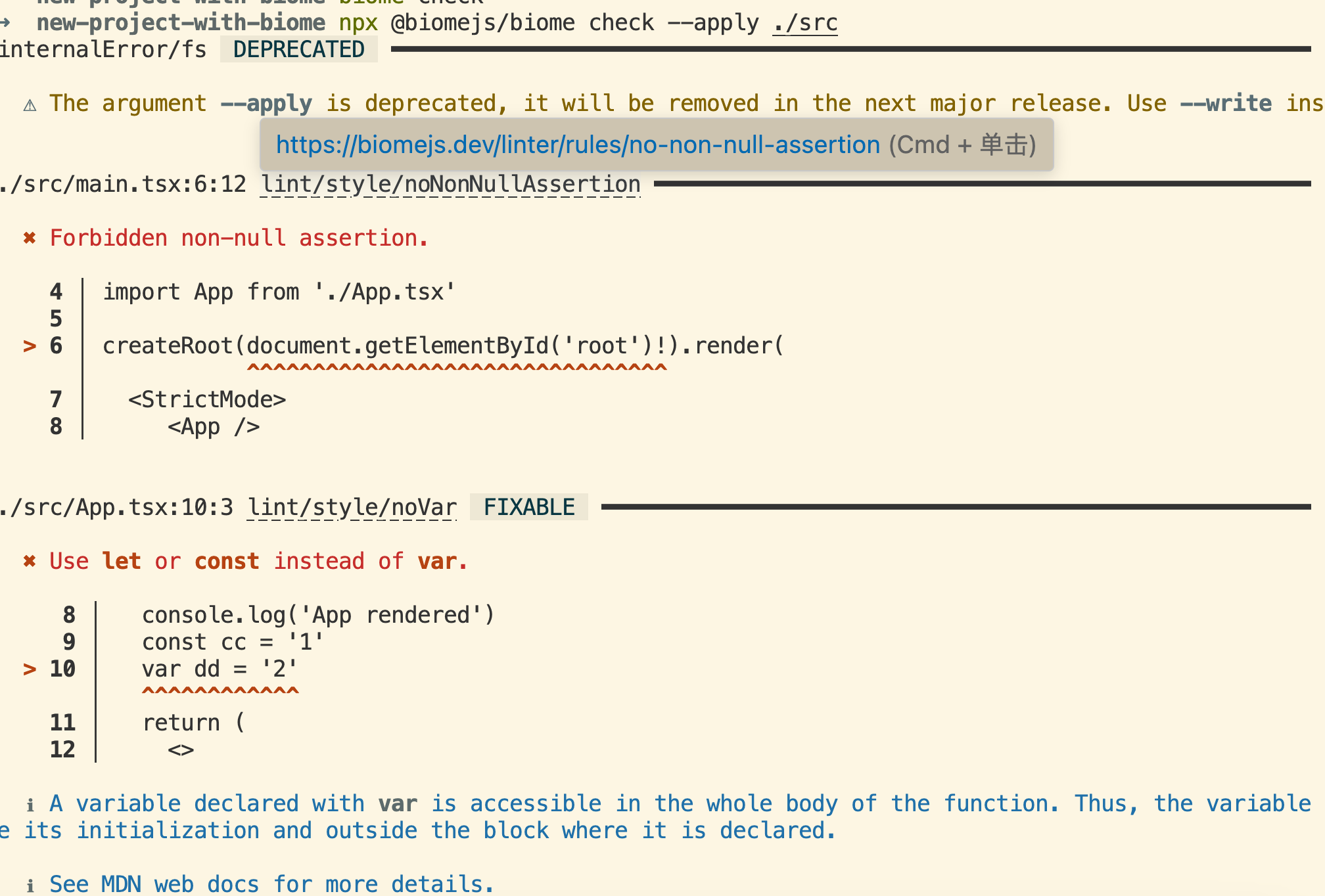
And it correctly identified everything. This single tool does both ESLint’s job and Prettier’s job — truly a toolchain. When using ESLint and Prettier, we usually set up scripts in package.json so we don’t have to type commands every time. Biome works the same way:
"format": "biome format --write .", // Format all files"lint": "biome lint .", // Lint code"check": "biome check .", // Run both formatting and linting"fix": "biome check --apply .", // Auto-fix fixable issues"ci": "biome ci ." // Lint command for CI environmentsWhat do those all mean? Don’t worry, we’ll learn now. Below are the common Biome CLI commands.
- init: Creates a
biome.jsonconfiguration file in the project root. The generated config contains basic formatting and lint rules. - check: The most comprehensive command. It runs formatting, linting, and import sorting together.
- —write: Tells Biome to directly modify source files, writing the formatted content back.
- format: Only formatting (think Prettier). Can be followed by a directory, file, or glob pattern (e.g.
"./src/**/*.{js,jsx,ts,tsx}").- —write: Applies formatting directly.
- lint: Only linting (think ESLint).
- —write: Auto-fixes fixable issues.
- ci: Designed for CI environments, runs checks in non-interactive mode.
Some common CLI options:
# Verbose output mode--verbose
# Specify config file path--config-path=./custom-biome.json
# Set diagnostic level--diagnostic-level=error|warn|info
# Skip syntax errors--skip-errors
# Change output format--reporter=json|summary|github
# Rule set option--rule-set recommended# The recommended rule set includes:# Best practice rules# Common error detection# Code style rules# These rules are carefully selected and tested by the Biome team
You can also run pnpm biome check --write $(git diff --staged --name-only) in a pre-commit hook to run Biome before committing.
Using Biome in an Existing Project
In the prompts from the earlier image, there were two commands we haven’t used:
biome migrate eslint --writebiome migrate prettier --writeExisting projects typically already have ESLint + Prettier integrated, so migration needs to be compatible with the previous rules. We can use these two commands. For more details: https://biomejs.dev/zh-cn/guides/migrate-eslint-prettier/.
After running these, check that all previous rules are still in effect. If everything looks good, you can remove the ESLint and Prettier dependencies and configuration files.
I tested it on my blog project — it works great. No more freezes on save!
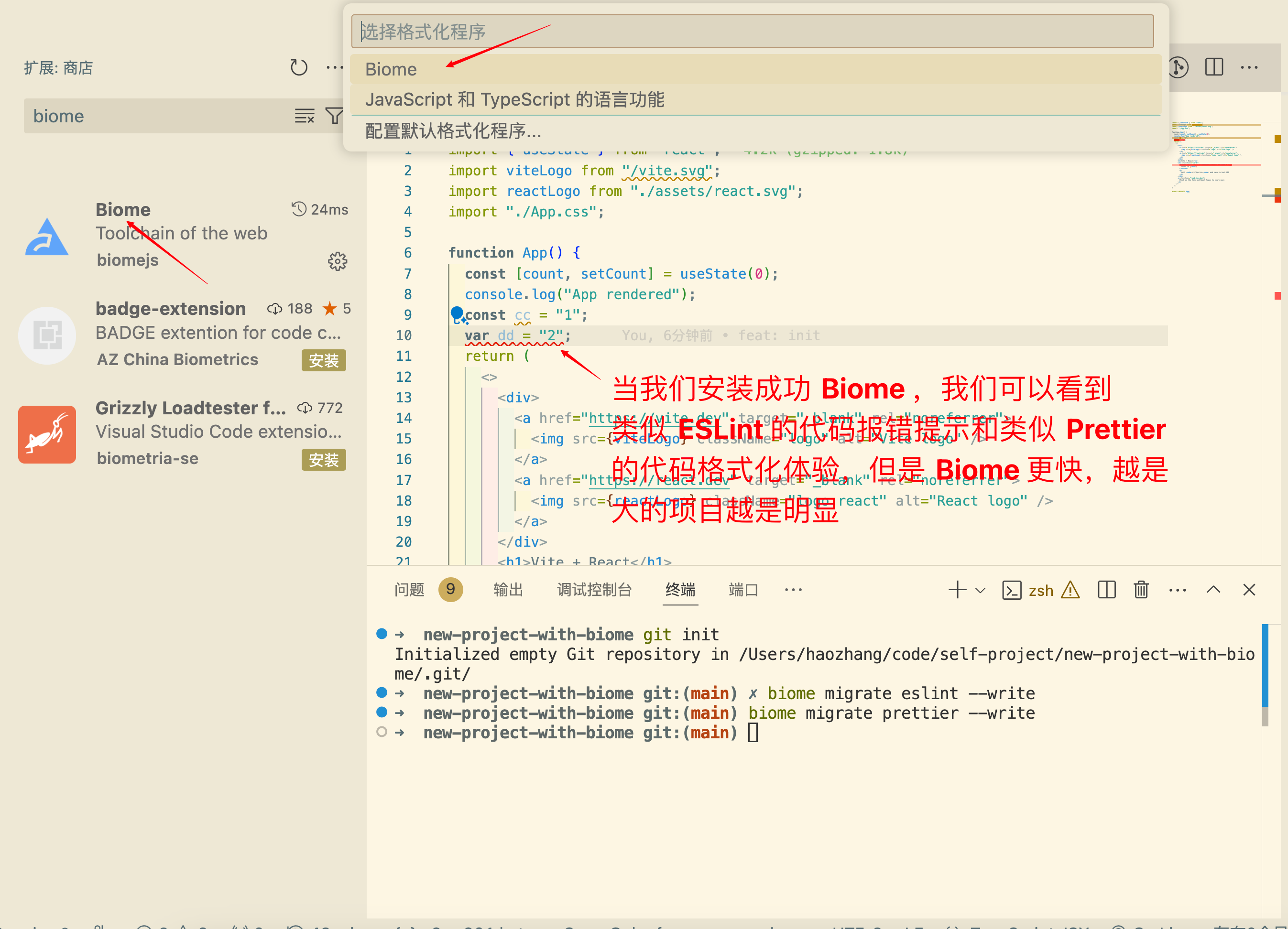
Biome Plugin
Like ESLint and Prettier, Biome has its own editor plugin. Just search and install it, then:
Summary
Configuring a project with ESLint and Prettier requires lots of dependencies and config files, and running them often freezes the editor. Biome solves this — no configuration needed, just install and code. Biome represents a new direction for frontend toolchains, and its Rust-powered performance has already won widespread community love.
Plus, Biome won the Prettier Challenge’s $20,000 prize. Check it out: https://biomejs.dev/blog/biome-wins-prettier-challenge/. The challenge required passing over 95% of Prettier’s JavaScript tests — so Biome is truly trustworthy. Is that the Easter egg? Haha!