
How to implement image lazy loading in bytemd
/ 4 min read /
Table of Contents 目录
Hi, I’m luckySnail. Last Friday, while I was deeply engrossed in working with AI, a backend colleague suddenly told me there was something I needed to optimize. I asked him to tell me quickly. He opened a project page, opened the console, and said, “Look, this page requests all images as soon as it loads, and because there are too many image requests, we hit the max limit we set, causing later images to fail directly. As a result, the images on the left all show as failed to load.”
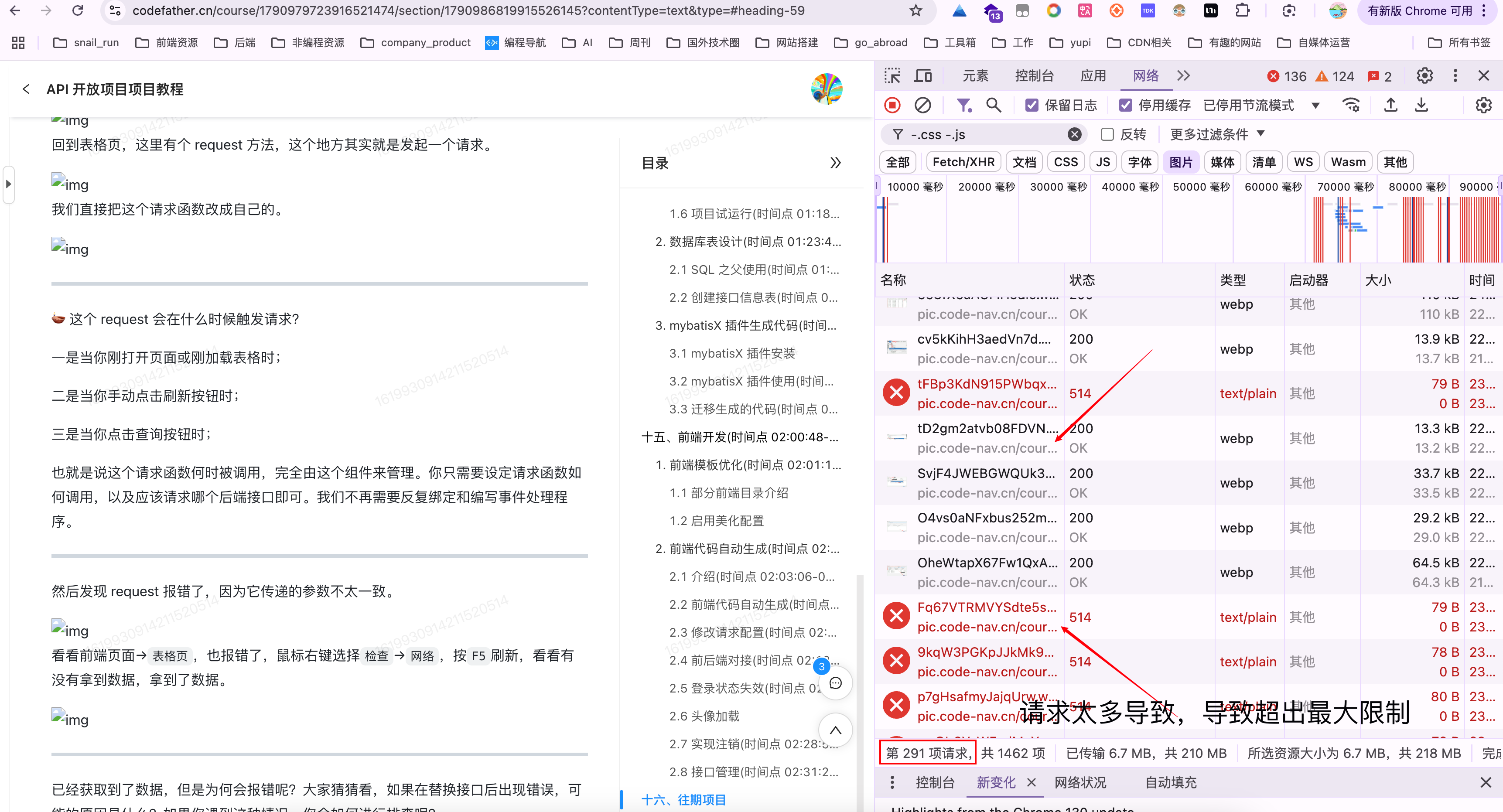
Oh boy, that’s all the boss’s hard-earned money! We had to fix it and ship it immediately. But how?
Problem Analysis
Before solving a problem, we can analyze it first — just like seeing a doctor, we need to register first and let the doctor check what’s wrong. Getting back to the point, the problem analysis:
- The page requests all image resources on initial load.
- A large number of concurrent image requests triggered server limits.
- This caused some images to fail loading.
- It results in unnecessary bandwidth consumption and performance waste.
Now that we understand the problem, let’s look at the solution: using image lazy loading technology. Image lazy loading is a web performance optimization technique that delays loading images not visible in the viewport until the user scrolls to them.
In fact, big companies all do this. If you don’t believe me, check out the Juejin platform.

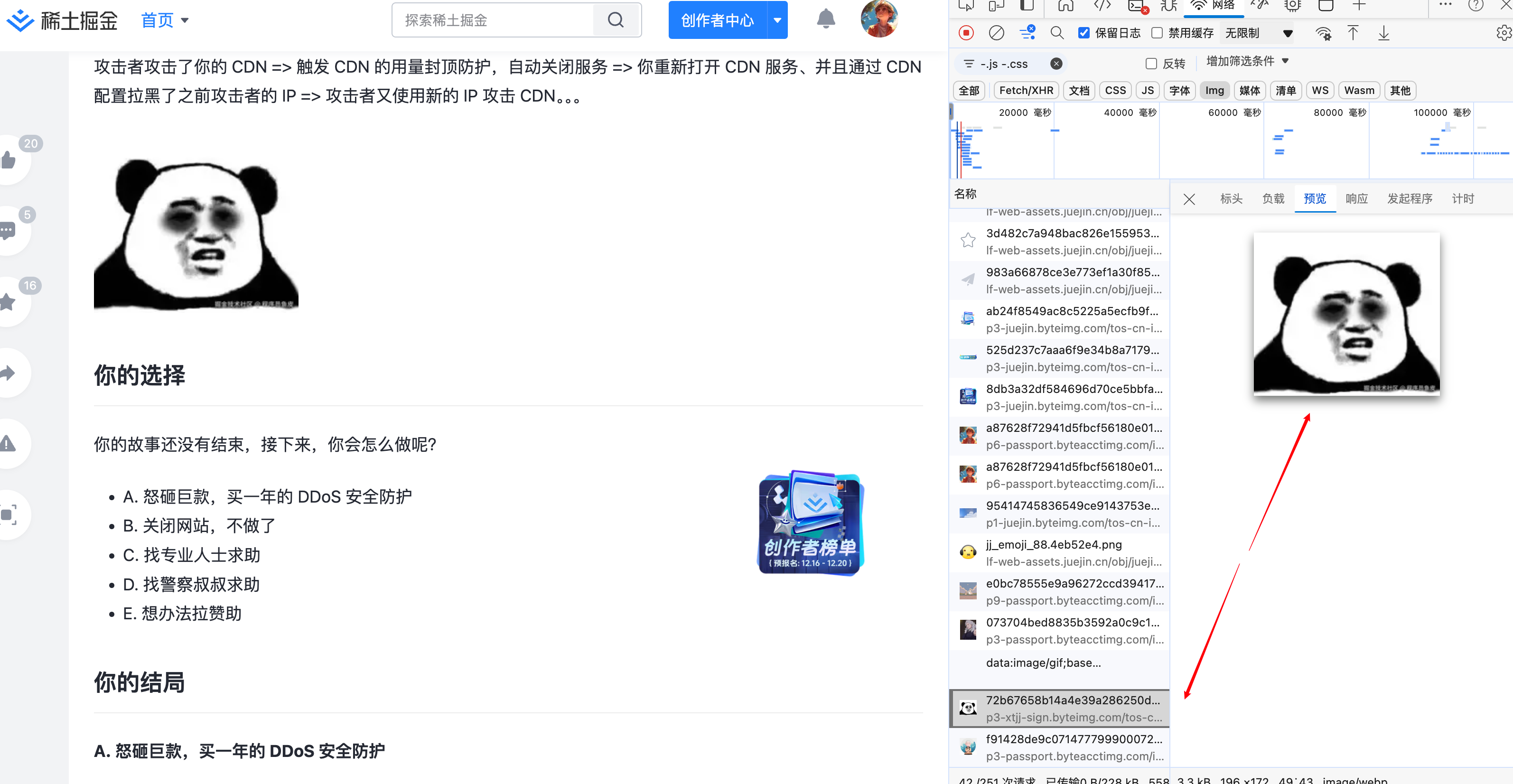
We can see that images only load when we scroll down to them.
Solving the Problem
Let’s now fix the image loading issue in our tutorial. Since our project uses bytemd as the content renderer, image rendering happens inside bytemd. To customize the image rendering logic, we need to use bytemd’s custom plugin capability. After checking the source code, I found that a plugin is just a function that extends the functionality of the Bytemd editor and viewer, returning a specified object type — BytemdPlugin. It has five properties:
remark: Custom Markdown parsing.rehype: HTML parsing.actions: Register operations, i.e., define the small icons on our editing toolbar.editorEffect: Editor side effects.viewerEffect: Viewer side effects.
What we need is viewerEffect. We first need to get all images and then add lazy loading logic to them. The specific approach:
- In
viewerEffect, getmarkdownBody— the markdown content, which is a DOM element. - Use
querySelectorAllto get allimgtags. Then we have two options: - First, use the browser’s native image lazy loading.
- Second, use
IntersectionObserverto implement lazy loading. This approach allows setting a placeholder image for a better experience.
Finally, let’s look at the specific code:
import type { BytemdPlugin } from 'bytemd'
export interface ImageLazyLoadOptions {  // Whether to use native lazy loading  useNativeLazy?: boolean;  // Custom placeholder image src  placeholderSrc?: string;  // Custom class name  className?: string;}
export default function imageLazyLoad(options: ImageLazyLoadOptions = {}): BytemdPlugin {  const {    useNativeLazy = true,    placeholderSrc = '',    className = ''  } = options;
  return {    viewerEffect({ markdownBody }) {      // Get all image elements      const images = markdownBody.querySelectorAll('img');
      images.forEach((img) => {        // Save original src        const originalSrc = img.getAttribute('src');
        if (useNativeLazy) {          // Use native lazy loading          img.setAttribute('loading', 'lazy');        } else {          // Use Intersection Observer for lazy loading          const observer = new IntersectionObserver((entries) => {            entries.forEach((entry) => {              if (entry.isIntersecting) {                const obImg = entry.target as HTMLImageElement;                if (originalSrc) {                  obImg.src = originalSrc;                }                observer.unobserve(obImg);              }            });          });
          // Set placeholder image          if (placeholderSrc) {            img.src = placeholderSrc;          }
          // Store original image URL in data attribute          img.dataset.src = originalSrc || '';          img.src = placeholderSrc;
          // Add custom class name          if (className) {            img.classList.add(className);          }
          // Start observing          observer.observe(img);        }      });    }  }}
Let’s see the effect!

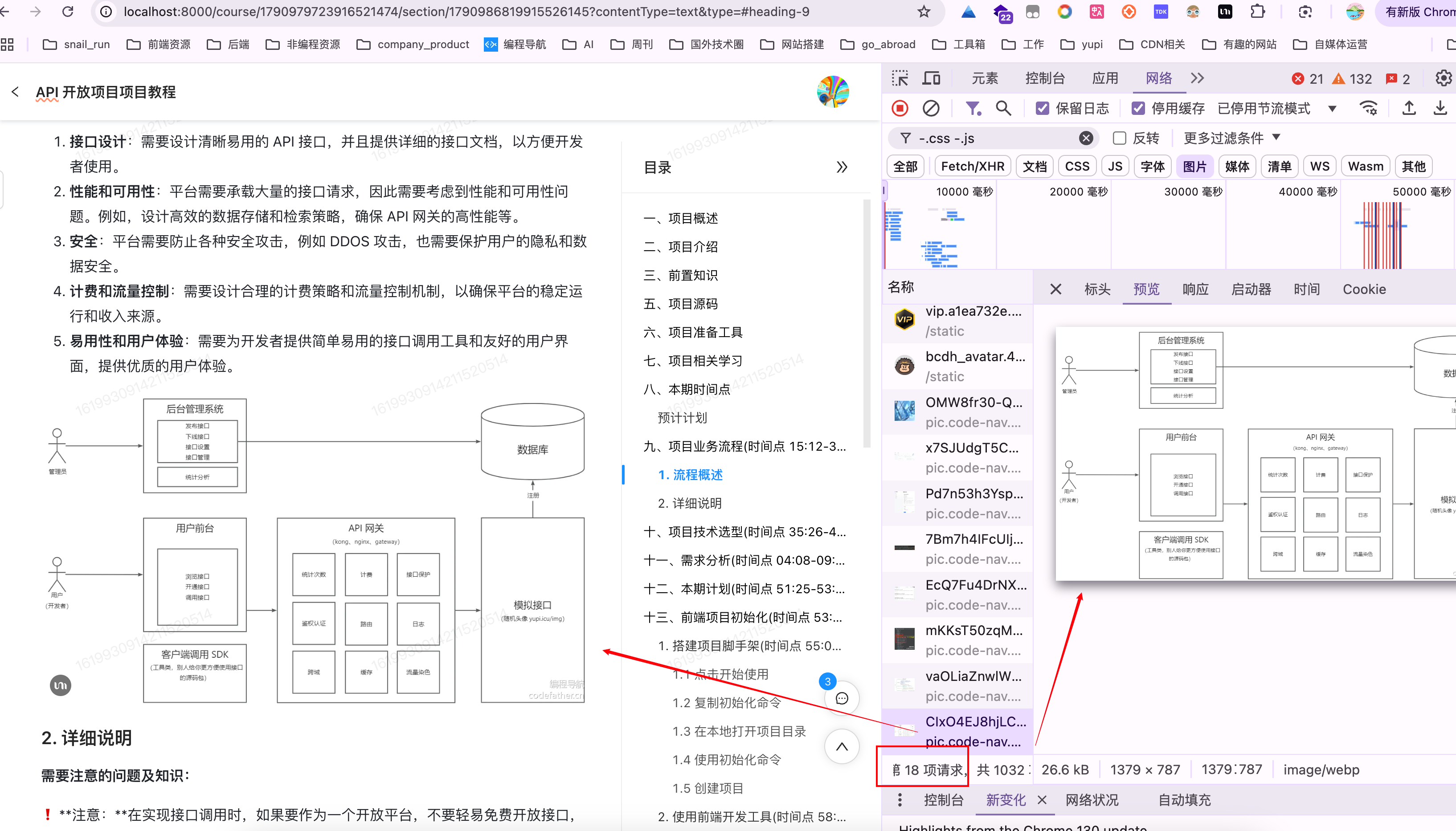
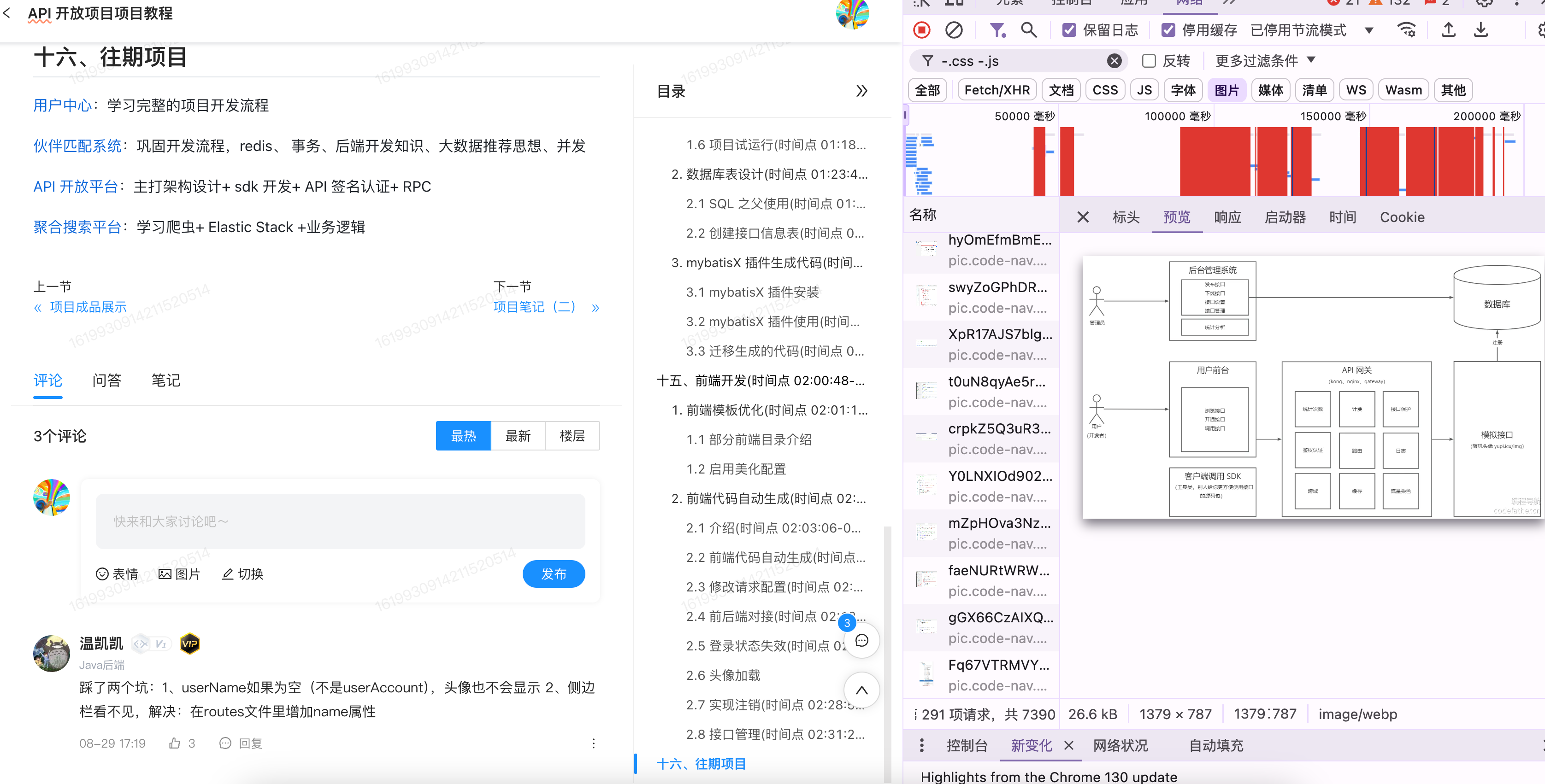
Bug fixed perfectly, and we saved on costs.
Open Sourcing the Image Lazy Load Plugin for bytemd
I’m sure other folks have the same problem, so let’s open source it — after all, who would refuse to just grab and use it?
Address: https://www.npmjs.com/package/bytemd-plugin-image-lazy
If you find it well written and helpful, give it a like before you go!
Oh, and by the way — is anyone curious about how to publish an npm package from scratch?