
Thoughts on tech stack choices in the AI era
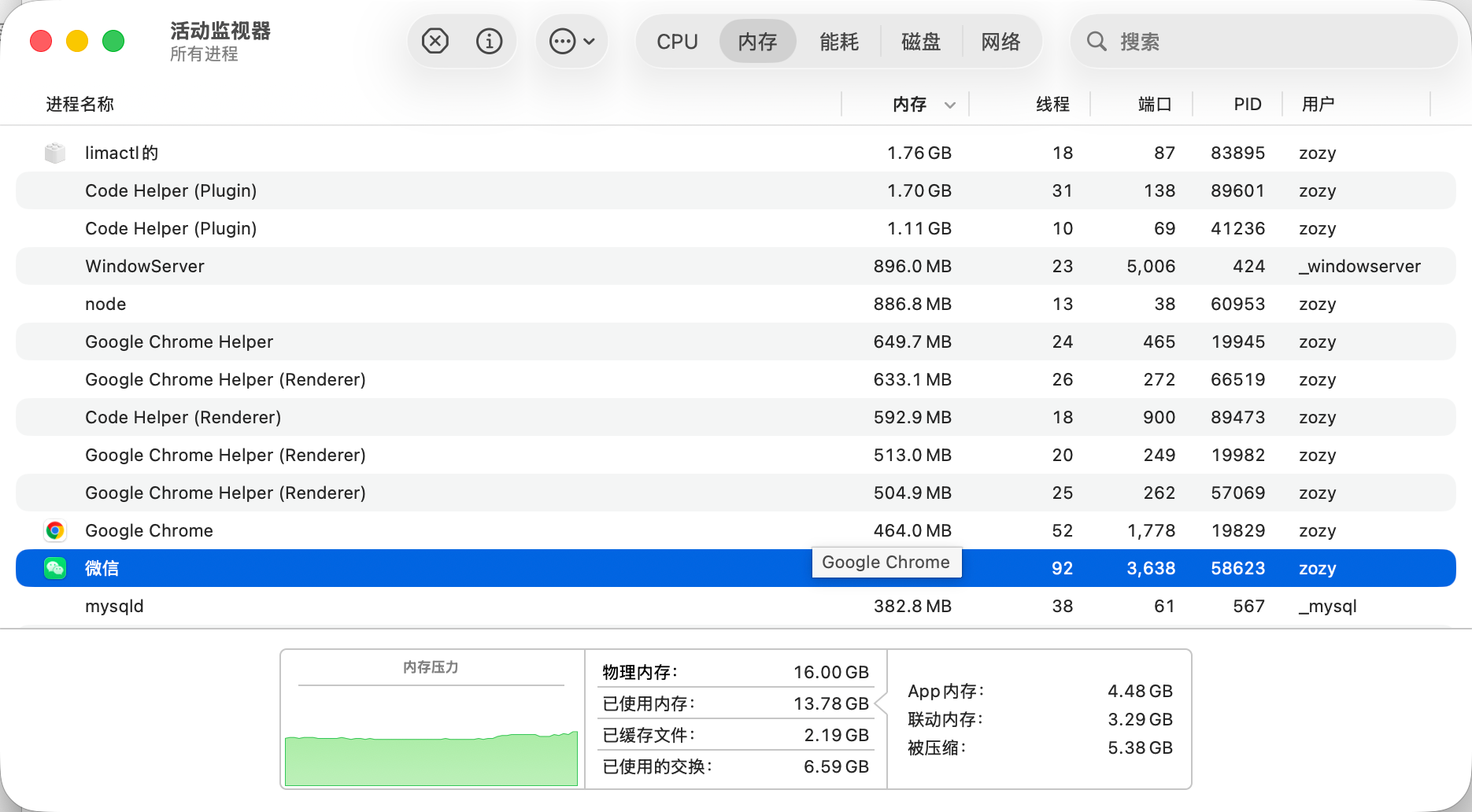
Hi, I’m luckySnail. Lately I’ve been working on two things: first, adjusting the tech stack of the projects I’m responsible for so AI agents can get work done inside them more easily and verify their own work; second, optimizing my toolchain so this 16GB machine freezes a little less often. Every time Docker Desktop, Chrome, and my editor are open at the same time, the fans spin up before I do, and before long the laptop is running a fever…
I mostly write TypeScript, so the experience below revolves around it. If you use other languages, you can still take something from it — the principles carry over, and so do the pitfalls, haha.
How agents affect tech stack choices
Before coding agents became widespread, tech stack decisions had to account for whether team members could pick up the stack and whether there was a senior engineer to backstop it. Now the first question is whether the language is niche, whether it’s widely used, whether there’s plenty of material out there, and whether an agent can spin it up on its own in any environment, finish the work, and then prove it got things right. The shift comes from a few things:
- Tool calls & context
For an agent, besides the underlying model, the two most important things are tools and context. So the tech we pick and the tools we use need to be judged not just on our own developer experience, but also on whether an agent can use them well.
For tool calls: the toolchain we choose should be fast and output structured errors, so each call wastes less time and problems can be debugged from structured logs.
For context: use simple, boring, well-documented tech that doesn’t require extra knowledge to fill in gaps. That keeps context usage down and avoids context burn from mistakes.
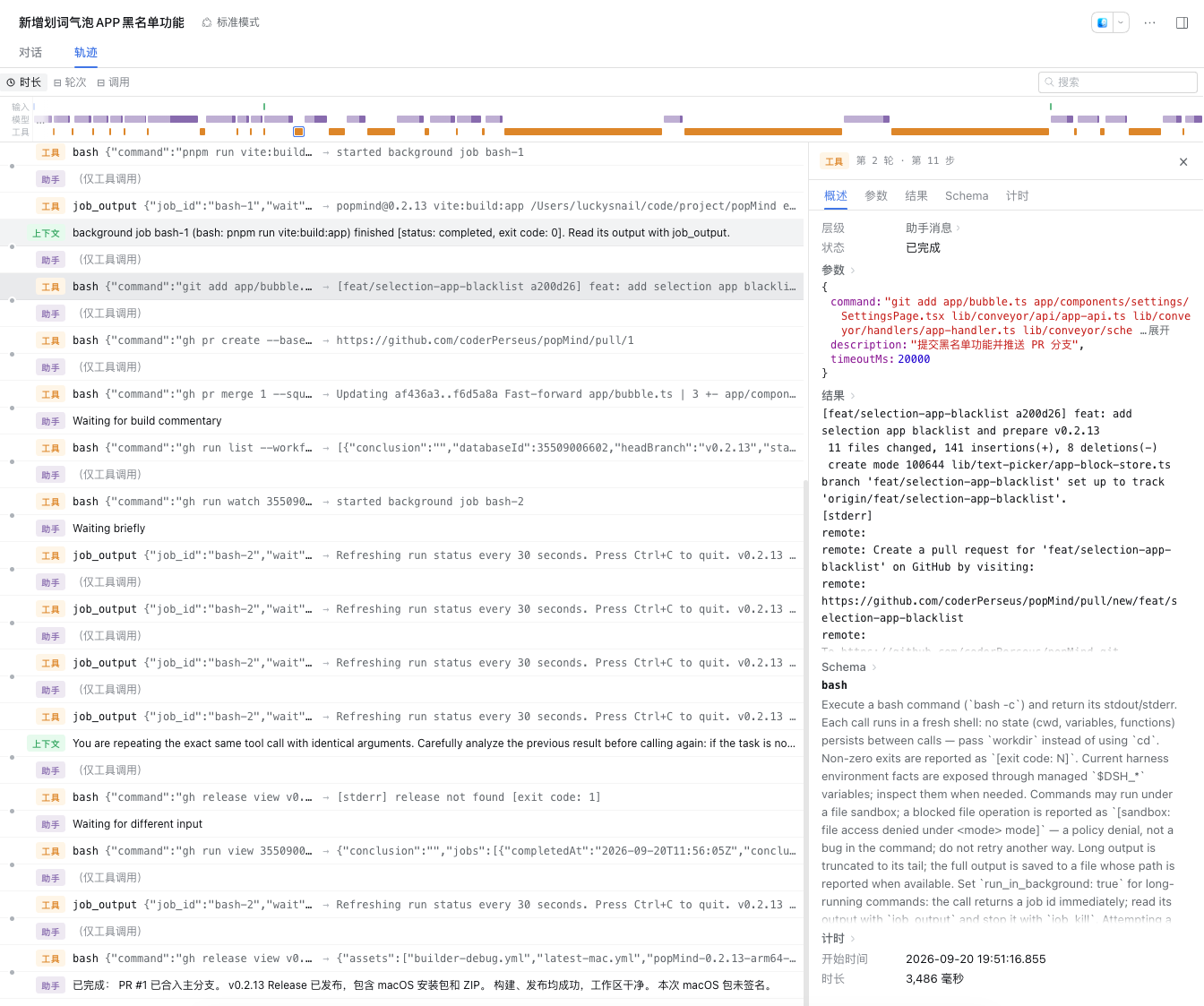
Below is the execution trace of the DeepSeek harness. You can see the loop is tool call => assemble context => think. Comparing several conversations, I found the harness spends 80% of its time on tool calls. So when an agent feels slow, check whether it’s actually a project engineering problem.
- The work has moved to cloud sandboxes
Chen Hao said in “Left Ear Hears the Wind” that technology keeps moving toward the backend, until the frontend is just a browser or a phone. Now development itself is following that path. Meta’s personal agent Muse, released on September 8, spins up a separate virtual machine in the cloud for each user to get work done. Coding agents are the same: code is written, run, and tested in a cloud sandbox, while people file requests, check previews, and hit merge from their phones. This is already the norm — sitting at your desk to develop will become a thing of the past.
- Frameworks are starting to care about the agent dev experience
Framework authors have clearly caught on. Starting with Next.js 16.2, version-matched docs are bundled into node_modules, and an AGENTS.md is generated automatically for agents to read, instead of them winging it from stale knowledge in their training data. 16.3 claims to cut dev-time memory usage by up to 90%. Vite+‘s vp run already supports running inside Codex CLI and Claude Code sandboxes. TypeScript 7 ships a dedicated --singleThreaded option for resource-constrained environments.
“Agent-friendly” is becoming a selling point alongside “fast” and “big ecosystem.”
- Agent harnesses are evolving toward “metaprogramming”
The harness is the layer wrapped around the model: tools, permissions, sandbox, context, verification flow. The model decides how smart the agent is; the harness decides how much work it can get done.
The forcibly open-sourced ZCode codebase does have things worth learning from: the source for dynamic workflows, @zcode/dynamic-workflow. It gives the model a set of TypeScript APIs, paired with analysis powered by the TypeScript compiler. The model orchestrates flows directly in code. Then it hands off to a coding agent to compile, type-check, statically analyze, and execute, recovering from recorded state if something fails midway.
For TS developers, TypeScript is becoming the common language between humans, agents, and harnesses. So when choosing tech, favor strongly typed tech that a compiler can statically check — that’s an advantage for an agent that doesn’t mind the extra rigor.
New principles for tech choices
There’s an old saying in the tech world: when choosing technology, pick boring technology whenever possible. It comes from Dan McKinley’s 2015 article Choose Boring Technology. He says every team has roughly three “innovation tokens,” and they should be spent on what actually makes the product different. Everything else should use mature, boring stuff whose pitfalls have already been stepped on by others. In the AI era, this is even more true. So when choosing tech:
- Boring first: spend innovation tokens only on product differentiation; keep infrastructure as boring as possible.
- Easy to get running:
clone,install,dev,test— ideally those four steps get the project running and its tests passing. - Fast feedback: agents compile and test at the end of every round, so a faster build tool means agents finish tasks faster.
- Consistent environments: dev, test, and prod should behave as similarly as possible, so agents can close the loop on verification in dev/beta.
- Verifiable results: locally, provide a CLI so agents can test logic; online, have a beta environment where they can publish a preview link and test it.
- Friendly resource usage: choose a stack that performs well and uses little memory, so you can develop and verify locally or in the cloud, and start working anytime from your phone.
Tech choices & best practices
Here’s what I’m currently using in TS full-stack projects. For each layer I’ve noted why I picked it and when to switch away.
• Runtime: Bun. Fast startup and installs, so agents run commands faster each round. It’s not exactly “boring” tech, but it’s genuinely good — recommended.
• Package management: pnpm workspace. Fast, saves disk, and keeps frontend and backend in one repo so agents can see the whole project and avoid missing context.
• Toolchain: Vite+. One vp command handles dev, lint, test, and build (Vite+ Beta). It’s still in beta — if you want stability, install Vite, Vitest, Oxlint, and Oxfmt separately.
• Type checking: TypeScript 7. Rewritten in Go, full builds are typically 8 to 12 times faster. It also saves a lot of memory.
• Frontend: Vite + React + TanStack Router / Query. Fast startup, few concepts, type-safe routing. Switch to Next.js or TanStack Start when you need SEO and server-side rendering.
• UI: Tailwind CSS + shadcn/ui. What agents know best, and it produces the most stable interfaces. Ant Design is also a solid choice.
• Backend: Hono + Zod. Super fast, super lightweight, deployment-friendly, and you can build all kinds of custom middleware. The go-to for lightweight backends; for production-grade backends, Fastify is the best choice.
• Database: PostgreSQL + Drizzle. Use PGlite for dev and unit tests, real PG in CI — the same database in all three places. For small tools and single-machine deployments, SQLite is recommended, and it’s easy to deploy on Cloudflare.
• Testing: Vitest + Playwright. Unit tests are fast, and end-to-end tests can auto-screenshot for human review.
A few small details:
• Oxfmt hasn’t hit 1.0 yet. Formatting output can change between versions, so pin the version in package.json — otherwise every upgrade means reformatting the whole repo.
• Next.js is recommended via OpenNext. It’s still one of the best frameworks, but it carries a lot of historical baggage. Use it if you need SEO.
• PGlite is a WebAssembly build of real Postgres. npm install and it runs inside the Node process, no Docker needed — great for sandboxes. It’s single-connection, so CI should still run real PG as a backstop.
Lower-memory alternatives to common tools
Here are some apps I used to love but that hog memory, plus their alternatives:
- VS Code / Cursor: use Zed instead. Zed is genuinely fast, but its plugin ecosystem and themes don’t match VS Code.
- Docker Desktop: use Colima instead. With agents around, you don’t need a GUI — CLI is better.
- iTerm2: use Ghostty instead. Prettier, and it’s GPU-rendered.
- Raycast: use popMind instead. Free and open source, clean and simple, and I built it myself — I’ve been using it happily for half a year. BYOK to hook up the latest large models, one-click selected-text translation and explanation, app search, all in one place.

Summary
When making tech choices now, since the entity doing the development has changed, what I care about first is stability, how much material is available, how complete the docs are, and whether performance and speed are good. Picking the right tech avoids a lot of problems. Especially for real production projects, you also need to weigh deployment cost, migration cost, and ongoing spend, among other things.
I hope this article helps, and thanks for reading.