
Automatic code sync and build deployment on Alibaba Cloud CentOS server using Baota + webhook
/ 4 min read /
Table of Contents 目录
Since deploying a static blog on a server — https://mp.weixin.qq.com/s/tBxfcDsMIh_HCRS1EqBMoQ — I want changes in the source code to trigger an automatic redeploy. Let’s walk through how to set it up.
Requirements
My project source code is on GitHub. I use GitHub Issues to store blog posts, and GitHub Actions to check for issue changes and auto-update the code. It was originally deployed on Vercel, which can link to a GitHub repo and automatically monitor source code changes to redeploy. But since Vercel is unstable, I migrated to a domestic Alibaba Cloud server and self-hosted. That means the old CI/CD no longer works, and I need to set up a new solution. After looking up some approaches online, let’s first clarify our requirements:
- Whenever the GitHub source code updates, I want the mirrored repo on Gitee to automatically update too (for now this doesn’t work — I have to manually click the sync button, which isn’t too inconvenient).
- When the Gitee source code updates, it should notify the Baota (BT) panel server, trigger a rebuild, and then deploy.
Implementation
Install Git
# Installation commandyum -y install git# Then check if it's installed successfullygit version# Generate SSH keyssh-keygen -t rsa# Get the public key and add it to Giteecd ~/.sshcat id_rsa.pubSuccessfully pulled the code with git 🎉🎉🎉
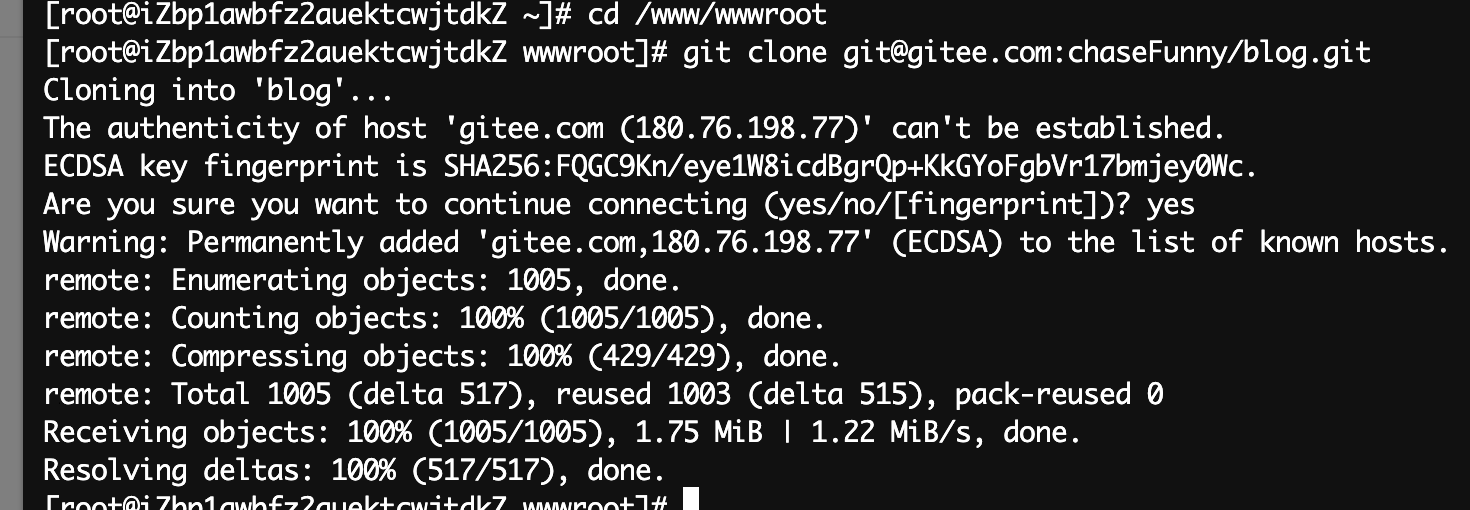
Install Webhook
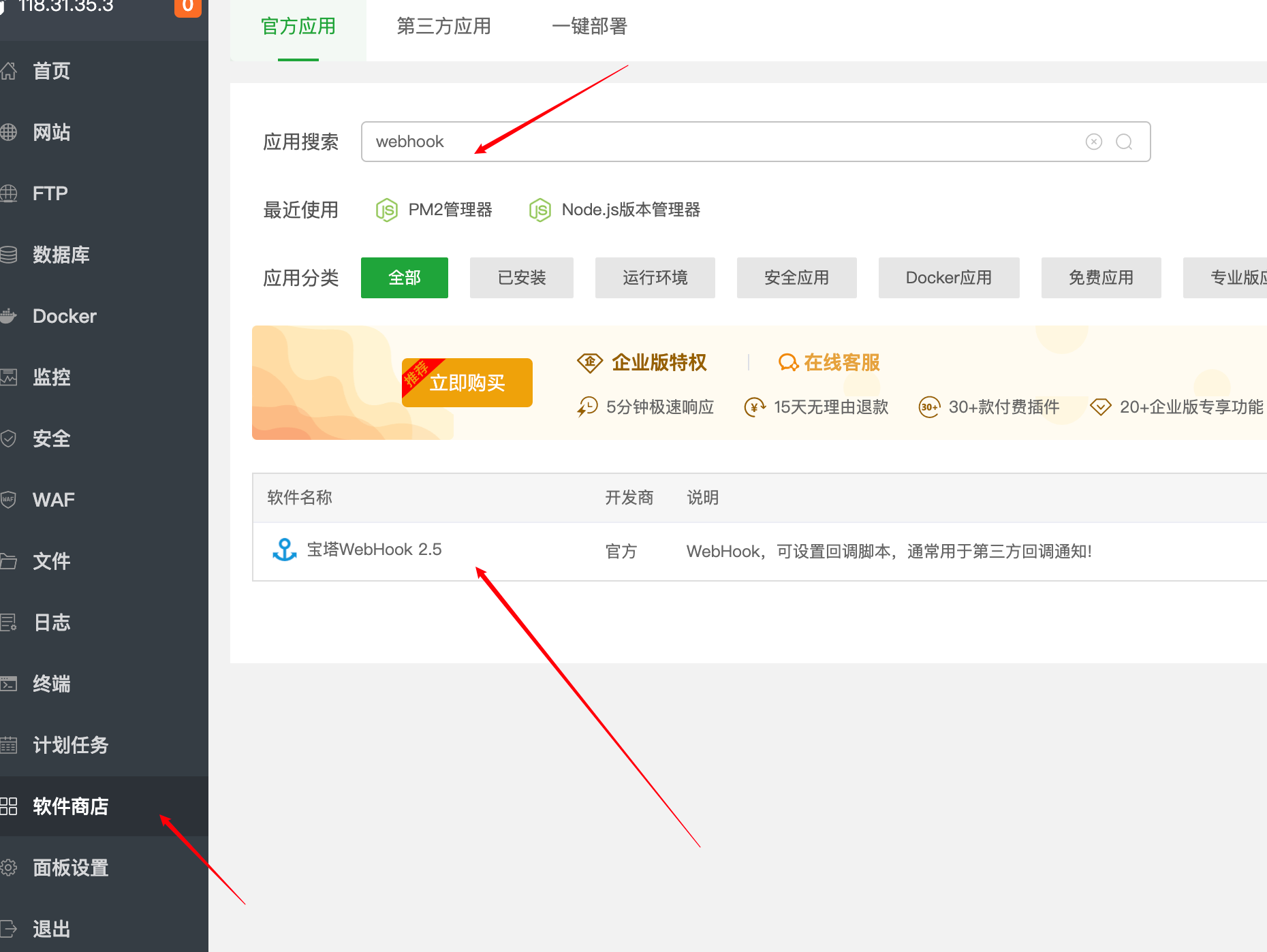
Go to the Baota panel’s [App Store], search for “webhook” and install it.
After installation, open the plugin and click “Add”. Give it any name, and fill in a temporary script (we’ll write the real one later). After submitting, you’ll see a record in the list. Click “View Secret Key”.
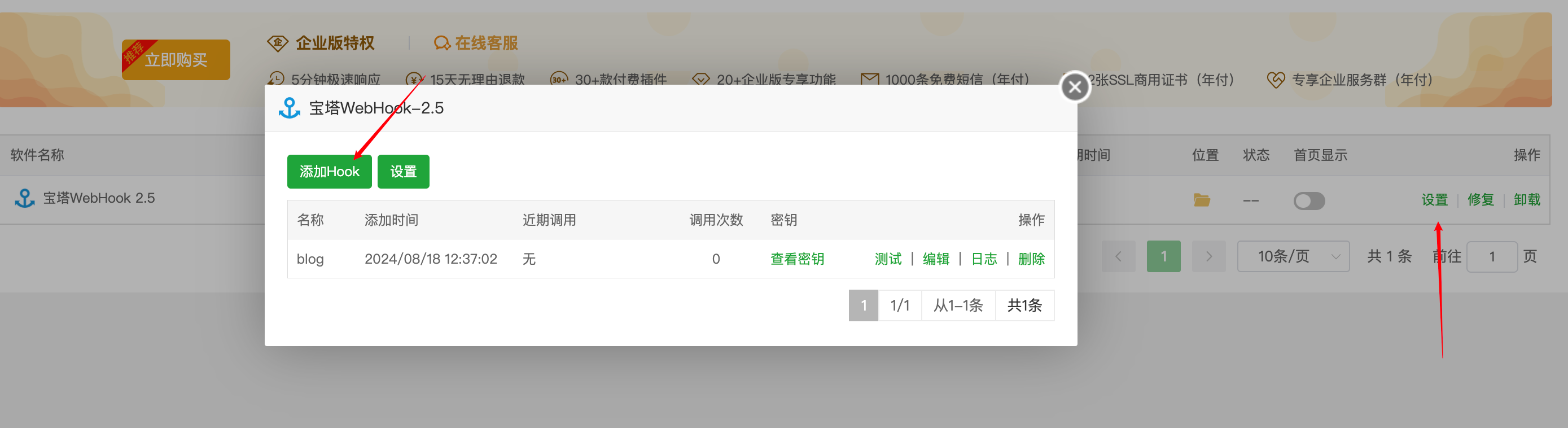
Copy the full URL.

Now go to Gitee to configure the webhook (indeed, you can find “Ma Yun” everywhere).
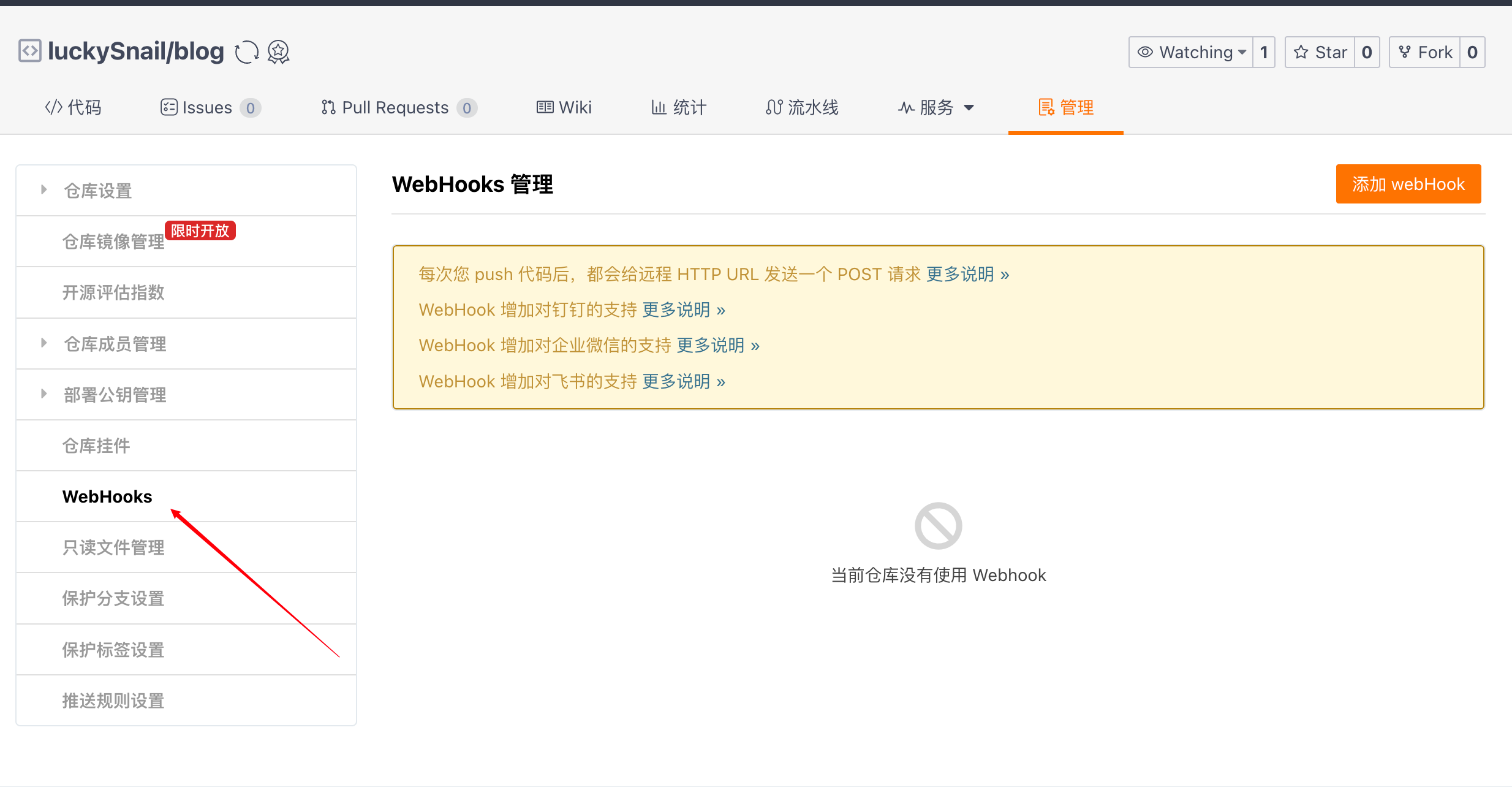
Click “Add WebHooks”, fill in the corresponding information, check the events you want, and click “OK”. You’ll see:

Then go back to the Baota [WebHook] config, add a new hook with the script we just created.
#!/bin/bashecho ""# Output current timedate --date='0 days ago' "+%Y-%m-%d %H:%M:%S"echo "Start"# Git branch namebranch="main"# Git project pathgitPath="/www/wwwroot/blog"# Git remote URLgitHttp="git@gitee.com:chaseFunny/blog.git"# gitHttp="http://192.168.2.20/llh/$1.git" // for multiple reposecho "Web site path: $gitPath"# Check if project path existsif [ -d "$gitPath" ]; thencd $gitPath# Check if .git directory existsif [ ! -d ".git" ]; thenecho "Cloning git in this directory"sudo git clone $gitHttp gittempsudo mv gittemp/.git .sudo rm -rf gittempfiecho "Pulling latest project files"#sudo git reset --hard origin/$branchgit remote add origin $gitHttpgit branch --set-upstream-to=origin/$branch $branchsudo git reset --hard origin/$branchsudo git pull $gitHttp 2>&1echo "Setting directory permissions"sudo chown -R www:www $gitPathecho "End"exitelseecho "Project path does not exist"echo "Creating new project directory"mkdir $gitPathcd $gitPath# Check if .git directory existsif [ ! -d ".git" ]; thenecho "Cloning git in this directory"sudo git clone $gitHttp gittempsudo mv gittemp/.git .sudo rm -rf gittempfiecho "Pulling latest project files"#sudo git reset --hard origin/$branchsudo git pull gitHttp 2>&1echo "Setting directory permissions"sudo chown -R www:www $gitPathecho "pnpm run build"sudo pnpm i && pnpm run buildecho "End"exitfiYou just need to replace the config values with your own, and update the script at the end to fit your actual needs. Here’s a quick explanation of this code:
This script is a Bash script for automating Git project deployment. Let’s break down its functionality step by step:
- It outputs the current date and time at the start.
- It defines several variables:
branch: Git branch name (“mian”, likely a typo for “main”)gitPath: Local path to the Git projectgitHttp: Remote URL of the Git repository
- The script checks if
$gitPathexists:- If it exists:
- Enters the directory
- Checks if a
.gitdirectory exists; if not, clones the repo and moves the.gitdirectory - Updates the remote URL and branch tracking
- Force resets to the latest state of the remote branch
- Pulls the latest code
- Sets directory permissions
- If it does not exist:
- Creates the new directory
- Clones the repo
- Pulls the latest code
- Sets directory permissions
- Runs
pnpm i && pnpm run build
- If it exists:
- The script uses
sudofor some operations, which requires administrator privileges. - Finally, it sets the directory owner to “www” user and group, which is typical for web server configurations.
The main purpose of this script is to automate the deployment of a Git project, including cloning the repository, updating code, setting permissions, etc. It also includes some error handling and conditional logic to handle different scenarios (such as whether the project directory already exists).