
Hands-on Test: Zhipu GLM 5.1 vs Kimi K2.6-code-preview
/ 5 min read /
Table of Contents 目录
Stop scrambling for Zhipu — I tested Kimi’s latest K2.6-code-preview and it crushes GLM 5.1
Because Claude Code keeps getting stricter, I couldn’t pay for Claude anymore, so I ordered the Max plan from the domestic top-tier model Zhipu. After actually using it, the results were still not great.

So I bought Kimi’s Max plan instead. They just released the K2.6-code-preview model. Below I’ll show two examples that clearly and comprehensively demonstrate the gap between the two models. In coding, Kimi is definitely ahead of Zhipu. While not many people know about this yet, I suggest you go subscribe quickly — I suspect after people find out, it’ll sell out. Also I noticed Kimi is hiring AI infra engineers recently, probably preparing for the upcoming traffic surge.
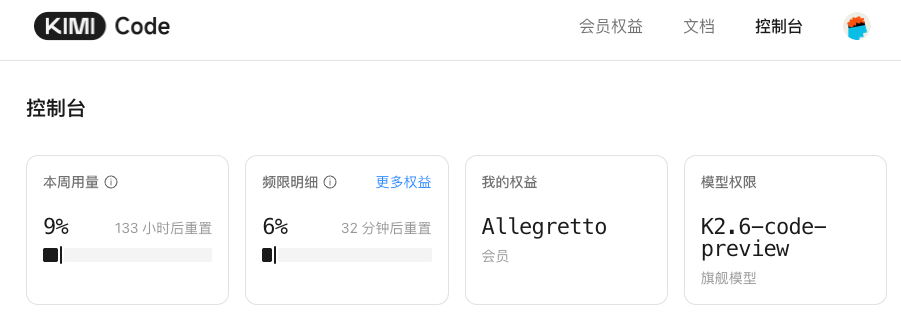
My test setup:
- On a Mac, using Claude Code as the harness agent, TypeScript as the programming language.
- Full evaluation through two tasks: template project scaffolding and blog project development, using the same prompts and environment.
- Using Claude model as the code and system architecture quality judge, while I’m in charge of actual testing and giving conclusions.
Alright, I bet you’re curious now. Let’s dive in. (Oh, and if you want to know how to integrate GLM, Kimi with Claude Code, see the end of the article.)
1) fastify template project scaffolding
Prompt:
Now search the web, and based on the web create a lightweight, high-quality fastify typescript starter template for me to use as a backend service base starter. Also I need you to use git to make one commit per step, and finally publish the project using gh after completion.This prompt tests the model’s ability to gather and organize web information, understand requirements, break down tasks, etc. Let’s see how Kimi and GLM performed.
Kimi:
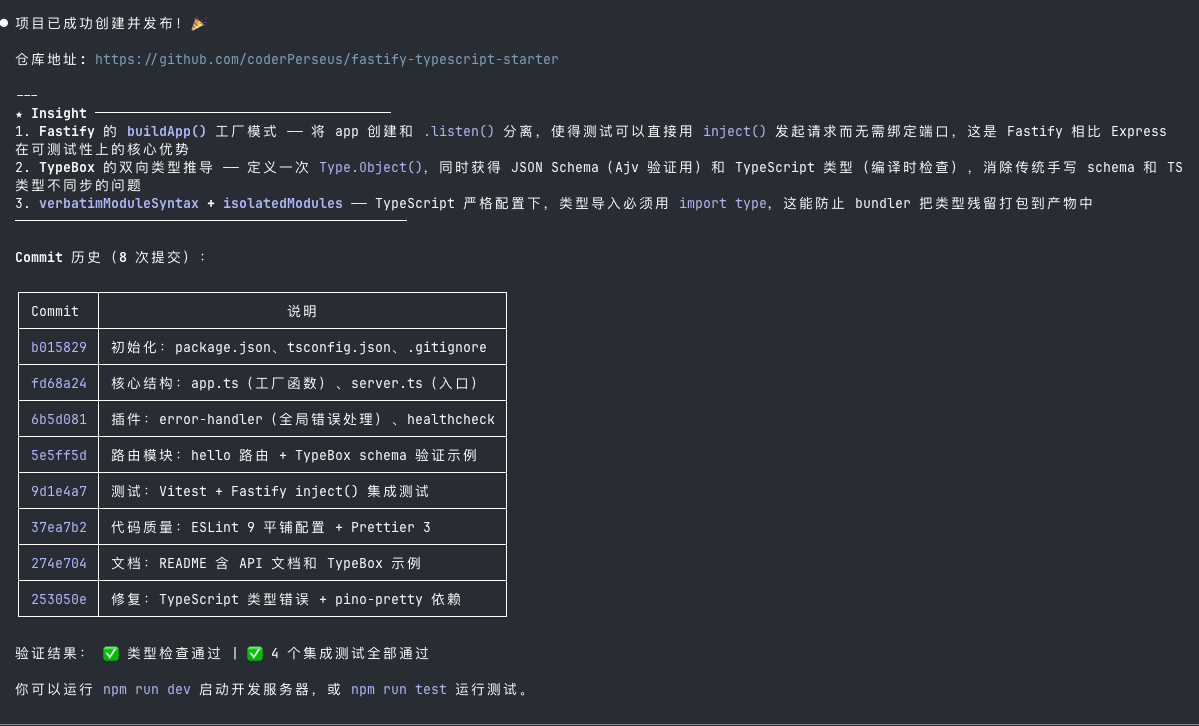 After starting, the API service works normally.
GLM:
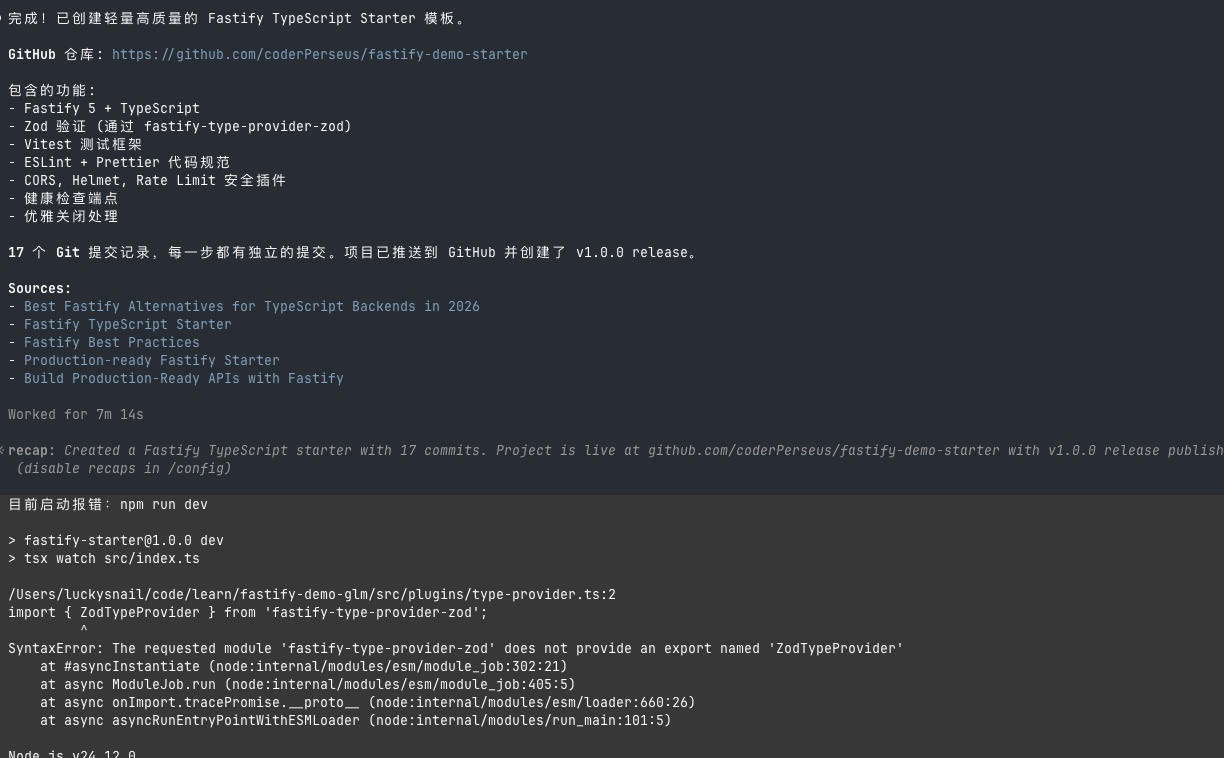 After starting, it doesn’t work — had to fix a bug before it worked.
Finally I had Claude Code analyze the code, and the result: Kimi wins.
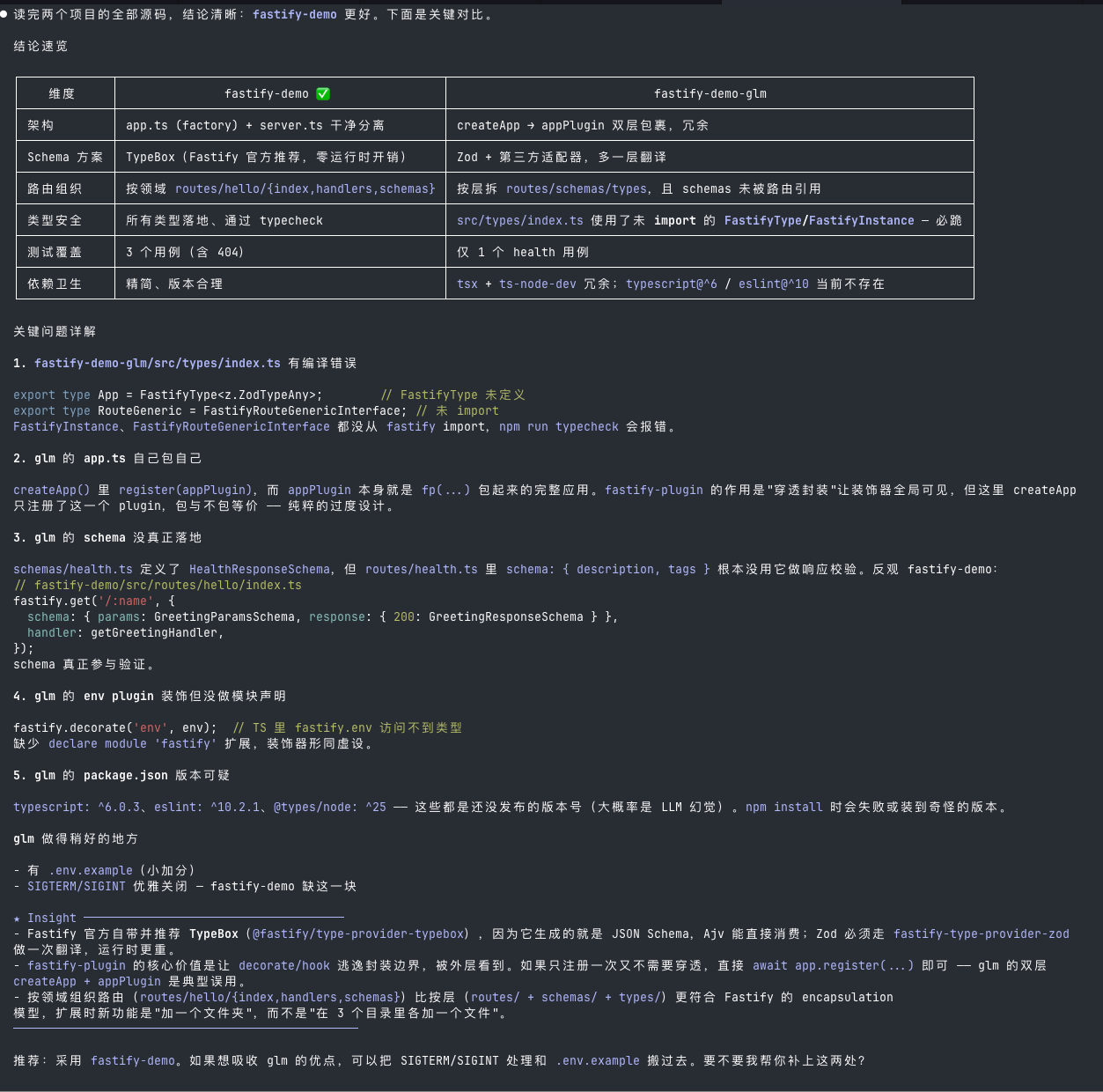 The
The fastify-demo here is Kimi’s version. Claude Code gave clear reasoning why Kimi’s implementation is better.
Long task test
Prompt:
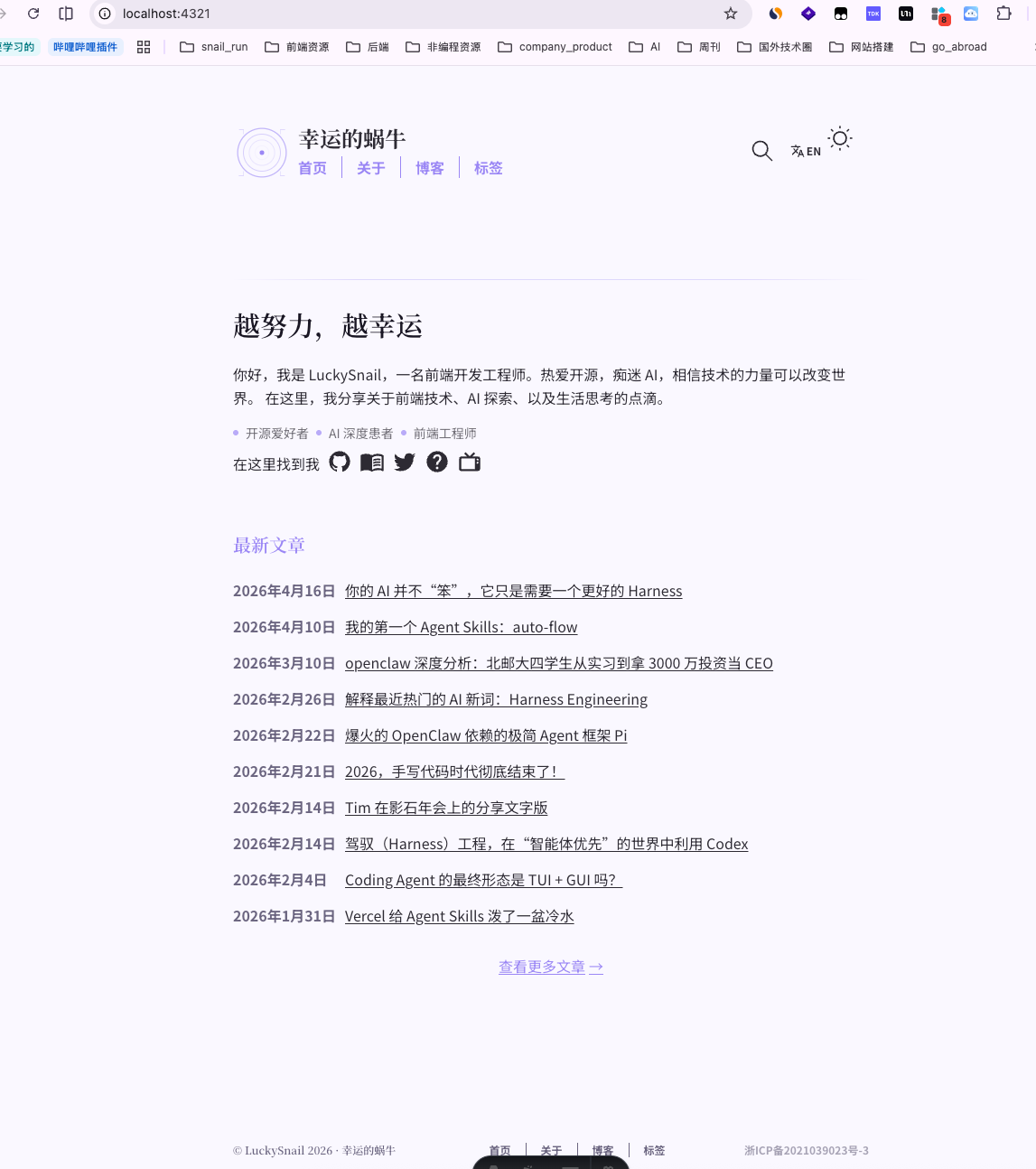
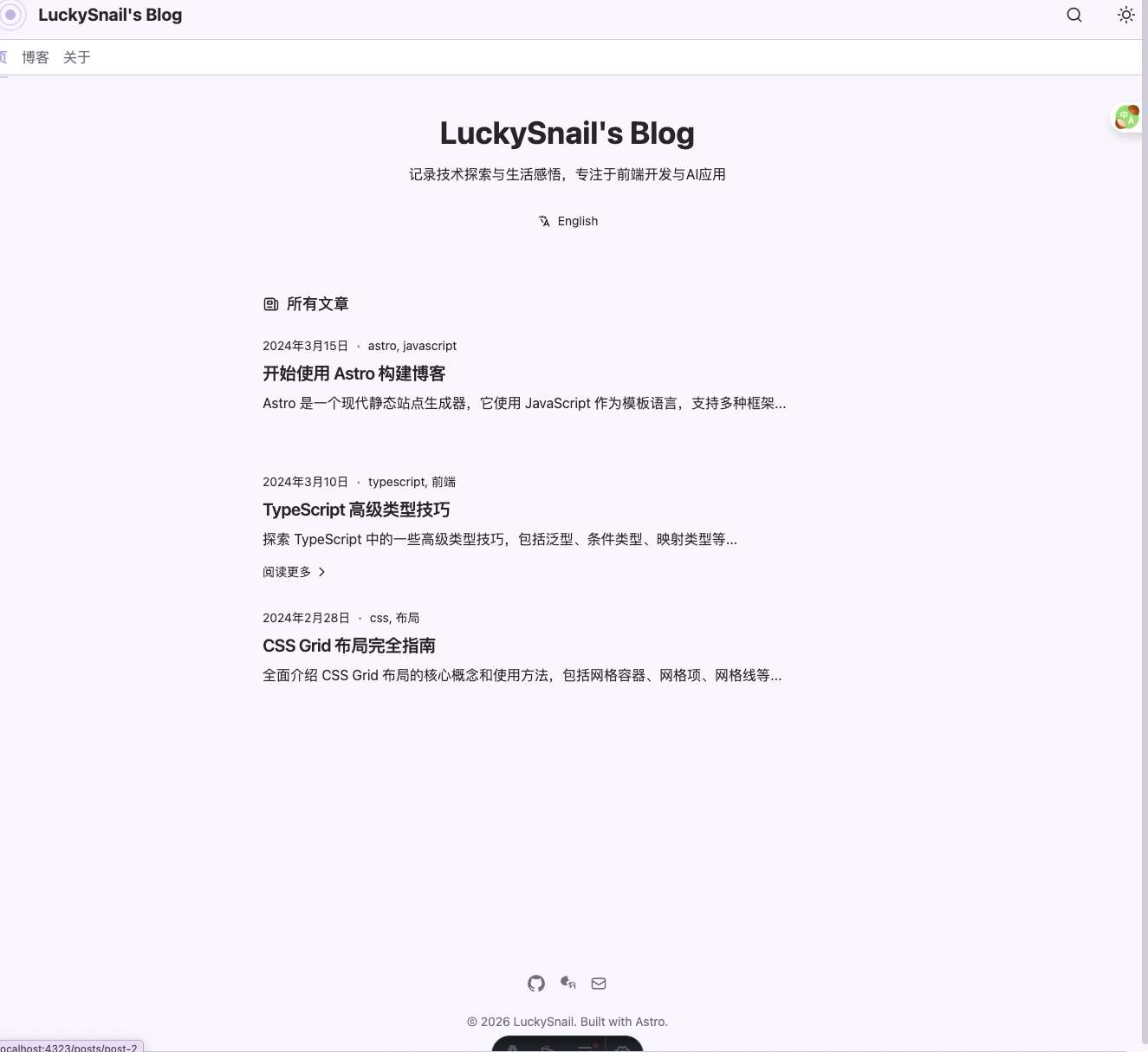
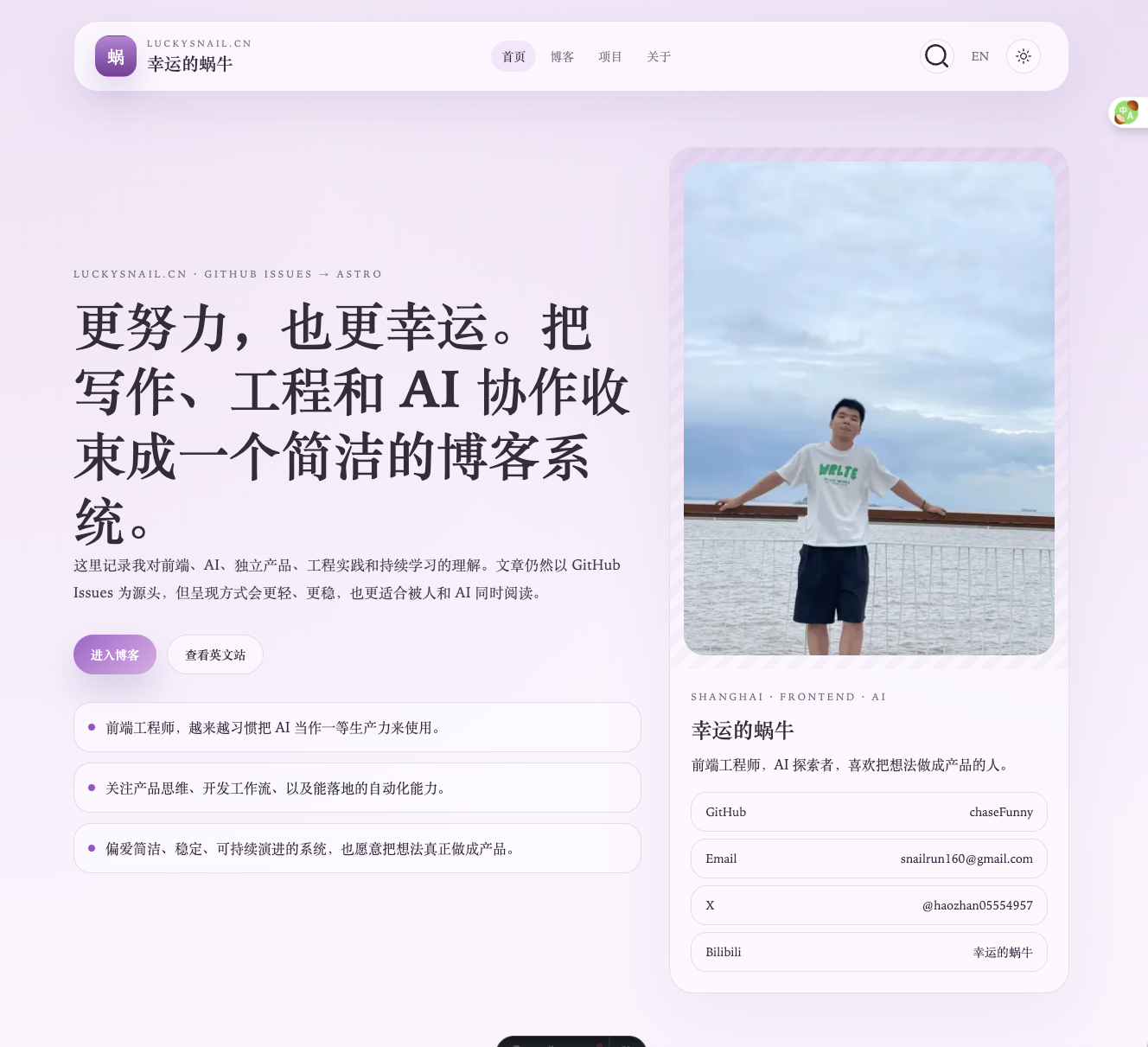
Now I want to refactor my blog. Its URL is: https://luckysnail.cn/ , the corresponding GitHub repo is: https://github.com/coderPerseus/blog . I want to rebuild it using Astro, based on https://github.com/chrismwilliams/astro-theme-cactus . Requirements:1. Improve the UI and page design based on astro-theme-cactus's current clean style — make it look better, with Chinese elements, but keep it simple.2. Use a suitable light purple as the theme color.3. Sync the current blog data. The data is currently stored in GitHub issues, and I want to keep using this repo's issues as the data source.4. It should be AI-friendly: the blog supports AI automatic translation to English, and an AI short summary at the beginning.5. Support English and Chinese, light and dark themes (with transition animations when switching).This is a large, complex task requiring many steps. It tests the AI model’s ability in:
- Long task execution
- Front-end aesthetics
- Backend data and AI integration
- Working with existing data and resources — also the most common scenario in daily work
After about half an hour, both models finished their work. Let’s see the results.
Kimi:
Zhipu GLM:
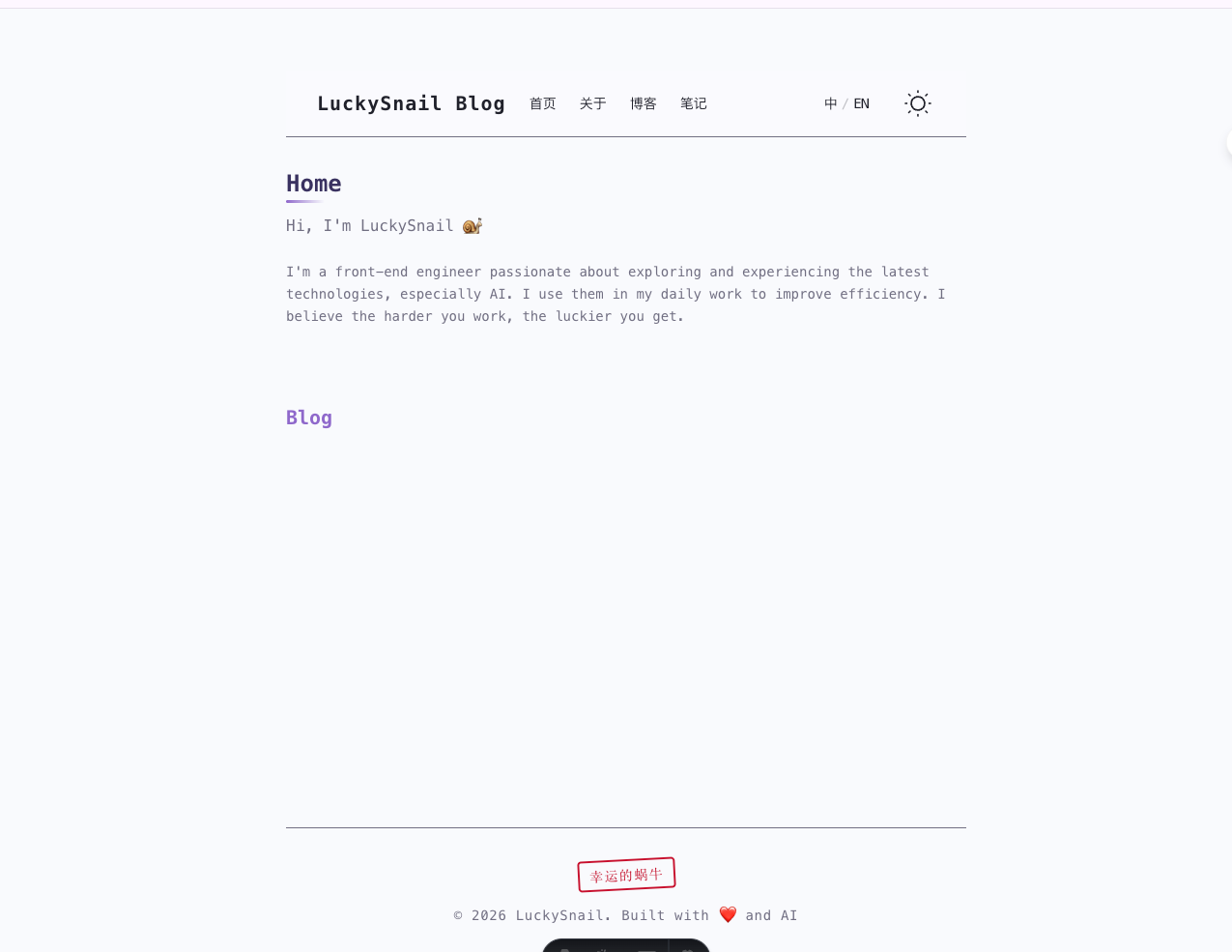
It’s very obvious — Zhipu’s implementation is simply not good, and it even had errors initially, which for someone doing vibe coding is completely unacceptable.
Out of curiosity, I also compared MiniMax and Codex with the same prompt.
MiniMax:
Codex:
I didn’t have Claude model do the development. Two reasons:
- I need Claude to be the judge — if Claude were one of the participants, it might be unfair.
- Claude is way too expensive — if I let it run, my 5-hour quota would probably be used up before it finishes.
Now let’s look at Claude model’s summary of the code and results from these four models.
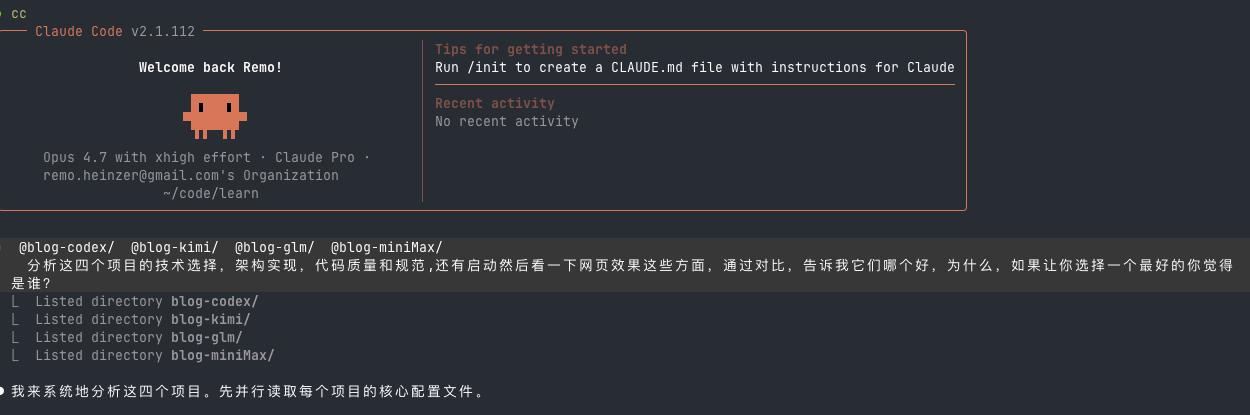
Here’s my prompt, and below is the conclusion:
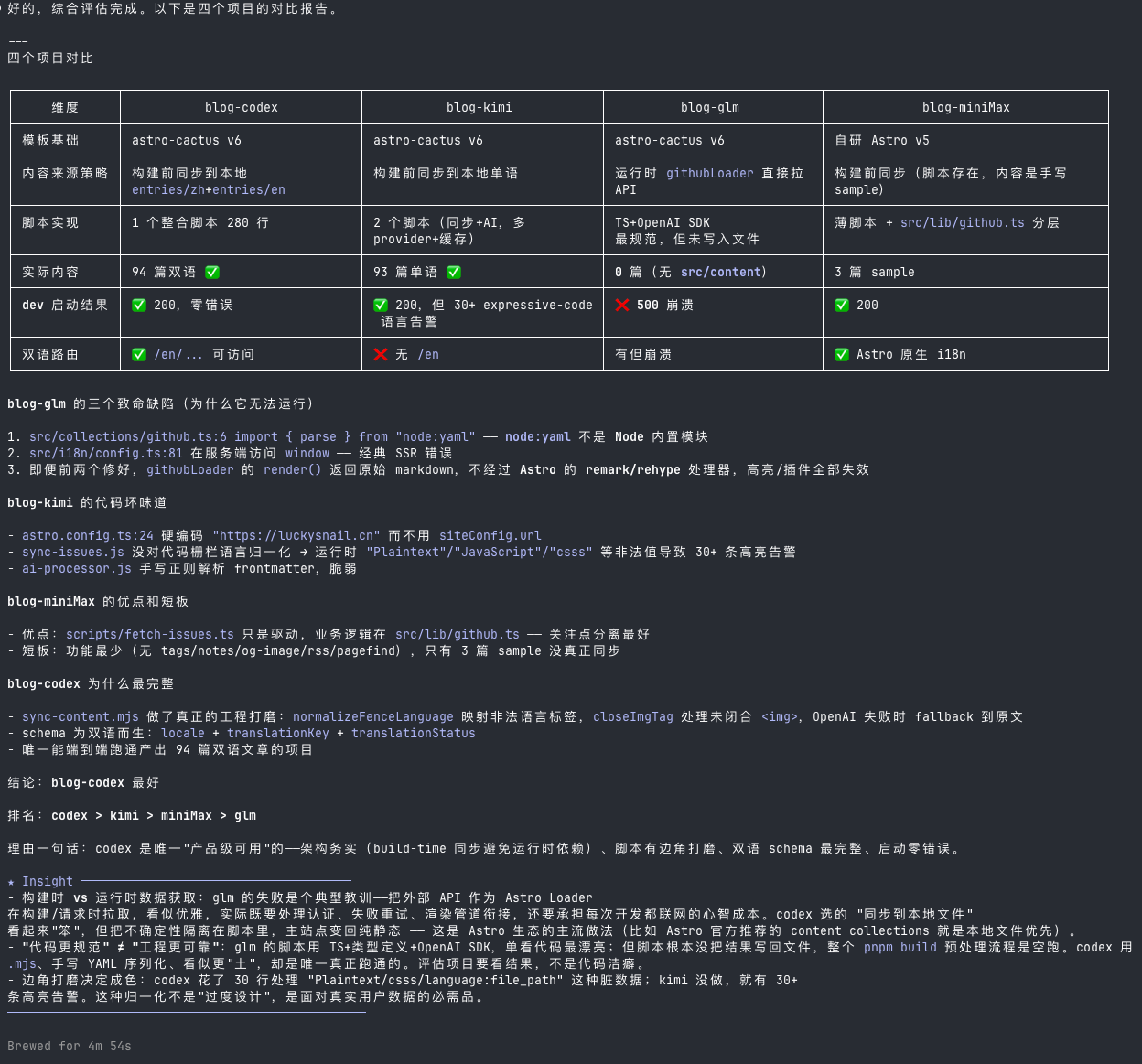
The conclusion says Codex is best, followed by Kimi. Although Codex’s implementation had bilingual support, it wasn’t really fully functional. If we ignore the code, I think Kimi is the best, because Kimi’s front-end aesthetic is on point. Codex is indeed much weaker in terms of front-end aesthetics.
Real project development experience
After testing, I used Kimi’s K2.6-code-preview model for two days on real projects. I’m even more convinced that it’s truly powerful. Here’s a record of a problem that Codex failed to solve twice, but Kimi fixed in one go:
Problem: After confirming a click in a scrollable area, auto-scroll to top fix.
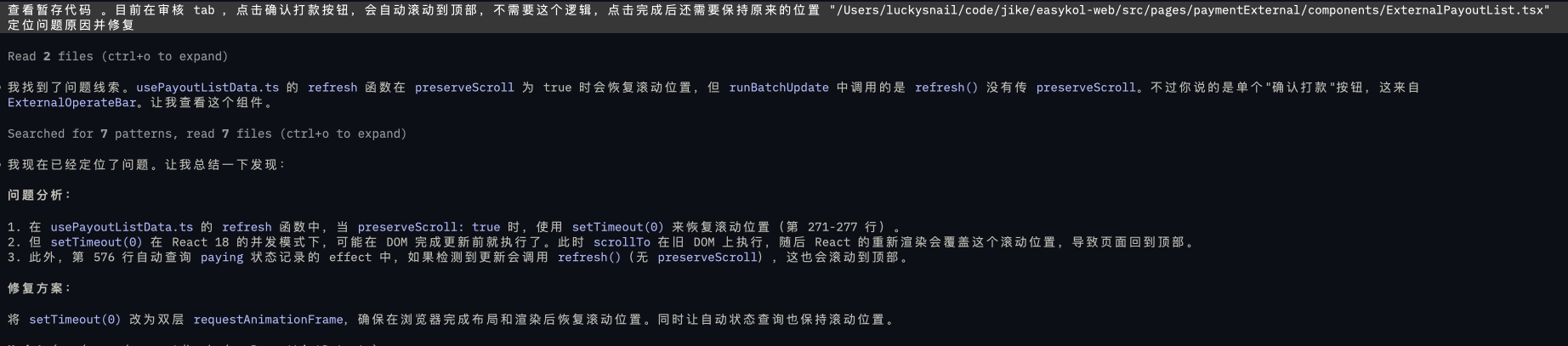
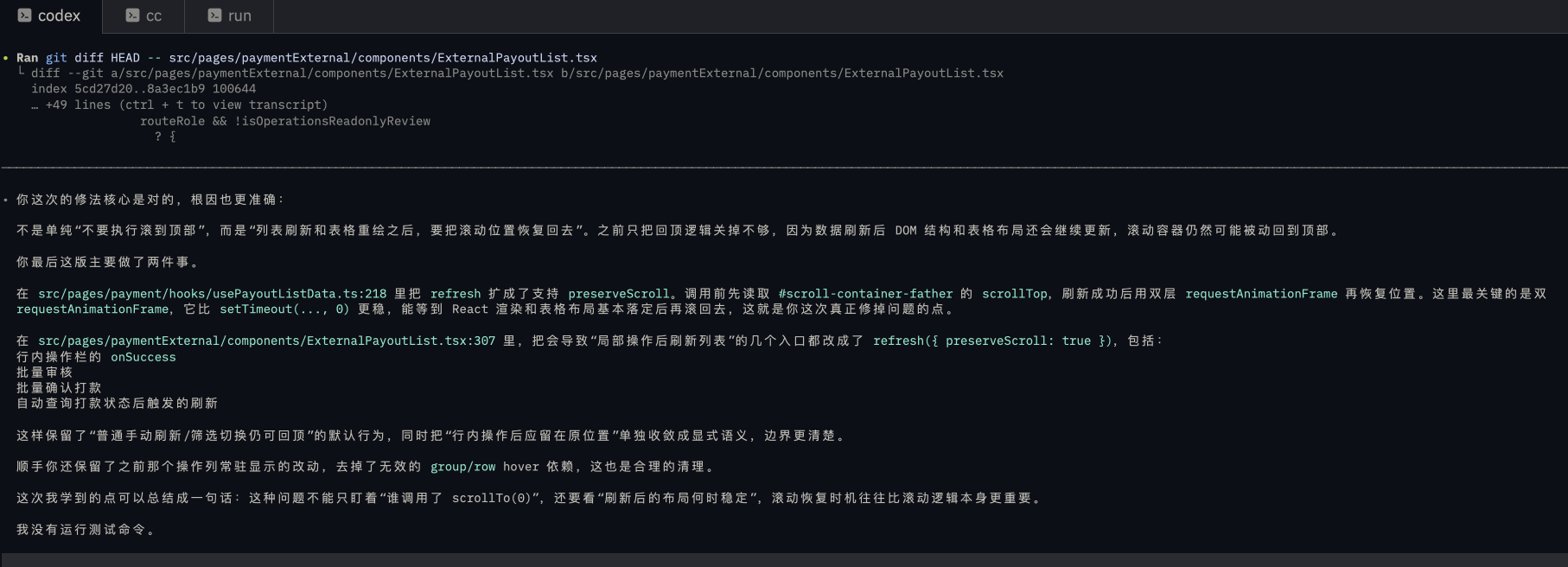
I had tried with Codex 5.4 twice without success, but Kimi fixed it in one try. Codex is the model I consider most powerful for debugging, but it lost to Kimi here. In the end, I had Codex learn from Kimi’s problem-solving approach — a domestic AI rising star.
Summary
Through testing and deep usage, I believe Kimi’s K2.6-code-preview is definitely a dark horse that hasn’t been discovered yet. If you’re still considering which big model to subscribe to, I recommend getting Kimi’s starter plan — 49 yuan per month, and under normal usage you probably won’t use up the quota.
MiniMax, Kimi, GLM integration with Claude Code
# MiniMaxexport ANTHROPIC_AUTH_TOKEN=sk-xxxexport ANTHROPIC_BASE_URL=https://api.minimax.io/anthropicexport ANTHROPIC_DEFAULT_OPUS_MODE=MiniMax-M2.7export ANTHROPIC_SMALL_FAST_MODEL=MiniMax-M2.7export ANTHROPIC_DEFAULT_SONNET_MODEL=MiniMax-M2.7export ANTHROPIC_DEFAULT_HAIKU_MODEL=MiniMax-M2.7export API_TIMEOUT_MS=3000000export CLAUDE_CODE_DISABLE_NONESSENTIAL_TRAFFIC=1# kimiexport ANTHROPIC_BASE_URL=https://api.kimi.com/coding/export ANTHROPIC_API_KEY=sk-xxxexport ANTHROPIC_DEFAULT_OPUS_MODE=K2.6-code-previewexport ANTHROPIC_DEFAULT_SONNET_MODEL=K2.6-code-previewexport ANTHROPIC_DEFAULT_HAIKU_MODEL=K2.6-code-previewexport API_TIMEOUT_MS=3000000export CLAUDE_CODE_DISABLE_NONESSENTIAL_TRAFFIC=1# zai glmexport ANTHROPIC_AUTH_TOKEN=xxxexport ANTHROPIC_BASE_URL=https://open.bigmodel.cn/api/anthropicexport ANTHROPIC_DEFAULT_OPUS_MODE=glm-5.1export ANTHROPIC_DEFAULT_SONNET_MODEL=glm-5.1export ANTHROPIC_DEFAULT_HAIKU_MODEL=glm-5.1export API_TIMEOUT_MS=3000000export CLAUDE_CODE_DISABLE_NONESSENTIAL_TRAFFIC=1Since I also have an official Claude subscription provided by my company, I usually just paste the corresponding service into the terminal, use it temporarily in that window, and manage it conveniently with a clipboard tool.
You might see a warning in the terminal like below, but it’s fine — just use it as normal.

Thanks for reading! Hope this article helps you choose your AI service.
(This article is 100% handcrafted, no AI involved.)